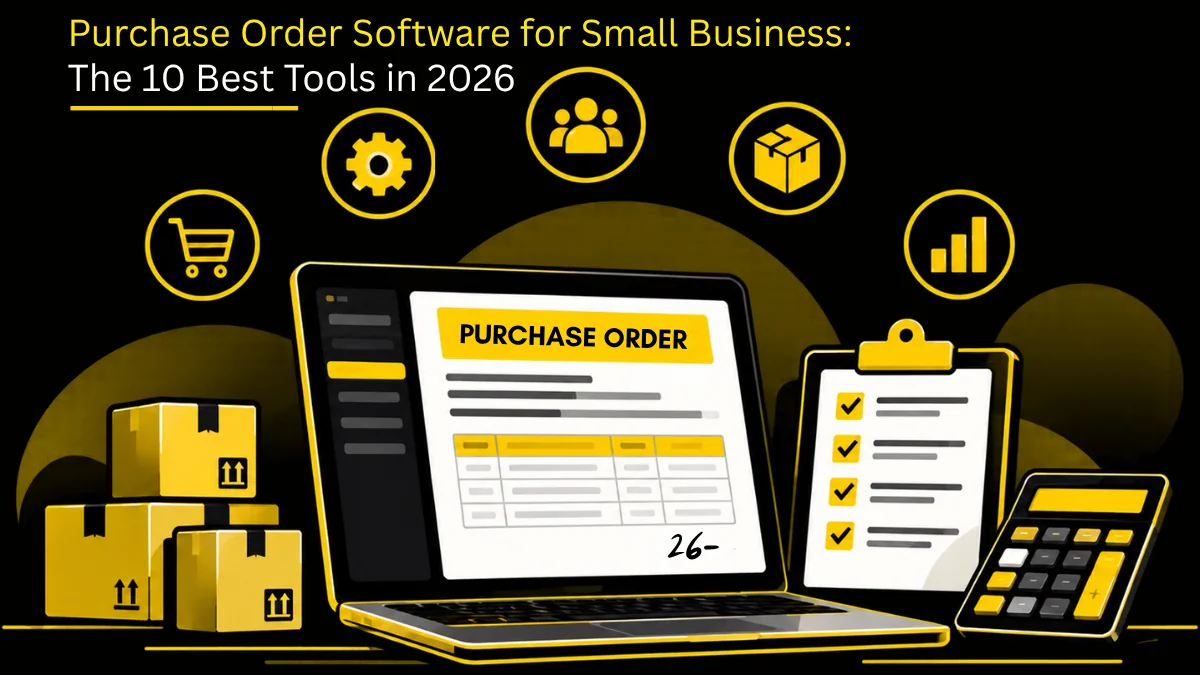
Purchase order software for small business is a lightweight system that lets a small team raise, approve, send and track purchase orders without buying an enterprise procurement suite. The best options go live in days rather than months, price per user or per plan, sync with QuickBooks or Xero, and cover PO creation, approval routing, supplier delivery tracking and three-way matching against invoices.
TL;DR / Key Takeaways:
- Implementation speed is the first selection criterion. Anything that takes months to configure gets abandoned before it delivers a thing.
- Non-negotiables: PO creation and templates, one- or two-step approval routing, supplier email delivery, goods-receipt logging, and QuickBooks or Xero sync.
- The real trigger to move off spreadsheets is the second approver. As soon as more than one person signs off spend, the shared sheet stops working.
- Uncontrolled card spend is the leak this software actually closes, because approval happens before the purchase instead of at reconciliation.
- Skip anything that needs a dedicated admin. If the owner or office manager cannot configure it, it will not survive contact with a busy week.
- Model pricing across 12 months. Per-user pricing punishes headcount growth; per-transaction pricing punishes volume growth.
- Three-way matching earns its keep the first time it catches an invoice for goods that never arrived — that is true at ten POs a month, not just a thousand.
- Pick a platform you can grow into (vendor management, contracts, AP) so you are not migrating again in 18 months.
Purchase Order Software, Purchasing Software or Procurement Software: Which Do You Actually Need?
These three phrases get used interchangeably by vendors, which makes shopping harder than it needs to be. They are not the same scope, and buying the wrong one is how small teams end up paying for modules nobody opens. Purchase orders are only one step within procurement as a whole, which also spans sourcing, supplier management and payment.
| Category | What it covers | Right for you when |
| Purchase order software | Raising, approving, sending and tracking POs; receipt logging; matching to invoices. | You mainly need control over committed spend and a clean paper trail. |
| Purchasing software | Everything above plus purchase requests, supplier records, budget tracking and spend reporting. | More than one person requests and approves, and you need budget visibility by department. |
| Procurement software | Everything above plus sourcing, catalogs, contracts, supplier performance and spend analytics. | You are managing a supplier base strategically, not just processing orders. |
For most businesses under about 50 people, purchase order software is the right starting point and the other two are where you grow. The honest test: if you cannot name three suppliers you would run a competitive sourcing event with, you do not need sourcing yet. The distinction between the underlying activities is covered in procurement vs purchasing, and if you are weighing the wider category, our procurement software comparison sets the options side by side. If the purchasing software tier above is the closer fit, our guide to Purchasing Software For Small Business walks through options built for that middle layer.
What Is a Purchase Order System?
A purchase order system for a small business automates the creation, approval, tracking and management of purchase orders. A purchase order itself is a commercial document issued by a buyer to a seller, setting out exactly what is being bought, at what price, in what quantity and by when. Once the supplier accepts it, it is binding.
The software turns that document into a workflow. It creates a central record of every commitment, applies spending rules before money leaves the business, and builds an audit trail as a by-product rather than as a chore. That centralisation is why a dedicated cloud purchase order system beats accounting software and email chains for purchasing control — accounting tells you what you spent, a PO system tells you what you have committed to spend. If your team is still asking what the reference on an order means, what a PO number is is a useful primer to share.
Experience the Future of Purchase Orders.

What Manual Purchasing Actually Costs a Small Business
Most small teams do not decide to run purchasing on spreadsheets. They drift into it, and it works fine until it does not. These are the four failures that show up first:
- No control over spend. Requests bypass any financial check, so the first time anyone sees the number is on the invoice. Rogue spend on cards and personal accounts is normal rather than exceptional.
- Time drains into chasing. Building orders by hand, chasing signatures, hunting for the invoice that matches a delivery. Hours a week, every week, on work that creates no value.
- Errors that cost real money. One wrong figure or one missing invoice becomes a late payment, a strained supplier relationship and a set of books that need unpicking at year end.
- Missed discounts. Without a record of what you buy and from whom, you cannot consolidate volume or negotiate. You pay list price on things you buy every month.
Add the reconciliation work at month end and the picture is clear enough. These are the same procurement challenges larger teams face, minus the headcount to absorb them. The upside is that a small business can fix them in weeks rather than quarters.
The signal that it is time to move is specific and easy to spot: the day two people need to edit the same purchase log, or the day a second approver joins the process. Spreadsheets do not survive either event. At that point the choice widens from a PO tool to Procurement software for SMB — requisitions, approvals and supplier records in one place, without the modules an enterprise suite makes you buy.

Small businesses thrive on simplicity. The best procurement tool is the one your staff actually embraces.
– Kelly Barner, Buyers Meeting Point
Startup, Small Business or Growing SMB: What Changes
“Small business” covers a wide range. What you need depends less on revenue and more on how many people raise and approve spend.
Stage | Typical size and volume | What breaks first | What to buy |
|---|---|---|---|
Early-stage startup | 1 to 20 people, fewer than 20 POs a month | Card and SaaS spend with no approval before purchase | A free or entry PO tool with mobile approvals and accounting sync |
Small business | 20 to 100 people, 20 to 200 POs a month | A second approver joins and the shared spreadsheet stops working | Purchase order software with approval routing, receipts and QuickBooks, Xero or Zoho Books sync |
Growing SMB | 100 to 500 people, several departments or locations | Budgets by department, invoice backlog, supplier sprawl | Purchasing or procurement software with budgets, three-way match and AP automation |
If you are between two stages, buy for the next one. Migrating purchase data 18 months later costs more than the difference in price.
Why Purchase Order Software Matters for a Small Business
Moving from spreadsheets and paperwork to a dedicated platform pays back in five concrete places.
Speed
A manual request sits in an inbox waiting for someone to notice it. A digital one routes to the right approver the moment it is submitted, generates the PO with pre-filled supplier data once approved, and sends it straight to the supplier. Cycle time drops from days to hours, which is the whole point of automating the requisition-to-order process.
Cost Control Before the Money Goes
This is the difference that matters most. Budget control stops being a look-back exercise and becomes a gate. Every PO is tied to a budget line, cost centre or project code, and the check happens before the order is placed rather than after the invoice lands. That is also where measurable procurement savings come from — not from haggling harder, but from spending less by default.
Stock You Can Trust
If you hold physical inventory, the connection between orders and stock is the feature that repays the subscription. The moment a PO is raised the system knows goods are incoming; when they arrive and are logged against a goods received note, stock updates immediately. No empty shelves, no cash tied up in overstock, and a real figure for cost of goods sold. A purchase order and inventory management system gives you that link out of the box.
Records That Survive an Audit
Every entry is time-stamped and attributed, and everything lives in one place. The system runs the three-way match — PO, goods received note, supplier invoice — and holds anything that does not line up. That is the control that stops you paying for goods that never arrived, and it is what makes procurement compliance and a clean procurement audit straightforward rather than stressful. If you are unsure how to treat spend without an order behind it, see PO invoice vs non-PO invoice.
Suppliers Who Want Your Business
Accurate orders, consistent formats and invoices paid on time change how suppliers treat a small account. Disputes drop, queries drop, and you start getting better pricing and priority on stock because you are easy to deal with. Applying basic purchase order management best practices does more for supplier goodwill than any negotiation tactic.
Gartner reports that businesses with automated purchase orders see around a 20% reduction in the costs tied to supplier payments and invoice processing.
– Gartner
What to Look For in PO Software for a Small Business
The market is crowded, and plenty of it is enterprise software with a small-business price page. These are the features that decide whether it works for a team of fifteen.
Setup You Can Do Yourself
You almost certainly do not have an IT department. Look for a cloud system that is usable within hours, configured through setup wizards rather than consultants, and clear enough that someone who raises a PO once a month can still do it without a refresher. Complexity is the reason most small-business rollouts stall. Our guide on how to choose the best procurement software walks through the evaluation in more depth.
Accounting Integration
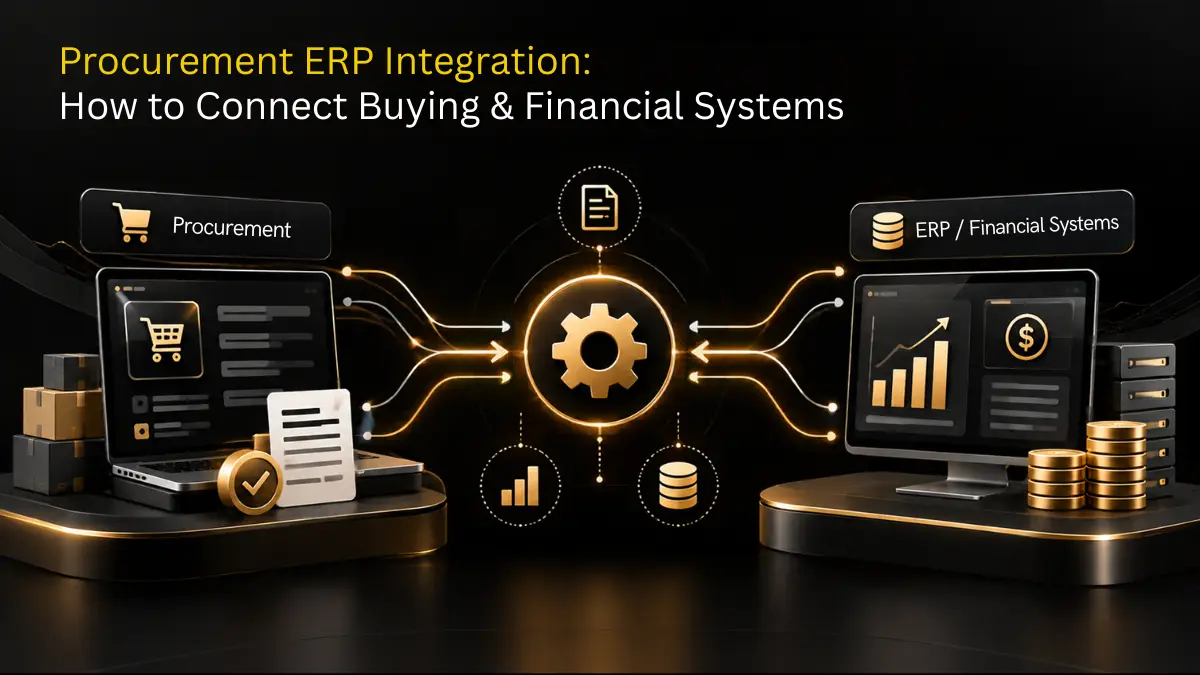
A PO system that does not talk to your ledger is a second place to type things. Approved POs should flow through as committed spend and matched invoices as bills, with supplier records staying in sync both ways. QuickBooks, Xero and Sage are the ones to check by name. For anything larger, look at how the vendor handles integrating procurement with ERP and financial systems and what their procurement integration options actually include.
The accounting system and tax fields to check depend on where you operate:
- United States: QuickBooks Online or NetSuite, with W-9 details stored on the supplier record so 1099 reporting is not a year-end scramble.
- United Kingdom: Xero or Sage, with VAT codes on each PO line so bills flow into Making Tax Digital returns without re-keying.
- India: Tally or Zoho Books, with the supplier’s GSTIN validated at onboarding, GST codes on each line and TDS applied when the invoice is booked.
Requests and Approval Routing
Staff raise a request, the system routes it by value, department or project, and it becomes a PO on approval. Tiered rules matter even at small scale: a $500 request to a manager, a $5,000 one to a director, automatically. That is not bureaucracy, it is the guardrail that keeps one enthusiastic order from breaking a month’s budget. If requests are your bottleneck, purchase requisition software is the specific category to look at, and purchase requisition vs purchase order clears up the terminology.
Goods Receipt and Matching
You need to log receipts against a PO, handle partial deliveries, and match PO, receipt and invoice before payment. Partial deliveries are the detail people forget to test in demos, and they are the most common real-world case. Purchase order and invoice software that handles both sides of the match saves the most administrative time of any single feature.
Supplier Records in One Place
Contact details, payment terms, contracts, order history and delivery performance against one supplier record. It sounds basic; it is what stops decisions being made on whoever answered the phone last. If your supplier list is growing past a couple of dozen, look at how the platform handles vendor management as you scale.
Mobile Approvals
Approvals stall because approvers are not at a desk. A responsive interface or a real mobile app that lets a manager review and sign off from a phone removes the single most common delay in a small-business purchasing cycle.
Spend Tracking and Reporting
Live dashboards showing committed versus actual spend, who you buy from, and how long approvals take. Budget variance visible while there is still time to act on it, not at month end. Over a year this data is what lets you consolidate suppliers and negotiate properly — start with a basic spend analysis and track a handful of procurement KPIs rather than building a reporting project.
Price and Room to Grow
Look for transparent, published pricing and a system that absorbs more users, more volume and more currencies without a re-implementation. Model the cost at your headcount in twelve months, not today’s. Review purchase order software pricing — Zapro’s entry plan covers unlimited users and 50 active vendors at a flat monthly rate, with no setup or per-transaction fees.
Purchase Order Software by Type of Small Business
The features above apply everywhere, but each type of business leans on a different one.
Business type | Prioritise | Related guide |
|---|---|---|
Restaurants and multi-location retail | Repeat-order catalogs, per-location budgets, receiving against deliveries | |
Agencies and professional services | Project codes on every PO, service spend without a goods receipt, client rebilling | |
Clinics and small healthcare providers | Approved supplier lists, recurring consumables, audit trail | |
Construction subcontractors | Job and cost codes, mobile receipts on site, partial deliveries | |
E-commerce and D2C brands | Inventory sync, multi-currency suppliers, landed cost | |
Tech startups | SaaS subscriptions, renewals, card spend control |
The 10 Best Purchase Order Software Tools for Small Business
Compared on what a small team actually cares about: who it suits, what it does well, and what it costs.
| Software | Best for | Key features | Pricing |
| Zapro | Best overall, all sizes | AI-powered automation, guided intake, smart matching, real-time budget control, supplier portal | Spark plan from $699/month; Enterprise S2P suite custom |
| SAP Ariba | Large global enterprises | End-to-end procurement, supplier risk management, advanced compliance controls | Varies widely; supplier subscriptions $50–$5,500/yr, median buyer contract around $61,513/yr |
| Coupa | Strategic spend management | Full spend management, strategic sourcing, AI-driven recommendations | Median buyer contracts around $92,957/yr; supplier plans from $499/yr |
| NetSuite Procurement | Finance-centric businesses | Native NetSuite ERP integration, real-time budget tracking, automated requisitions | Custom; mid-sized deployments $50,000–$500,000/yr, monthly plans from $999 plus user fees |
| ProcureDesk | Customisable P2P automation | Custom workflows, catalog integration with 200+ vendors, invoice management | From $498/month billed annually for 10 users |
| Procurify | Teams needing virtual spend cards | PO automation, budget controls, virtual cards, receipt and invoice management | Typically from around $1,000/month |
| Precoro | Distributed and global teams | Multi-currency, custom approval workflows, remote access | Core $499/month; Automation $999/month, both billed annually |
| Order.co | E-commerce heavy buying | Custom catalogs, automated bulk payments, order tracking | From $29/month billed annually, tiered by orders and locations |
| Tradogram | Free option for low volume | Free plan up to 5 transactions/month, PO automation, expense tracking | Free plan; Pro from $195/month, Premium $375/month billed annually |
| Kissflow Procurement Cloud | Custom workflows | Low-code customisation, hosted and punchout catalogs, contract management | From around $1,990/month, average annual cost near $31,500 |
1. Zapro — Best Overall Purchase Order Software
Most PO systems digitise the paperwork and stop there. Zapro applies automation to the decisions around it — reading invoices, matching them to orders and receipts, and flagging only the exceptions that need a human. For a small team, that is the difference between a system you maintain and a system that does work for you. Learn more about the automated purchase order system behind it.
Key features
- Guided intake — staff submit requests through a form that captures the right detail first time, with compliance checks built in.
- Automated approvals — routing by value and department, with instant notifications so nothing sits waiting.
- AI-powered matching — POs, invoices and receipts matched automatically, cutting matching errors by up to 75%.
- Real-time budget control — policies and budgets enforced at the point of request, not at reconciliation.
- Supplier portal — suppliers view POs, update delivery status and confirm commitments without emailing anyone.
- Analytics and reporting — visibility on spend, supplier performance and compliance in one view.
Why it stands out: it is modular. You can start with purchase order automation and expand into full source-to-pay as the business grows, without replacing the system underneath. FastTrack deployment gets most teams live in about five days.
Pricing: Spark plan from $699/month covering purchase orders, approvals and budget tracking for small teams; Enterprise S2P suite priced on request, adding sourcing, supplier management, contracts and AP automation.
See why Zapro holds a 4.7 rating on G2
2. SAP Ariba — Best for Large Global Enterprises
Ariba is the enterprise standard, connecting buyers to a very large supplier network with deep spend management and supply chain capability behind it. It is included here for completeness rather than as a small-business recommendation.
- End-to-end procurement management
- Supplier risk management tooling
- Native integration with SAP ERP
- Advanced compliance and audit controls
Drawback: implementation is long and expensive. For a small business it is the wrong tool at the wrong price.
3. Coupa — Best for Strategic Spend Management
Coupa is built around visibility into total spend rather than order processing alone, with sourcing, contract lifecycle tools and AI-led recommendations layered on top.
- Comprehensive spend management
- Strategic sourcing and contract lifecycle tools
- AI-driven recommendations on spend and suppliers
- Integration with major ERP platforms
Drawback: the pricing and the complexity both sit well above what an SMB needs.
4. NetSuite Procurement — Best for Finance-Centric Businesses
If your business already runs NetSuite, its procurement module keeps requisitions, approvals, budgets and vendor performance inside the same ledger you close your books in. That single-system advantage is the entire argument for it.
- Built-in integration with NetSuite ERP
- Automated purchase requisitions and orders
- Real-time budget tracking against cost centres
- Reporting dashboards for finance teams
Drawback: the value depends almost entirely on already being a NetSuite customer.
5. ProcureDesk — Best for Customisable P2P Automation
ProcureDesk targets growing businesses that want cost control and cash flow visibility without an enterprise rollout. Its catalog integrations and punchout support make repeat ordering genuinely quick.
- Catalog integration with 200+ vendors
- Punchout catalogs including Amazon and Thermo Fisher
- Invoice management and three-way matching
- Real-time spend reporting
Drawback: a short learning curve at setup, and it runs out of room for very large organisations.
6. Procurify — Best for Teams That Want Virtual Spend Cards
Procurify pairs approvals with issued virtual cards, so decentralised spending stays inside pre-set limits and reconciliation happens automatically instead of through expense reports.
- Purchase requisition and PO automation
- Budget controls and live tracking
- Virtual spend cards with per-card limits
- Receipt and invoice management
Drawback: pricing starting around $1,000/month puts it out of reach for many small businesses.
7. Precoro — Best for Distributed and Global Teams
Precoro handles multi-currency buying and remote approvals well, with a clean interface, a free open API, and QuickBooks Online and NetSuite integrations that make it easy to slot into an existing finance stack.
- PO, invoice and receipt management
- Budget tracking and configurable approval workflows
- Multi-currency support
- Supplier management
Drawback: catalog capability is limited compared with the enterprise platforms.
8. Order.co — Best for E-Commerce Heavy Buying
Order.co works well for teams that buy mostly from online retailers. It pulls purchasing across multiple e-commerce sources into one requisition, approval and reconciliation flow, then consolidates the payments.
- Custom catalogs across multiple e-commerce sites
- Automated bulk payments
- Budget approvals
- Order tracking
Drawback: weak on supplier contract management, so it suits transactional buying more than managed supplier relationships.
9. Tradogram — Best Free Option for Low-Volume Purchasing
Tradogram’s free tier gives one user up to five transactions a month with PO management and approval workflows included. If you raise a handful of orders and want to test the discipline before paying for it, this is a sensible place to start.
- Unlimited supplier management
- PO automation
- Expense tracking
- Project-based purchasing
Drawback: five transactions a month is a hard ceiling, so most businesses outgrow the free plan quickly.
10. Kissflow Procurement Cloud — Best for Custom Workflows
Kissflow’s low-code builder lets non-developers shape approval flows and forms around how the business already works, across a full source-to-pay scope with QuickBooks and SAP connections.
- Hosted and punchout catalogs
- PO automation
- Contract and vendor management
- Strategic sourcing
Drawback: deeper customisation still needs technical help, and users report friction with regional settings, data sync and log retention.
If your requirement is broader than purchase orders, our roundup of the best procurement software and the overview of procurement tools cover the wider category, while best procure-to-pay software is the list to read if invoice processing is the bigger pain.
Any Procurement Software Under $100 a Month
Most full-featured procurement software, including Zapro, prices well above $100/month once you need multi-user approval workflows, PO management and reporting. Zapro’s plans start at $699/month. Under $100/month typically buys a single-user requisition or e-signature tool rather than end-to-end procurement. SMBs on a tight budget should compare per-user pricing and what’s included in the base tier (approval routing, vendor management, integrations) rather than headline price alone, since a cheap per-seat price can still be expensive once real usage is added.
How to Choose: A 7-Step Selection Process
Most bad software decisions come from comparing feature lists instead of comparing systems against your own process. Work through these in order.
1. Name Your Actual Pain Points
Write down what breaks today. Approvals lost in email threads? Invoices arriving before anyone raised a PO? No idea what a department has spent this quarter? That list becomes your must-have features. If you buy physical goods, inventory tracking is non-negotiable; if you buy services, look at how the system handles spend without a matching delivery. Mapping your existing purchase order process first makes this step much faster.
2. Split Must-Haves From Nice-to-Haves
Be strict about it. Must-haves for most small businesses: ease of use, PO creation and sending, supplier records, spend tracking, and a price that fits. Nice-to-haves: automated approvals, accounting integration, inventory, mobile access, AI assistance. Buying the nice-to-haves first is how teams end up with software nobody uses.
3. Set a Realistic Budget
Include licences, setup and support, and judge it on return rather than sticker price. A system that saves five hours a week and stops one duplicate order a quarter has already paid for itself. Check whether support is included in the base licence or billed separately, because that gap is where quoted prices quietly diverge.
4. Compare Options Properly
Read reviews from businesses your size, not enterprise case studies. Two questions cut through most marketing: how long did implementation actually take, and what did you have to work around? Confirm the product is genuinely built for small businesses rather than an enterprise tool with a starter tier.
5. Verify the Integrations by Name
Do not accept “integrates with accounting software”. Ask which version of QuickBooks or Xero, whether the sync runs both ways, what happens to a supplier record edited in both places, and how multi-entity or multi-currency setups are handled. If you order the same items repeatedly, ask about catalog management too.
6. Run a Real Trial, Not a Guided Demo
Put your own people on the trial and run a live scenario end to end: raise a request, route it through two approvers, issue the PO, log a partial delivery, and match an invoice against it. Time it. A guided demo shows you the happy path; a trial shows you where your team hesitates. Booking a procurement software demo first is worth it to see the workflow, but do not decide on the demo alone.
7. Plan the Rollout Before You Sign
Decide who configures approval rules, who cleans and migrates the supplier list, and when training happens. Supplier data migration is always messier than expected — duplicate records, stale contacts, missing payment terms. Start with core features, get people using them, and switch on the rest once the basics have stuck.
What Changes in the First 90 Days
Realistic expectations, based on what small teams typically see after switching:
- Weeks 1–2: Requests and approvals move into the system. The immediate win is that nobody is chasing anyone; the immediate friction is people forgetting to use it. Making it the only way to get a PO number solves that quickly.
- Weeks 3–6: Suppliers start receiving consistent, properly formatted orders. Query volume drops. Receipt logging becomes habit, and the first mismatched invoice gets caught before payment.
- Weeks 7–12: You have enough data to see spend by supplier and category for the first time. This is usually where the consolidation opportunities appear — two departments buying the same thing from different suppliers at different prices.
Beyond that, the natural next steps are automating invoice handling through AP automation and tightening the whole cycle with procure-to-pay automation.
Final Word
Putting proper purchase order software behind a small business is one of the least glamorous and most useful upgrades you can make. It turns purchasing from something that happens to you into something you control, and it does it without hiring anyone.
Pick for ease of use, accounting integration and mobile approvals, price it honestly over twelve months, and choose a platform with room to grow so the decision holds up. See pricing and plans for what that costs at your size, or talk to our team about how your current process would map across.
Purchase Order Software for Small Business FAQs
1. What is the best purchase order software for a small business?
Prioritise speed of setup and everyday usability over feature breadth. The essentials are PO creation from an approved request, a clear approval step, supplier and item records that do not require a data project to populate, receipt tracking against the PO, and sync into your accounting system. Also check the tool will still fit when you add entities or currencies. Zapro’s purchase order software is designed around simple intake for every employee rather than for procurement specialists, which is the main reason small-business PO processes get bypassed, and it improves order accuracy while reducing manual work. Its entry plan is priced for startups and small teams with unlimited users, so requesters across the business can be included without per-seat cost pressure.
2. What is the difference between purchase order software, purchasing software and procurement software?
Purchase order software handles raising, approving, sending and tracking POs, plus matching against invoices. Purchasing software adds purchase requests, supplier records and budget tracking. Procurement software adds sourcing, catalogs, contracts and spend analytics on top. Small businesses generally need the first, grow into the second, and only need the third once supplier strategy matters more than order processing.
3. How does purchase order software work?
An employee raises a digital purchase request. The system routes it to the right approver based on value, department or project. On approval it converts the request into a formal purchase order and sends it to the supplier. When goods arrive they are logged against the PO, and the invoice is matched against both the order and the receipt before payment is released.
4. Why do small businesses need a purchase order system?
Because it enforces approval before money is committed, which is the single most effective control a small business has over spend. It also creates the audit trail that makes tax season and compliance checks routine, prevents the same item being ordered twice, and means anyone can see the status of an order without asking around.
5. Is purchase order software only necessary for larger organisations?
No. The need is arguably greater at small scale, because a thin margin absorbs mistakes far less well than a large one. A single duplicate order or an invoice paid for goods that never arrived hurts a small business immediately. Modern tools are priced and built for small teams, so the old argument that PO systems are enterprise-only no longer holds.
6. What key features should I look for in affordable purchasing systems?
Automated PO generation, configurable approval workflows, supplier records, real-time spend tracking, goods receipt logging and accounting integration. Beyond the feature list, weight setup time and day-to-day usability heavily, and check the platform can scale so you are not migrating again in eighteen months.
7. Can purchase order software integrate with QuickBooks or Xero?
Almost all modern systems offer native or API integration with QuickBooks, Xero and Sage. That link is what removes duplicate data entry: approved POs pass through as committed spend, matched invoices become bills, and supplier master data stays consistent in both systems. Always confirm the sync direction and the specific version supported before signing.
8. How much does purchase order software for small business cost?
Entry-level plans typically run from around $200 to $700 per month, with free tiers available for very low volumes. Watch the pricing model rather than the headline figure — per-user pricing rises with headcount, per-transaction pricing rises with order volume, and setup or support fees are sometimes billed separately. Zapro’s Spark plan is a flat monthly rate covering unlimited users and 50 active vendors with no setup or per-transaction charges.
9. How does procurement automation benefit a small business compared with manual purchasing?
Four ways, in order of impact: it prevents overspending by requiring approval before purchase; it removes hours of administrative work each week; it gives real-time visibility into committed and actual spend; and it enforces the same rules on every purchase, which makes compliance and audits far less painful.
10. How does Zapro help small businesses with purchase orders?
Zapro brings requests, approvals, purchase orders, supplier records, receipts and invoice matching onto one platform, with AI handling document reading and matching so your team only sees exceptions. Approvals work on mobile, budgets are enforced at the point of request, and accounting integration keeps the ledger in step. FastTrack deployment typically has small teams live in about five days.
11. What is the best purchase order software for a startup?
A startup needs approvals before money is spent, mobile sign-off and an accounting sync, not a full procurement suite. Start with a tool that has a free or flat-priced entry plan and can add AP automation later, so you do not migrate when the team passes 50 people.
12. Does purchase order software handle GST for small businesses in India?
Check for it specifically, because many tools built for the US market do not. You need GSTIN validation for suppliers, CGST, SGST and IGST on PO lines, TDS on invoices, and a sync with Tally or Zoho Books.
13. Can UK small businesses use purchase order software with Xero and VAT?
Yes. Most small-business PO tools sync with Xero. Confirm that VAT codes carry from the PO to the bill and that reverse-charge purchases are coded correctly, so your Making Tax Digital VAT return needs no manual fixes.
Don’t miss our weekly updates
We’ll email you 1-3 times per week—and never share your information.
Let’s Build Smarter Procurement Together.
Connect with sales and see how Zapro streamlines your workflow.

About the Author

Md. Kafil


About the Reviewer

Zapro is dedicated to helping businesses of all sizes make informed decisions. We adhere to strict editorial guidelines to ensure that our content meets and maintains our high standards.
Our editorial standards help keep every article accurate, useful, and trustworthy.
Related Blogs

Wait! Don't Leave Without This Free Guide
How AI Is Replacing Manual Procurement And What Your Team Should Do Next