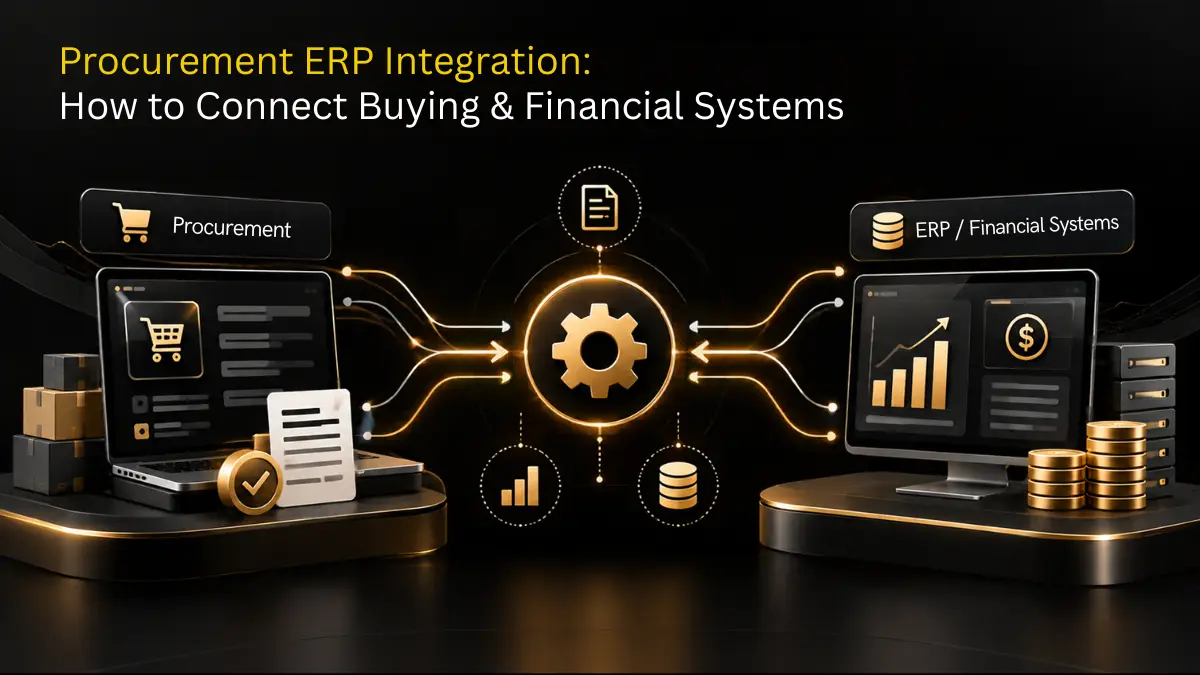
Managing company operations in a growing market can make it difficult to balance fast purchasing with financial control. Procurement teams need quick approvals, smooth vendor interactions and clear purchasing processes. Finance teams need accurate budgets, general ledger entries and reliable three-way matching. When these activities happen across disconnected systems, poor data management, delays and unauthorized spending can follow.
Traditional enterprise systems often treat purchasing as an extension of accounting. While an ERP procurement system handles financial processes well, it may lack flexible purchasing forms, automated contract compliance and practical vendor management tools.
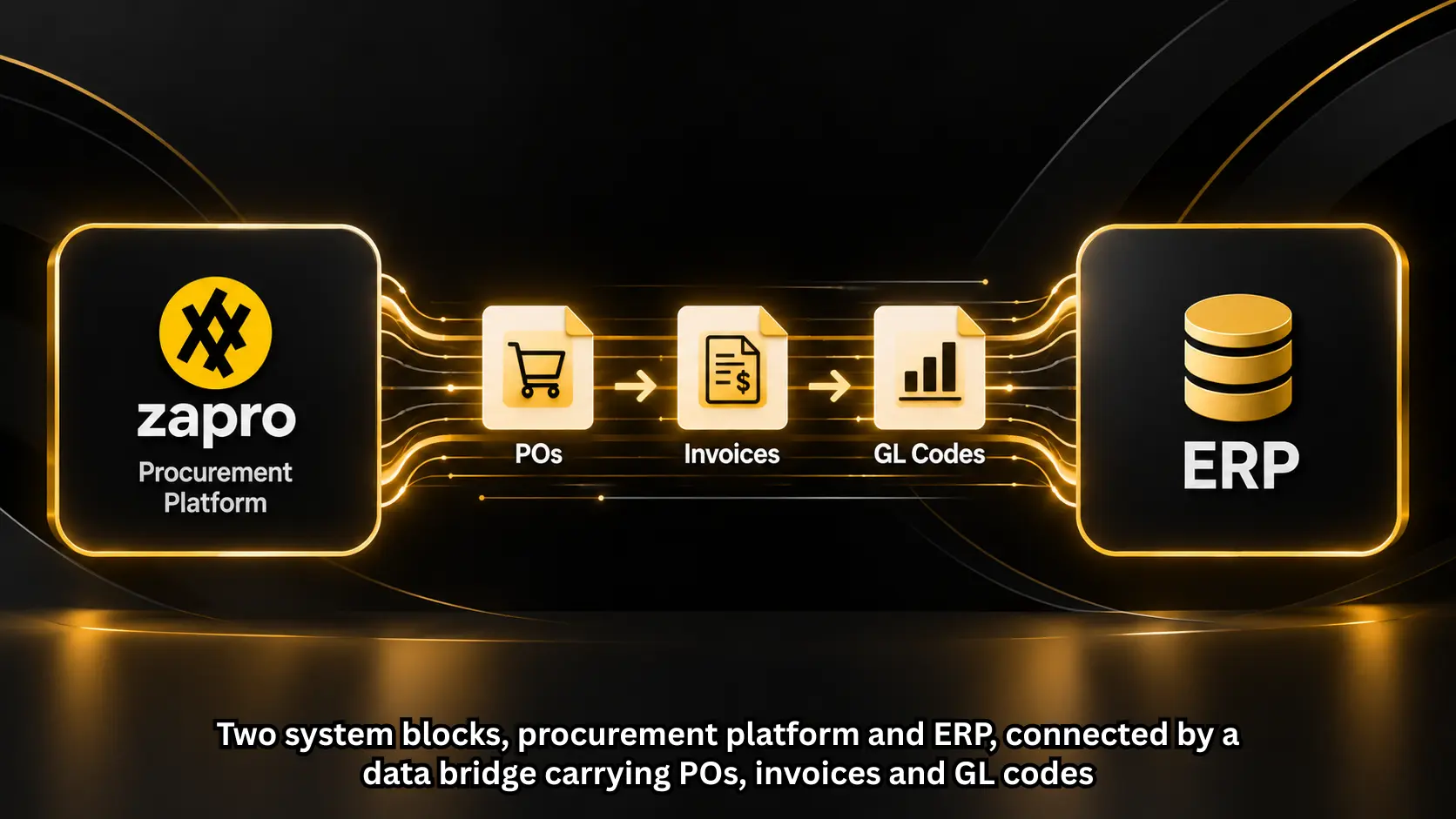
Connecting a purchasing platform with the core accounting system helps close this gap. This blog explains how to build an ERP procurement system, improve data flow and avoid common technical issues.
Key Takeaways
- Advanced financial setups use intake engines for users and central accounting systems for general ledger accounting.
- Connecting master data, purchase orders, receipts and invoices stops mistakes and delays in reconciliations.
- Active ERP contract management integration lets buyers know about prices and terms during approvals.
- Using idempotency keys, rate limits and error queues keeps data in sync during high transaction volumes.
- Making sure all purchases are approved stops unauthorized spending and keeps financial plans safe.
Why Built-in ERP Modules Are Not Enough?
Many financial leaders ask why they need purchasing tools when their main accounting system already has built-in purchasing modules. The answer is in the purpose of each kind of software.
An accounting system supports the process of financial reporting, asset management, and reconciling the general ledger. It requires entries to be made in accordance with accounting principles. However, everyday employees who submit purchase requests do not understand accounting codes or inventory structures. Making non-finance employees use accounting interfaces leads to buying outside the system, unapproved corporate card charges, and missing purchase orders.
A specialized front-end purchasing system works as the main system for engaging users. It captures the intent to spend at the moment it happens through forms, sends requests through multi-level approval chains and makes sure budgets are followed before any commitments happen. Linking this front-end with the main general ledger combines user adoption with good financial management.
By using an automated ERP procurement setup, companies keep their accounting database clean while giving employees a simple way to make purchases.
Five Important Points in ERP Procurement Integration
A good procurement ERP system integration depends on two-way data exchange between systems. Here are the five main data flows needed to have real-time visibility into spending.
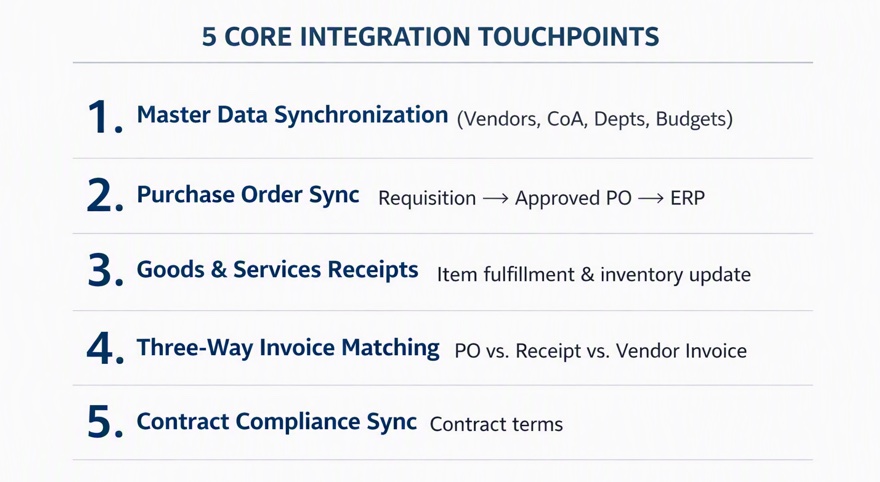
1. Master Data Synchronization
The data in your ledger is your master data. Chart of accounts (CoA), Cost centers, Departments, Tax codes, and Vendor records. It is imperative that the purchase application be able to access this data constantly through REST API calls. As soon as a department code is created by finance in NetSuite/SAP, it should reflect in your purchase form.
2. Requisition-to-Purchase Order Sync
Employees start requests within the purchasing platform. Once the software sends the request through management, legal, and IT approvals, it creates an official purchase order. The system then sends this PO record directly into the procurement ERP system to reserve budget allocations and lock in the spending that is committed.
3. Goods and Services Receiving Data
When items arrive at a warehouse or a SaaS vendor delivers a service, people involved record the receipt in the intake platform. Sending these receipt records to the ledger makes sure that inventory increases or liabilities are recorded correctly without any manual work.
4. Three-Way Invoice Matching and AP Automation
Invoices come in through email, supplier portals or digital tools that read text. A special intake platform matches line items between three places: the purchase order, the receiving record and the vendor invoice. Once it matches, the system sends clean, approved invoice details into the accounting software for the final payment to be made.
5. Contract Compliance and Spending Limits
Connecting contract terms directly to purchasing workflows stops contract leaks. When purchasing software has ERP contract management integration, buyers can check real-time contract limits, unit prices, and auto-renewal dates against the accounting records before making new purchase orders.

By 2027, more than 70% of recently implemented ERP initiatives will fail to fully meet their original business-case goals— and as many as 25% of these will fail catastrophically.
Choosing the Right Middleware and Integration Method
Connecting cloud apps to old or cloud-native software requires looking at three types of integration methods:
| Integration Pattern | Best Used For | Implementation Time | Maintenance Effort |
|---|---|---|---|
| Native API Connectors | Pre-built integrations between modern cloud apps (e.g., Zapro AI to NetSuite/QuickBooks). | 1 – 3 Weeks | Low |
| iPaaS Platforms | Complex multi-system environments requiring custom data transformations (e.g., Workato, MuleSoft). | 4 – 8 Weeks | Medium |
| SFTP & Batch File Transfer | On-premises, legacy systems lacking modern REST endpoints. | 6 – 12 Weeks | High |
For companies in the mid-market that want setup and stable operations, pre-built API connections are the best choice. Testing a platform like Zapro AI integration with ERP shows how direct connections reduce the need for custom code while supporting real-time data sharing across budgets, purchase orders, and payments.
Step-by-Step Plan for ERP Procurement Implementation
Technical ERP procurement implementation requires a structured plan. Follow this four-step plan:
1. Map Data Structures and Field Links:
Find the data fields that are needed in both systems. Make sure user roles, department codes, tax setups and currency settings match. Link the fields in your purchasing tool directly to the segments in your financial software.
2. Set Up Webhooks and Events:
Create real-time webhooks for events like when a purchase order is approved, when a vendor is added or when an invoice is cleared. Make sure your middle layer can handle limits and retry failed transactions automatically without losing any data.
3. Test in a Sandbox and Check Edge Cases:
Run buy-to-pay processes in a test environment. Try situations like partial deliveries, currency changes, tax differences and approval overrides. Make sure the accounting records are correct.
4. Set Up User Access and Go Live:
Give people access based on their roles. Let only finance administrators add vendors while allowing all employees to submit requests for spending. Launch the system in a step-by-step way by department to check the data flows.
Real-Life Example: Stopping Spending and Ending Month-End Delays
Take a mid-market software business that spends $35 million with vendors each year and has 400 employees.
The Problem:
The company used its main financial accounting system for buying. Non-finance workers found the accounting system hard to use, so they avoided the purchase order steps. Then 40% of vendor spending happened without getting a purchase order first. The accounting team spent more than 12 business days each month matching unexpected invoices with unknown department budgets.
The Solution:
The leadership team added a front-end procurement platform for requesting purchases and connected it directly with ERP accounting tools. They created rules for employees to use when making requests, automated three-way matching, and made sure purchase orders were sent to the ledger.
The Results:
- Purchase Order Compliance: Unauthorized spending dropped from 40% to less than 2% within 60 days after launching.
- Month-End Close: The time for closing the books went from 12 days to 3 days because of real-time tracking of expenses.
- Cost Savings: Automated contract tracking saved $120,000 in SaaS renewals in the first year.
Quick Tips for IT and Finance Leaders
- Avoid Making Many Changes: Use the built-in data structures as much as possible. Many custom scripts can break when new software versions come out.
- Keep Master Data Secure: Make sure the financial system is the source of truth for creating vendor records to avoid having the same vendor listed more than once.
- Record Spending When It Happens: Never wait for an invoice to arrive before recording commitments. Require requests for all expenses over $1,000 that aren’t payroll.
- Check API Limits: Make sure your software uses batch processing or webhooks to avoid going over the limits from third-party services at certain times.
Technical Insights: Handling Data Delay and Fixing Errors
Data delay between purchasing and accounting systems can create problems when an employee makes a purchase request; the line-item commitments must update the budget availability. If the system takes hours to sync, many employees can use the same department budget at the same time.
Building a system needs good ways to handle errors:
Idempotency Keys: Every message sent from your purchasing system to the ledger must have a key. This makes sure that if a network problem happens, the same purchase order or bill is not created more than once in the accounting system.
Dead-Letter Queues (DLQ): If a message fails to deliver because of system work or network issues, the integration part of the system should put the failed message into a DLQ. Administrators can then check the issue, fix any problems and send the message again without losing any data.
Bi-Directional Validation Checks: Make sure that tax codes and vendor status flags are correct before sending data. If a vendor status changes to “inactive” in your system, your intake platform should automatically stop new purchase requisitions for that vendor.
Advanced ERP software for procurement management includes these synchronization protocols built in, keeping ledgers safe from mismanaged data.
Strategic Value: Raising the Importance of Procurement
Linking your intake tools with accounting ledgers changes your purchasing operations from a basic back-office job to a key part of growth.
Putting in an integrated procurement ERP system gives finance teams time and control:
- Real-Time Budget Guardrails: Finance teams check spending against the budget in real time, stopping overruns before money is spent.
- Early Payment Discount Opportunities: Automated three-way invoice matching makes processing invoices faster, helping organizations get 2% discounts for paying early.
- Automated Audit Trails: Every purchase request, approval, contract and receiving document links to accounting ledgers, making external financial audits easier.
Choosing an enterprise-grade ERP software for procurement management gives purchasing and finance teams the data, the same way of working and full control over operations.
Connect Procurement With Your Financial Systems
Disconnected procurement and financial systems can cost businesses time, money and control. Connecting easy-to-use purchasing tools with core financial systems gives employees simpler buying processes while giving finance and procurement teams better visibility and control.
An automated ERP procurement system can reduce manual delays, prevent unauthorized spending and give businesses a clearer view of company-wide purchasing activity.
Ready to connect your purchasing processes with your core financial records? Zapro AI integration with ERP provides built-in ERP integrations, streamlined workflows and centralized spending controls without complex setup. Book a demo with Zapro AI today.
Integrate Smarter — Start Your Seamless Procurement Journey Today!

Frequently Asked Questions
What is the main difference between a procurement system and an ERP purchasing module?
The main difference is their primary focus. A separate procurement system handles the front-end experience, including purchase forms, approvals and supplier interactions. An ERP purchasing module focuses on financial processes, such as accounting, general ledger updates and balance sheet reporting. Integrating both combines a better user experience with stronger financial control.
How does ERP contract management integration help with spending rules?
ERP contract management integration helps enforce spending rules by connecting contracts with purchasing and accounting systems. It links purchase requests to approved contracts and checks prices, spending limits and contract dates before a purchase order is approved. This helps prevent incorrect pricing, unauthorized purchases and spending outside agreed contract terms.
What are the main ways to connect buying systems to ERP platforms?
The main ways to connect procurement systems with ERP platforms include webhooks, native APIs, iPaaS platforms such as Workato and MuleSoft and secure SFTP file transfers. Native APIs are often the fastest option for cloud-based systems because they support real-time data exchange and typically require less manual effort.
Why is three-way invoice matching needed in an integrated procurement ERP setup?
Three-way invoice matching is needed to verify that the purchase order, received goods and supplier invoice all match. Automating this process helps prevent incorrect or duplicate payments, reduces the risk of fraudulent invoices and ensures suppliers are paid for goods or services that were actually ordered and received.
Don’t miss our weekly updates
We’ll email you 1-3 times per week—and never share your information.
Talk to Our Integration Experts Today
Get tailored solutions to connect procurement, ERP, and finance for maximum efficiency.

About the Author

Md. Kafil


About the Reviewer

Zapro is dedicated to helping businesses of all sizes make informed decisions. We adhere to strict editorial guidelines to ensure that our content meets and maintains our high standards.
Our editorial standards help keep every article accurate, useful, and trustworthy.
Related Blogs

Wait! Don't Leave Without This Free Guide
How AI Is Replacing Manual Procurement And What Your Team Should Do Next