

The best procure-to-pay software links purchasing and payment management from the beginning (purchase request) to the end (payment). The right platform can be determined through your business’ size, process of purchasing, existing financial systems, and level of automation. This guide compares eight procure-to-pay software based on features, integrations, pricing, and best-fit purposes.
The 8 Best Procure-to-Pay Software Platforms
| Software | Best for |
|---|---|
| Zapro AI | SMB and mid-market teams |
| Procurify | Spend control and purchasing workflows |
| Precoro | Mid-market procurement automation |
| Coupa | Enterprise spend management |
| SAP Ariba | Global and SAP-centered organizations |
| Oracle Procurement Cloud | Oracle users |
| Ivalua | Complex enterprise procurement |
| JAGGAER | Complex and regulated procurement |
Procure-to-pay is approached differently according to the platform. Some focus on spend control and purchasing, while other software cover more complex source-to-pay processes for large businesses. The best choice depends on the level of complexity, workflows, and systems your business needs to handle.
What Is Procure-to-Pay Software?
From the moment an employee requests something to the moment the company pays for it, procure-to-pay tools manage everything. It streamlines purchasing, approvals, POs, receiving, invoice processing, and payment into one workflow.
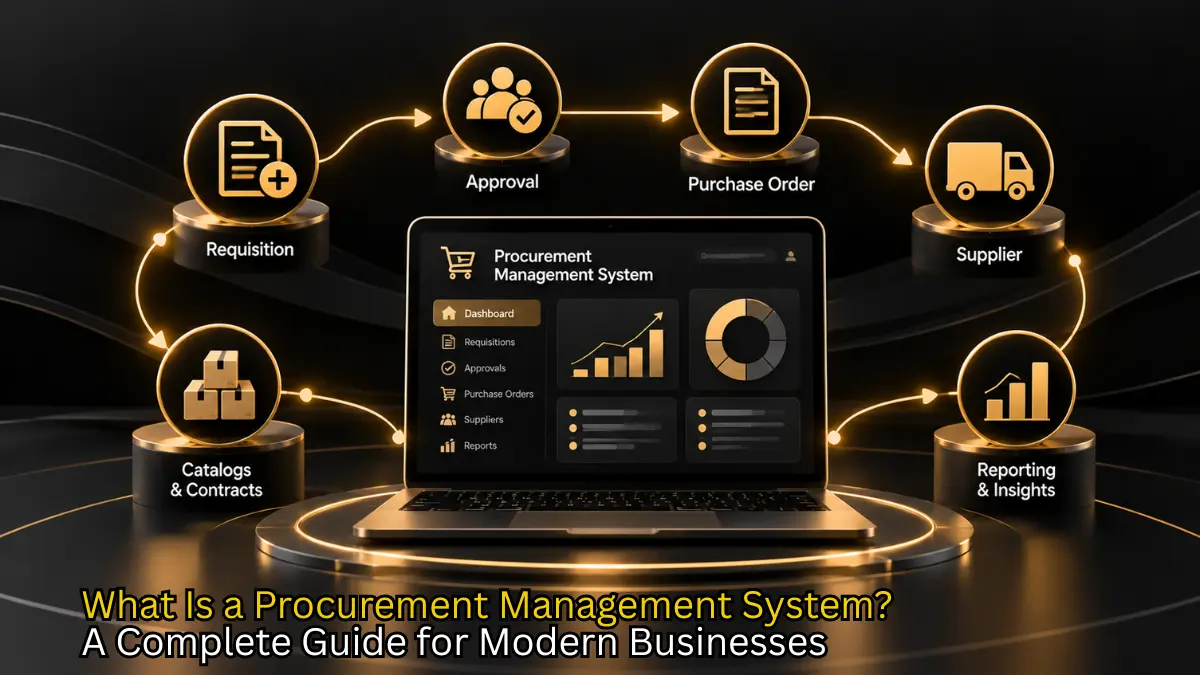
Purchase request → Approval → Purchase order → Receipt → Invoice → Payment
These steps happen across multiple applications like email, spreadsheets, purchasing systems, and accounting software without a connected P2P software in place. This complicates tracking approvals, attach the right invoices to orders, and check the budget on spend the organization has committed to.
What Does Procure-to-Pay Software Automate?
Procure-to-pay software automates repetitive steps across the purchasing and payment process. Instead of the employees manually re-entering data across different applications, the software manages requests, create POs, compare invoices, and record approvals according to existing workflows.
Purchase requests
Employees can submit requests for goods or services through a standardized process. The requests usually include information like the item, quantity, vendor, budget, and reason for purchasing.
Approval Workflows
Once the request is placed, the software automatically send it to the appropriate person based on department, quantity, or budget.
Receiving
The business makes note of what it received, once the goods or services are delivered. It is later used to be cross-checked against purchase order and invoice.
Invoice Processing
Once the vendor sends an invoice, the procure-to-pay software uses the information in the invoice and match it to the related PO and receipt.
Invoice Matching
The process of comparing the PO, receiving information, and invoice before payment is called three-way matching. If the information matches, the invoice moves to the next process. If it isn’t, the system flags the transaction for review.
What Features Should the Best Procure-to-Pay Software Have?
The most useful procure-to-pay tools can do much more than just create POs. It connects the entire purchasing workflow and give finance and procurement departments insight into what employees ask for, what gets approved, what gets purchased, and what gets paid.
What to Look For
Automated Approvals: Flexible approval workflows that automatically direct requests to the right people
Purchase Order Management: Easy to create, approve, track, and update POs without depending on other applications.
Invoice Matching: Helps teams compare invoices with POs and receiving documents before payment.
Spend Visibility: Show spending by department, vendor, project, category, or other relevant data
Integrations: Check which ERP, accounting, payment, and other business tools the platform supports before choosing it.
Audit Trails: Record what happened during a transaction, including who requested, approved, changed, or processed it.

By 2027, 50% of organizations will support supplier contract negotiations through the use of AI-enabled contract risk analysis and redlining tools.
How to Choose the Best Procure-to-Pay Software
Start with your Biggest Problem
Start by figuring out which part of your purchasing process causes the most bumps. If employees submit requests through email, focus on intake and approval workflows. If purchase orders are hard to track, choose a software with strong PO management. If the accounts payable spends too much time checking invoices, invoice automation and matching need more focus.
Check your existing systems
Your P2P software should fit into the financial and business systems you already have in place. Identify the ERP or accounting software you already use and confirm the integration works and how before finalising a platform.
An ERP (Enterprise Resource Planning system) is a core business system that can handle areas like finance, purchasing, inventory, and operations.
Look Beyond the Feature List
Similar features can be offered by two platforms but it could work very differently. When you get the demo, ask the vendor to show how the software handles a real purchase from request to invoice and, eventually, payment.
A useful hack is to not make the transaction perfect. Check what happens when the invoice doesn’t match the PO, an approval needs to be changed, or when a delivery is incomplete.
8 Best Procure-to-Pay Software in 2026
1. Zapro AI
Best for: Small and mid-sized businesses and mid-market teams
Zapro AI is a procurement platform that links workflows across intake, approvals, purchase orders, vendor management, and compliance. It offers 300+ integrations and is implemented in as little as five days.
2. Procurify
Best for: Spend control
Procurify coordinates purchasing, approvals, POs, and accounts payable workflows, with a focus on controlled spending.
3. Precoro
Best for: Mid-market procurement teams
Precoro combines POs, approvals, invoice processing, and spend management. Its Core plan starts at $499 per month when it is billed annually.
4. Coupa
Best for: Enterprise organizations
Coupa provides procurement and broader spend management capabilities for organizations with complex purchasing requirements.
5. SAP Ariba
Best for: Global and SAP-based organizations
SAP Ariba supports procurement and supplier management within the broader SAP ecosystem, making it a relevant option for organizations already using SAP.
6. Oracle Procurement Cloud
Best for: Oracle users
Oracle Procurement Cloud provides procurement capabilities within Oracle’s business software ecosystem, making it suitable for organizations already using Oracle applications.
7. Ivalua
Best for: Complex enterprise procurement
Ivalua provides source-to-pay capabilities covering areas such as sourcing, procurement, supplier management, and contracts.
8. JAGGAER
Best for: Complex and regulated procurement
JAGGAER provides procurement and source-to-pay capabilities for organizations with complex purchasing and supplier management requirements.
Your Procurement Team Deserves Better Than Spreadsheets

Best Procure-to-Pay Software Compared
| Platform | Best for | Main strength | Pricing |
|---|---|---|---|
| Zapro AI | SMB and mid-market | Procurement automation | From $699/month |
| Procurify | Mid-market | Spend and purchasing control | Custom |
| Precoro | Mid-market | Procurement automation | From $499/month |
| Coupa | Enterprise | Spend management | Custom |
| SAP Ariba | Global enterprises | SAP ecosystem | Custom |
| Oracle Procurement Cloud | Oracle users | Oracle ecosystem | Custom |
| Ivalua | Complex enterprises | Configurable source-to-pay | Custom |
| JAGGAER | Complex procurement | Broad procurement capabilities | Custom |
How Much Does Procure-to-Pay Software Cost?
P2P software does not have one fixed price. The charges depend on the vendor as they charge a subscription based on users, modules, transaction volume, or the size and requirements of the business. Some platforms publish pricing while others draft a custom quote.
Subscription fee can be one of the factors to look at but not the only one. Implementation, integrations, training, additional modules, and ongoing administration can affect the final cost of the software.
For example, Precoro lists its Core plan from $499 per month and its Automation plan from $999 per month, both billed annually.
How to Choose the Right Procure-to-Pay Software?
The best procure-to-pay automation tools solves your organization’s biggest purchasing pain point without complicating the entire process. Start by looking where the process become chaotic, then compare software based on workflow coverage, integrations, usability, enforcement needs, and the total, final cost.
Choose based on:
1. Your biggest bottleneck
2. Your existing ERP or accounting system
3. The size and complexity of your organization
4. The level of automation you need
5. Implementation requirements
6. Total cost
A long feature list and impressive promises may not always be the right choice for your business. Test the processes that matter most to your team, including exceptions and approval delays, before making a decision.

Procurement Software That Actually Works the Way You Do
Powerful automation, intuitive design. Make procurement effortless from requisition to payment with Zapro.
Frequently Asked Questions
Is procure-to-pay software the same as procurement software?
No. Procure-to-pay software focuses on the purchasing process from request to payment. Procurement software doesn’t stick to one department. It can cover a broader range of activities.
Can small businesses use procure-to-pay software?
Yes. It can automate purchasing, approvals, purchase orders, and invoices.
What should I look for in procure-to-pay tools?
Look for automation, integrations, invoice matching, spend visibility, and audit trails.
How much does procure-to-pay software cost?
Pricing varies by platform, features, users, and business requirements.
Don’t miss our weekly updates
We’ll email you 1-3 times per week—and never share your information.
From Budget Chaos to Spend Clarity in One Click
Take command of every dollar with real-time insights, automated approvals, and zero busywork. Zapro transforms procurement from a pain point into your competitive advantage.

About the Author

Md. Kafil


About the Reviewer

Zapro is dedicated to helping businesses of all sizes make informed decisions. We adhere to strict editorial guidelines to ensure that our content meets and maintains our high standards.
Our editorial standards help keep every article accurate, useful, and trustworthy.
Related Blogs


Wait! Don't Leave Without This Free Guide
How AI Is Replacing Manual Procurement And What Your Team Should Do Next