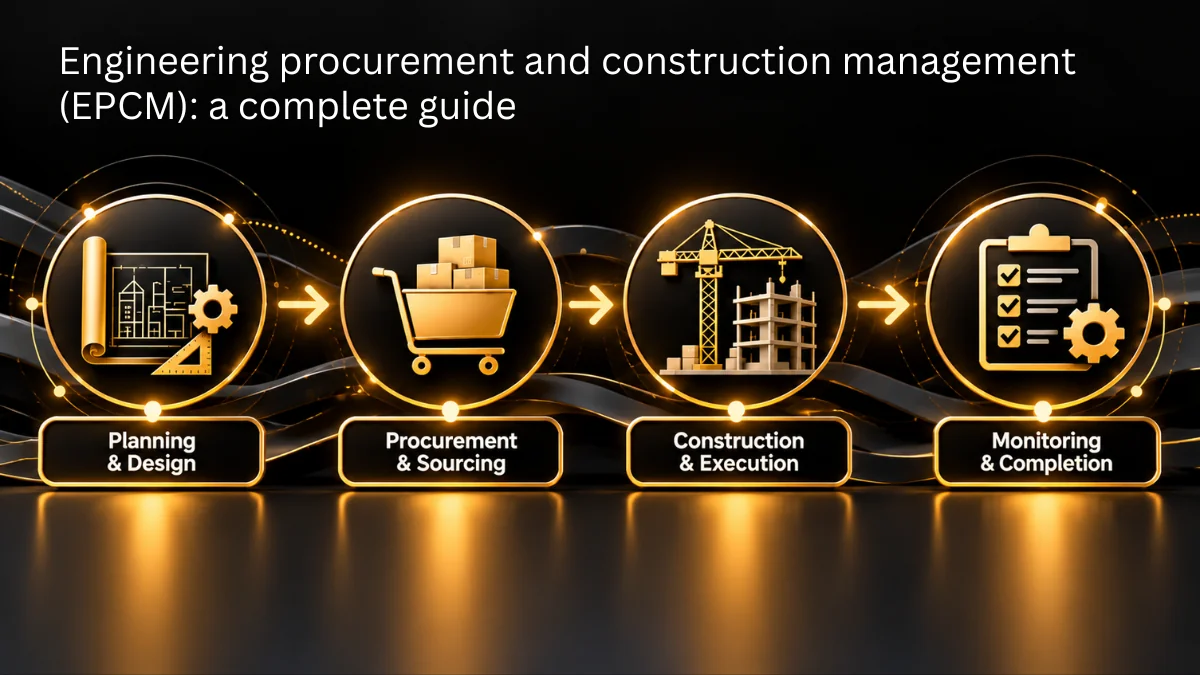
A good procurement software demo should illustrate the process end to end by showing how a purchase request is submitted, how it is approved, how the purchase order is generated, and then how the vendor’s invoice is matched against it; the connections between these stages determine the outcome since it is there that requests tend to stall, and fields have to be retyped.
The walkthrough that follows shows one request being processed through Zapro AI: an employee lifts the request from the catalog, the procurement team provides the prices for the items that the employee could not price themselves, each of the four approvers clears it in turn, the purchase order is generated automatically, and then the purchase order is converted into a goods receipt.
The invoice then arrives either through the vendor portal or as an emailed PDF that is parsed into matched or match-failure status. Nothing is skipped, and nothing is edited around.
Key Takeaways
- A useful demo follows one purchase request from raised to paid, because module tours hide the handoffs where implementations usually fail.
- The request form sets the workload for every later stage, because whatever the requester leaves blank becomes a phone call or a corrected PO.
- Approvals stall when nobody can see who holds the request, so a visible approval chain turns chasing into looking.
- Three-way match is the real test, especially the invoice that fails to match, because that is where exceptions, tolerances, and ownership show up.
- Score every vendor against the same 12-point checklist, and treat anything a vendor cannot show live in the demo as a no.
Watch the Full Procurement Software Demo Video
Watch the procurement software demo video. Kafil, Founder and CEO at Zapro AI, walks through the procure-to-pay cycle end to end, and the product walkthrough begins at 32:01. Every step below matches a moment in the recording, so you can jump straight to the one you need. If you would rather see the identical flow on your own data, book a free demo: 30 minutes, no credit card, run against your own approval matrix, ERP, and invoices.
What the Demo Covers
| Time | Step | What You Will See |
|---|---|---|
| 33:47 | Dashboard | Four KPIs, purchase by category, purchase by vendor, task and activity boards |
| 34:12 | Raising a purchase request | Pre-populated general information, purchase reason, catalog and non-catalog items |
| 34:57 | Workflow, history, and comments | The approval workflow filled in automatically, plus an internal comment thread |
| 35:16 | Request detail | Vendor and site, payment terms, contracts, billing address, budget check, split bill, attachments |
| 36:01 | Submitting the request | PR #429 submitted, then appearing in the dashboard and the notification queue |
| 36:40 | The procurement team passes | Price, unit of measure, and vendor set on the requester’s behalf |
| 38:07 | The approval chain | Buyer, head of department, finance, and admin, with approvers added and removed mid-flight |
| 38:31 | Purchase order | Generated on final approval, showing received and invoiced quantities |
| 38:47 | Goods receipt | The PO flipped into receipt 152 |
| 39:29 | Invoice | Vendor portal submission, a PO flipped into an invoice, and emailed PDFs parsed to matched or match-failure |
| 40:22 | Sourcing, expenses, and contracts | RFQ awarding by best total or best vendor with savings shown, expense submission, contract module |
| 42:37 | Approval flow configuration | Parallel and serial conditions |
Five Things This Procurement Software Demo Shows That Most Don’t
1. The Purchase Request Form Decides Everything Downstream
Whatever the requester gets right here, nobody chases later. Whatever they leave blank becomes a phone call, a bounced request, or a PO corrected after it reached a vendor. Zapro AI pre-fills what the system already knows and asks only for what the employee alone can supply. Catalog items carry their own price, vendor, and unit of measure, while non-catalog requests leave the commercial detail for procurement. Budget is checked prior to submission, and cost is split among departments as the request is raised.
2. An Approval Chain You Can See Is One You Can Chase
Approvals usually do not delay due to someone being deliberative; instead, they delay because no one knows who has the request. In this case, the chain can be seen from the moment the request is submitted, with the present stage indicated, which means that to identify the bottleneck one needs only to look rather than ask. It is possible to add or remove approvers while the request is still active, and reviewers who do not need one another can proceed in parallel, so the cycle moves at the rate of its slowest approver and not at the combined rate of all of them. This is the configuration that a procurement workflow takes on when it moves beyond the diagram.
3. If the PO Has to Be Typed, the Demo Has Already Failed
Someone has to supply the vendor and the price, and the requester often cannot. Zapro AI puts procurement at the head of the approval chain, so where a requester could not supply the vendor, price, or unit of measure, as with the cleaning service in the walkthrough, procurement fills them in before the request moves on. When the last approver signs off, the purchase order generates from the approved request instead of being typed again.
4. Three-Way Match Is the Real Test
The automation of invoice matching went ahead many years ago, well before the advent of generative AI. Since it works with actual financial data and not just with suggestions, it has to be precise. In Zapro AI, invoices can be received in three different ways: via the vendor’s portal, when a purchase order is converted into an invoice, or as a PDF email, which is either automatically matched or flagged. The real test is to demonstrate how the system deals with an invoice in which the quantity received does not match the amount that was ordered. Please submit your most difficult invoice, and we will together run it through the exception queue.
Want to see the match that fails?
It isn’t in the recording, and most vendors won’t show it. Bring your messiest supplier invoice to a live session and we’ll run it through the exception queue on screen — tolerance rules, who gets notified, and what happens next.
Book a free demo 30 minutes · No credit card · Bring your own invoice
5. The Vendor Side Is Half the Workflow
Six of the seven procurement process groups take place within the organization, while the seventh occurs outside of it. Vendors respond to sourcing events, sign contracts, acknowledge purchase orders, and submit invoices. This is the reason why the walkthrough considers the vendor portal to be the standard channel for an invoice. Vendor management is incorporated into the same platform, just as an AI-powered vendor management tool does, and it is here that data quality issues appear since vendors are usually poor at providing descriptions and carrying out proper classification. Consider the tasks that are asked of the vendor and the extent to which your team ends up carrying them out instead.
Why Most Procurement Software Demos Tell You Nothing
Most demos are organized around what a product can do: modules, dashboards, and integrations, each shown on its own. That is a fair way to present software and a weak way to evaluate it, because capabilities shown separately never reveal how they connect.
The parts that decide whether an implementation succeeds are the form your team fills in, the routing your finance lead maintains, and the exception queue your AP clerk works in, and they are usually left out.
People now tend to evaluate suppliers before being contacted by anyone. According to Gartner’s survey from May 2026, 67% of business-to-business buyers favor an experience that doesn’t involve a sales representative, and 70% prefer a completely digital, self-service option, although 69% still go to a representative to confirm what they have found. A well-designed demo page caters for both groups by offering an ungated video for the first and a live session for the second.
Hence, the most effective method is to make a simple request: show a complete purchase process, from the moment a customer needs something until the vendor has been paid, without interrupting it.
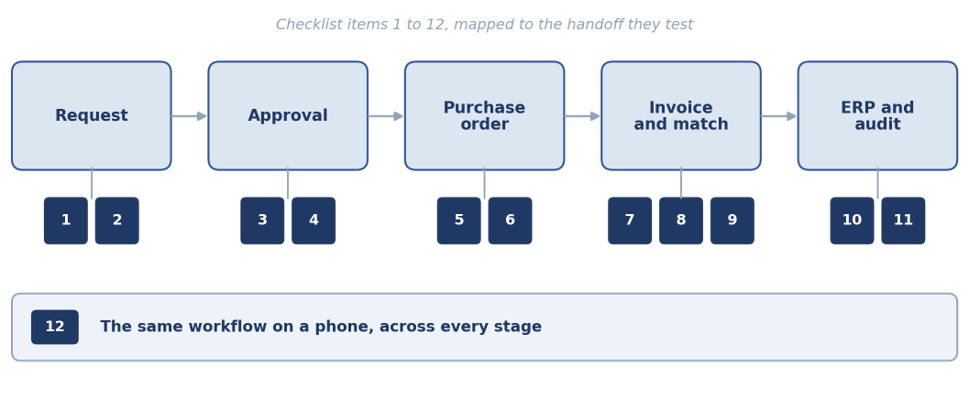
Where each checklist item tests a handoff
What to Look for in a Procurement Platform Demo: A 12-Point Checklist
Each item below is a handoff, or the evidence that one holds. They run in the order the cycle does, from a request being raised to data landing in your ERP. Use the list in every demo, ours included, and treat anything a vendor cannot show live as your answer.
| # | Ask the Vendor to Show You | What a Good Answer Looks Like |
|---|---|---|
| 1 | A request submitted by a non-finance employee | The form is completable without training or a phone call |
| 2 | A budget check before submission | The requester learns there is no budget now, not after four approvals |
| 3 | An approval routed on something other than amount | Conditions on vendor status, data access, category, or entity |
| 4 | The approver’s notification | It reaches them where they already work, not just inside the platform |
| 5 | A PO generated with zero manual typing | Every field populated from the original request |
| 6 | The PO sent to a vendor | Sent from inside the platform, with attachments and terms intact |
| 7 | An invoice arriving and being read | Extraction shown live on a real emailed PDF, not a clean sample |
| 8 | A three-way match completing | PO, goods receipt, and invoice reconciled on screen |
| 9 | A match that fails | The exception queue, the tolerance rules, and who gets notified |
| 10 | The ERP write-back | Direction, frequency, and what happens when it errors |
| 11 | An audit trail on a changed record | Who changed what, when, and the prior value |
| 12 | The same workflow on a phone | Approvals happen on mobile, or they do not happen at all |
Item 9 is the one vendors resist, so insist on it. Want a printable version to score each vendor out of 12? Download the checklist or score Zapro AI live.
Take the checklist into every vendor call
A one-page PDF you can score each vendor against, out of 12. Print it, share it with finance and IT, and use it on us as well as on everyone else.
What to Do Before You Book Any Procurement Demo
There are five definite steps that make this session genuinely useful.
| Step | What to Do | Why It Helps |
|---|---|---|
| 1 | Time your last ten purchase requests | The gap between the date each was raised and the date its PO was issued is the problem you are buying software to solve, and the baseline for any promised improvement |
| 2 | Pick the request type where amount does not reflect risk | Every organization has one, such as a low-value engagement with data access. Write the routing rule and ask each vendor to build it live |
| 3 | Decide who does the pricing | In the walkthrough, procurement supplies the vendor and cost the requester could not. Whichever model you run, make the vendor demo it |
| 4 | Shortlist from a comparison | Start from our comparison of the best procurement software instead of inbound sales calls, so the shortlist reflects the market and not whoever reached out first |
| 5 | Take the checklist to every call | Score each vendor out of 12 on the checklist above and compare the totals, ours included |
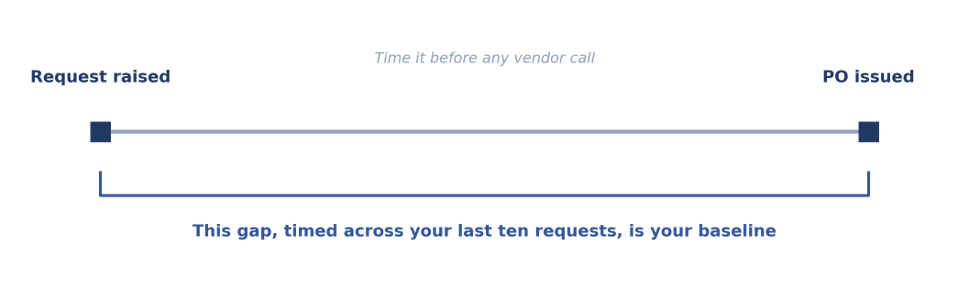
The baseline to bring to every vendor call
Before the phone call, tell the vendor three things: your size, your industry, and which modules are included. If you’re a startup, then you’ll want mobile approvals and accounting sync, while an SMB should request budgets and three-way match via AP automation, and an enterprise organization should have access to multi-entity setup, SSO, and ERP integration.
For healthcare teams, contract pricing checks should be asked for; manufacturers should ask about partial deliveries, and technology companies should make software requests including a security review.
Procurement Software Demo FAQs
Can I See a Demo for Procurement Software Without Talking to Sales?
Yes. You can access a procurement software free demo in two ways: the ungated video on this page, or a free live session built around your approval matrix, ERP, and invoice exceptions.
How Long Does a Procurement Software Demo Take?
The recording runs 46 minutes and covers the full cycle from request to invoice. A live demo customized to your process normally runs 30 to 45 minutes, and a technical deep-dive on ERP integration and data migration usually needs a separate hour with your IT team present.
What Should I Ask During a Procurement Platform Demo?
Go through the 12-point checklist; the two questions that are most effective when distinguishing between vendors are to show me a three-way match that fails and to show me an approval that has been routed on something other than the amount. Most demonstration sessions avoid both of these.
What Are the Top Sources for Evaluating ProcureTech Solutions?
Combine four kinds of evidence. Read analyst research such as Gartner’s Hype Cycle for Procurement and Sourcing Solutions, check ratings on Gartner Peer Insights, and ask for references from companies of your size and industry. Then score vendors with a structured RFP, such as Order.co’s RFP template and decision matrix, and verify everything in a hands-on demo.
Does the Requester Have to Know the Vendor and the Price?
No. When the requester picks a catalog item, the request passes through untouched. If they ask for something like a cleaning service without knowing the vendor or cost, the procurement team sets the price, unit of measure, and vendor before the request moves to approvers.
How Do Invoices Reach Zapro AI?
Invoices reach Zapro AI in three ways: vendors can use the portal, you can turn an approved PO into an invoice for them, or a vendor can simply email a PDF, which the system checks and sorts automatically. No extra steps or jargon—just clear, simple options.
Does Zapro AI Integrate With Our ERP?
Zapro AI supports data and vendor integration with common finance and ERP systems. Bring your ERP version and any customizations to the live session, because that is where integration conversations usually prove simpler or harder than expected.
See Real Workflows
A demo is only valuable if it shows every step, even when things go wrong. Like an invoice that doesn’t match. With Zapro AI, you can use your real approval matrix, ERP details, and challenging invoices, not just ideal examples.
Sources / References
- Gartner, “Gartner Survey Finds 69% of B2B Buyers Turn to Sales Reps to Validate AI-Generated Insights” (May 20, 2026): https://www.gartner.com/en/newsroom/press-releases/2026-05-20-gartner-survey-finds-sixty-nine-percent-of-b-two-b-buyers-turn-to-sales-reps-to-validate-ai-generated-insights
- Gartner, “Hype Cycle for Procurement and Sourcing Solutions, 2026” (June 10, 2026): https://www.gartner.com/en/documents/7983037
- Gartner Peer Insights: https://www.gartner.com/peer-insights/home
- Order.co, “Spend Management RFP Template and Evaluation Matrix”: https://www.order.co/blog/procurement/spend-management-rfp-template-evaluation-matrix/
- Zapro AI, “Demo Walkthrough Video” (YouTube): https://www.youtube-nocookie.com/embed/UD7Rw01sZGg
- Zapro AI, “What Is a Purchase Order?”: https://zapro.ai/procurement/what-is-a-purchase-order/
- Zapro AI, “Procure-to-Pay Process”: https://zapro.ai/procurement/procure-to-pay-process/
- Zapro AI, “Procurement Workflow”: https://zapro.ai/procurement/procurement-workflow/
- Zapro AI, “Procurement Process”: https://zapro.ai/procurement/procurement-process/
- Zapro AI, “Vendor Management”: https://zapro.ai/vendor-management/
- Zapro AI, “Goods Received Note”: https://zapro.ai/procurement/goods-received-note/
- Zapro AI, “Best Procurement Software”: https://zapro.ai/procurement/best-procurement-software/
- Zapro AI, “ERP Procurement Integration”: https://zapro.ai/procurement/integrating-procurement-erp-financial-systems/
- Zapro AI, “AP Automation”: https://zapro.ai/ap-automation/
- Zapro AI, “Book a Demo”: https://zapro.ai/book-a-demo/
- Zapro AI, “Get Started”: https://zapro.ai/get-started/
- Zapro AI, “Procurement ROI Calculator”: https://zapro.ai/digital-procurement-roi-calculator/
Don’t miss our weekly updates
We’ll email you 1-3 times per week—and never share your information.
About the Author

Md. Kafil


About the Reviewer

Zapro is dedicated to helping businesses of all sizes make informed decisions. We adhere to strict editorial guidelines to ensure that our content meets and maintains our high standards.
Our editorial standards help keep every article accurate, useful, and trustworthy.