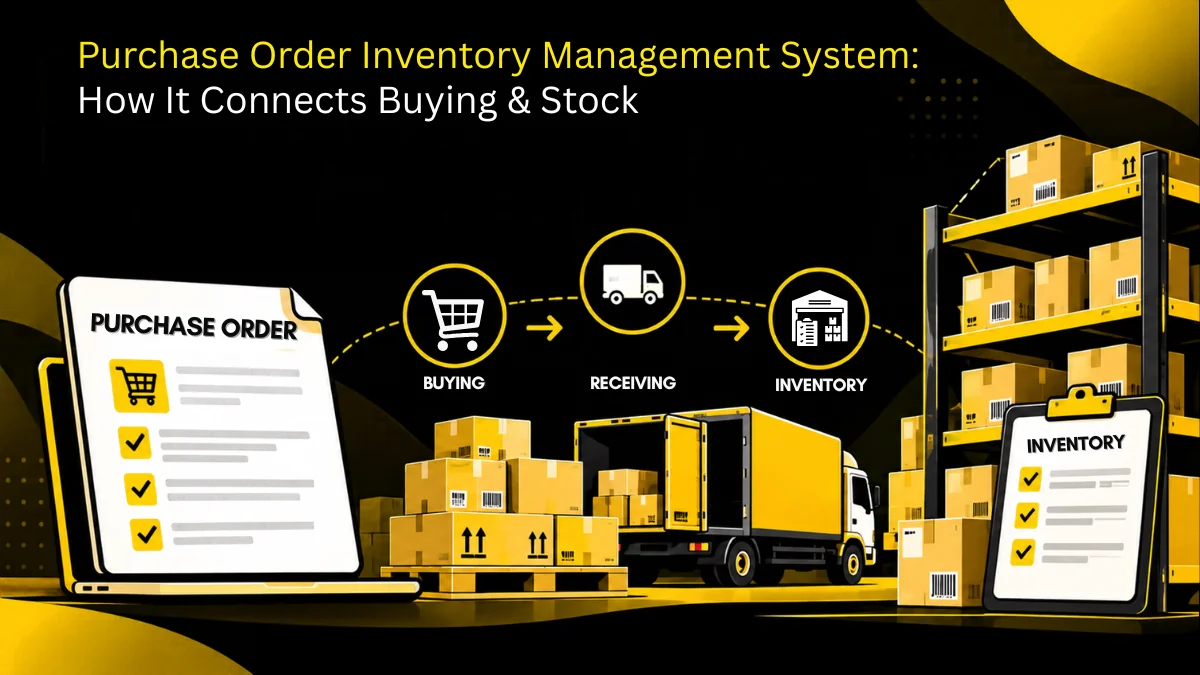
A purchase order inventory management system connects purchasing and stock control in one workflow, so every purchase decision reflects on-hand stock, committed quantities, open purchase orders, expected deliveries and received quantities before another order is placed.
A purchase order can tell you what your business has decided to buy. Your inventory system can tell you what is already sitting in the warehouse.
The problem starts when those two answers live in different places.
A buyer sees 200 units on hand and places an order for another 500. The warehouse knows that 300 more are already on the way. Finance has the original PO in an email thread. Nobody has the complete picture.
That is where a purchase order inventory management system becomes useful. Instead of treating purchasing and inventory as separate activities, it connects the order being placed with the stock that exists, the stock that is coming, and the stock that will be needed.
Key Takeaways
- A purchase order should represent more than a supplier commitment. It should also give procurement visibility into future inventory.
- Connecting purchase orders with inventory helps teams distinguish between what is available, already ordered, received, and still required.
- Automated replenishment works best when it considers demand, current stock, open POs, supplier lead times, and receiving information together.
- A useful system should make partial deliveries, supplier delays, reorder points, approvals, and inventory movements visible.
- AI can help with demand forecasting, reorder recommendations, anomaly detection, and routine PO work, but the quality of those recommendations depends on the underlying data.
What Does a Purchase Order Inventory Management System Actually Manage?
A purchase order inventory management system links purchasing with stock control so every purchase order reflects on-hand, committed and incoming inventory. It automates reorder points, creates POs from low-stock alerts, tracks open orders and deliveries, updates stock on receipt and matches invoices, preventing stockouts and overbuying.
A purchase order inventory management system brings two activities into the same operational workflow: buying goods and tracking those goods.
A traditional purchase order platform focuses mainly on the transaction. Someone raises a request, gets approval, creates a PO, sends it to a supplier, and eventually matches the invoice.
Inventory management focuses on a different question: what do we have, where is it, and when will we need more?
A connected system brings the two together.
That means procurement can see information such as:
- Current stock on hand
- Quantity already committed or allocated
- Open purchase orders
- Expected delivery dates
- Quantities already received
- Reorder levels
- Historical consumption
- Supplier delivery performance
The distinction matters because an open PO is effectively future inventory, but it is not the same thing as inventory that is available today.
For example, imagine a business has 100 units in stock, another 200 units on an open PO, and expected demand of 250 units over the next month. Looking only at the warehouse count could lead to an unnecessary purchase. Looking only at the PO could create a false sense of security if the supplier is already running late.
A purchase order inventory management system puts those pieces together before another buying decision is made.
Where Purchase Orders Fit Into Inventory Planning
Procurement doesn’t really answer the question, “What should we buy?”
It answers a more useful question:
What do we need to buy, when do we need it, and how much should we commit to?
Inventory data is central to that decision.
Suppose a component has fallen below its reorder point. That does not automatically mean another PO should be created. Procurement also needs to know whether:
- A PO was placed yesterday
- A supplier has confirmed the shipment
- Another warehouse has excess stock
- Demand has changed
- The item has a long or unreliable lead time
- Existing stock has already been allocated elsewhere
This is why inventory planning and purchasing work better when they share the same data.
McKinsey’s work on procurement and supply-chain integration has long pointed to the importance of synchronizing demand planning, replenishment and inventory decisions rather than treating them as isolated activities.
The same principle applies at the purchase-order level. A PO should contribute to the inventory picture as soon as it is created, then change status as the supplier confirms, ships and delivers the order.
That gives procurement a more realistic view of future availability instead of making every replenishment decision from the current stock count alone.
What Can Go Wrong Without Connected Purchase and Inventory Data?
The consequences of disconnected systems are usually not dramatic at first. They show up as small errors that compound.
Duplicate purchasing
A buyer sees low stock and creates a new order without realizing that the same item is already sitting on an open PO.
The problem is discovered when both shipments arrive.
Stockouts despite having an open PO
An open order is not the same as available inventory.
If a supplier misses its promised delivery date, procurement needs to know quickly enough to find an alternative, move stock between locations, or adjust the order.
Excess inventory
Buying “just in case” can feel safer than risking a stockout. But the additional stock ties up working capital and can create storage, obsolescence or expiry problems.
As Andrew Bartolini of Ardent Partners has noted in his work on procurement and inventory, inventory is an asset, but its holding costs are real and procurement teams should consider those costs when evaluating sourcing decisions.
Incorrect receiving information
A supplier may deliver 60 units against a PO for 100.
If the system records the PO as completely received, inventory and purchasing teams are suddenly working from two different versions of reality.
More emergency purchases
When procurement cannot see what is coming, it has fewer options when demand changes. The result can be rush orders, expedited shipping and purchases made under pressure.
The issue is not simply that the business lacks automation. It is that the people making purchasing decisions are working with incomplete information.
How the Purchase Order-to-Inventory Workflow Works
A connected workflow typically looks like this:
Need identified → stock checked → purchase request → approval → PO → supplier confirmation → receipt → inventory update → invoice matching
The important part is what happens between those stages.
1. A need is identified
Demand, consumption or a reorder rule indicates that an item may need replenishment.
2. Existing inventory and open orders are checked
Before creating a new order, the system checks what is available and what is already expected.
3. A purchase request is raised
The required quantity, supplier, budget, delivery date and other relevant information are captured.
4. The request is approved
Approval rules can be based on value, category, department, location or other procurement policies.
5. The PO is issued
Once approved, the purchase order becomes the formal supplier commitment.
6. The supplier confirms the order
The expected quantity and delivery date become part of the purchasing record.
7. Goods are received
The system records what actually arrived. If only part of the shipment arrives, the outstanding quantity remains visible rather than disappearing into a completed status.
8. Inventory is updated
The received quantity becomes available inventory according to the organization’s receiving rules.
9. The invoice is matched
The PO, receipt and invoice can then be checked against one another before payment.
This connected workflow is one reason PO automation is more valuable than simply replacing a spreadsheet with an online PO form. IBM describes automated purchase-order workflows as connecting requisitions, approvals, orders, receipts and invoices into a traceable process.
Which Purchase Order and Inventory Processes Should Be Automated?
Not every procurement decision needs to be automated. The better target is repetitive work that follows predictable rules.
Reorder alerts
When stock reaches a defined threshold, the system can notify the relevant person instead of relying on someone to remember to check.
Purchase request creation
For predictable categories, inventory conditions can initiate a purchase request with the relevant item and quantity already populated.
PO generation
Approved requests can be converted into POs without re-entering the same information.
Approval routing
A purchase can automatically go to the right approver based on value, category, entity or location.
Supplier follow-ups
Automated reminders can flag POs that have not been confirmed or deliveries that have passed their expected date.
Receiving updates
Receiving should update the associated PO and inventory record rather than creating another manual data-entry task.
Three-way matching
Where applicable, the PO, receipt and invoice can be compared before payment.
The aim is not to remove people from the process. It is to stop people from spending their time checking whether a routine step happened.
What Data Should Procurement Teams See in One Place?
A good purchase order and inventory management software setup should make a few numbers easy to find.
| What procurement should see | Why it matters |
|---|---|
| On-hand quantity | Shows what is physically available |
| Open PO quantity | Shows what has already been ordered |
| Expected delivery date | Helps determine when stock should become available |
| Allocated or committed quantity | Prevents available stock from being overstated |
| Reorder point | Shows when replenishment may be required |
| Supplier performance | Adds context to promised delivery dates |
| Historical consumption | Helps assess future purchasing needs |
| Received quantity | Shows what actually arrived |
| Outstanding quantity | Makes partial deliveries visible |
This matters even more across multiple locations.
If one warehouse has excess stock while another is preparing an emergency purchase, procurement needs to know about the surplus before placing another supplier order.
Real-time visibility across locations is therefore not just an inventory feature. It can change the purchasing decision itself.
That is also why inventory visibility has become part of broader procurement discussions. In an Ivalua announcement about its inventory collaboration capabilities, CEO David Khuat-Duy described inventory visibility as another lever for procurement teams to improve buying decisions and optimize working capital.
How to Choose a Purchase Order Inventory Management System
The software should be evaluated against the decisions your procurement team actually makes, not the number of features on its website.
Start with these questions:
Does it distinguish stock from stock on order?
A system should make it obvious whether a quantity is physically available, already committed, or expected from a supplier.
Can receiving update the purchasing record?
Partial receipts should not require a separate spreadsheet to explain what happened.
Can inventory conditions trigger procurement workflows?
If every replenishment request still has to be identified manually, the inventory data is not doing much work.
Can it track supplier commitments?
Promised delivery dates, delays and outstanding quantities should be visible to the people responsible for purchasing.
Can it handle multiple locations?
A multi-location business should be able to see whether transferring existing stock makes more sense than placing another PO.
Does it connect with finance and ERP systems?
Purchase orders, receipts and invoices should not become another isolated data island.
Can users trace a transaction?
A procurement manager should be able to follow an item from request to approval, PO, supplier confirmation, receipt and invoice without reconstructing the history from emails.
That last point is easy to underestimate. The value of a purchase order platform is not simply that it creates POs faster. It creates a usable record of what happened around the PO. When comparing platforms on that basis, Zapro AI pricing lists plans from $699 per month with unlimited users.
Where AI Can Improve Purchase and Inventory Decisions
AI becomes useful when the system has enough reliable purchasing and inventory data to work with.
One obvious application is demand forecasting. Instead of relying only on historical averages, AI can analyse purchasing patterns and other relevant variables to identify changes in expected demand.
It can also help with:
- Recommending when to reorder
- Suggesting order quantities
- Identifying unusual purchasing patterns
- Flagging potential stockouts
- Highlighting slow-moving or excess inventory
- Detecting discrepancies
- Prioritising supplier follow-ups
- Preparing purchase orders from approved requests
IBM’s current material on AI agents in procurement describes use cases including PO creation and approval as well as demand forecasting based on historical information, inventory levels and other factors.
But there is an important catch: AI cannot compensate for bad inventory data.
If stock counts are wrong, supplier lead times are outdated, or open POs are missing from the system, an intelligent recommendation can still be wrong.
That is why the data foundation comes first.
As supply-chain professor Tom Goldsby put it when discussing lean inventory, simply trying to remove inventory from a system without considering how the supply chain actually operates can create serious problems.
The objective is not to keep inventory as low as possible. It is to hold the right inventory, in the right place, with a reasonable understanding of what is coming next.
How Zapro AI Supports Purchase Order and Inventory Management
Zapro AI connects its procurement platform with inventory workflows so teams can work from the same operational picture.
Its procurement platform covers requests, approvals, purchase orders, suppliers and invoice matching, while its inventory management capabilities provide real-time stock visibility, automated restocking alerts, demand forecasting and supplier and purchase management.
That connection matters when a replenishment decision needs more context than a stock count.
For example, inventory data can inform replenishment, while purchase-order information provides visibility into what is already coming. Across locations, teams can also see where stock exists before raising another purchase request.
Zapro AI also supports automated purchase requests, approvals and order placement, allowing routine purchasing workflows to move forward according to configured rules.
The broader idea is simple: procurement should not have to guess what inventory needs, and inventory teams should not have to guess what procurement has already ordered.
When both sides work from connected data, the purchase order becomes part of an ongoing inventory workflow rather than a document that disappears into an inbox after it is sent.
Frequently Asked Questions
What is the difference between purchase order management and inventory management?
Purchase order management focuses on the purchasing transaction: requests, approvals, supplier orders and PO tracking. Inventory management focuses on stock levels, movements, availability and replenishment. A connected system brings the two together so purchasing decisions reflect current and expected inventory.
Can a purchase order automatically update inventory?
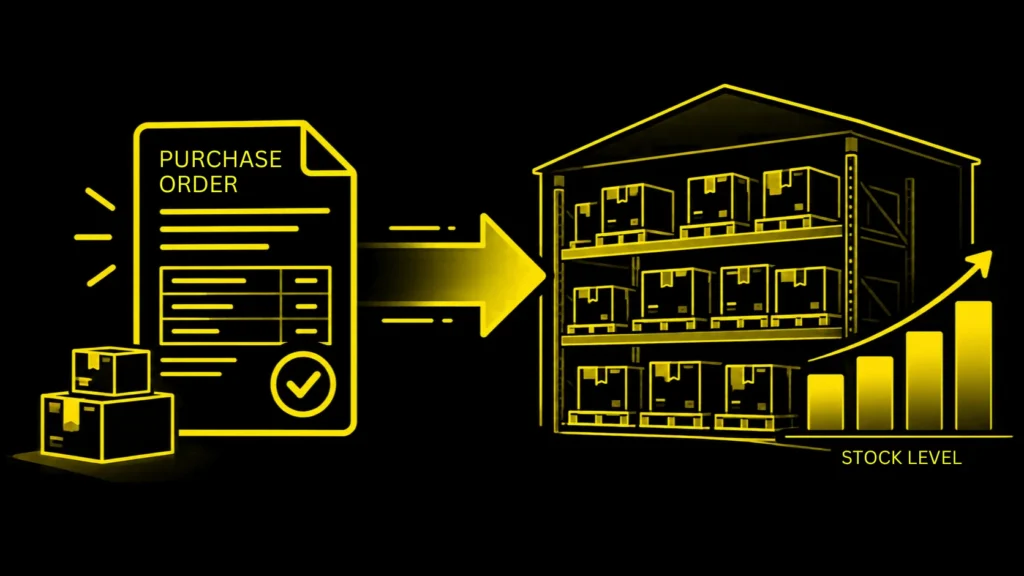
Creating a PO generally represents expected or incoming inventory rather than stock that is physically available. Once goods are received, an integrated system can update inventory based on the quantity actually received.
How does purchase order software handle partial deliveries?
A connected system should record the quantity received while keeping the remaining quantity open against the original PO. This prevents a partially fulfilled order from appearing complete.
Can inventory levels trigger purchase orders?
Yes. Depending on the system and workflow rules, reorder points, demand patterns or other inventory conditions can trigger a purchase request or replenishment workflow. Approval controls can still be applied before a PO is issued.
What is the difference between purchase order software and procurement software?
Purchase order software is primarily concerned with creating, approving and tracking POs. Procurement software generally covers a wider process, including requisitions, sourcing, supplier management, approvals, purchase orders, receiving, invoicing and spend visibility.
Conclusion
A purchase order is not the end of a procurement decision. It is the point where a purchasing decision becomes a future inventory commitment.
If procurement can see only what is currently in stock, it is missing part of the picture. If inventory teams cannot see what has already been ordered, they are missing it too.
A purchase order inventory management system closes that gap by connecting what the business has, what it has committed to buy, what suppliers have promised to deliver, and what the business is likely to need next.
That is what makes purchasing more predictable: not simply placing POs faster, but making each PO with a clearer understanding of the inventory around it. To see purchase orders, receipts, and inventory updates working together, a procurement software demo lets you follow an item from request to invoice with your own data.
Don’t miss our weekly updates
We’ll email you 1-3 times per week—and never share your information.
Let’s Build Your Perfect Procurement Solution
We’re here to answer your questions and design the right plan for you.

About the Author

Md. Kafil


About the Reviewer

Zapro is dedicated to helping businesses of all sizes make informed decisions. We adhere to strict editorial guidelines to ensure that our content meets and maintains our high standards.
Our editorial standards help keep every article accurate, useful, and trustworthy.
Related Blogs
Wait! Don't Leave Without This Free Guide
How AI Is Replacing Manual Procurement And What Your Team Should Do Next