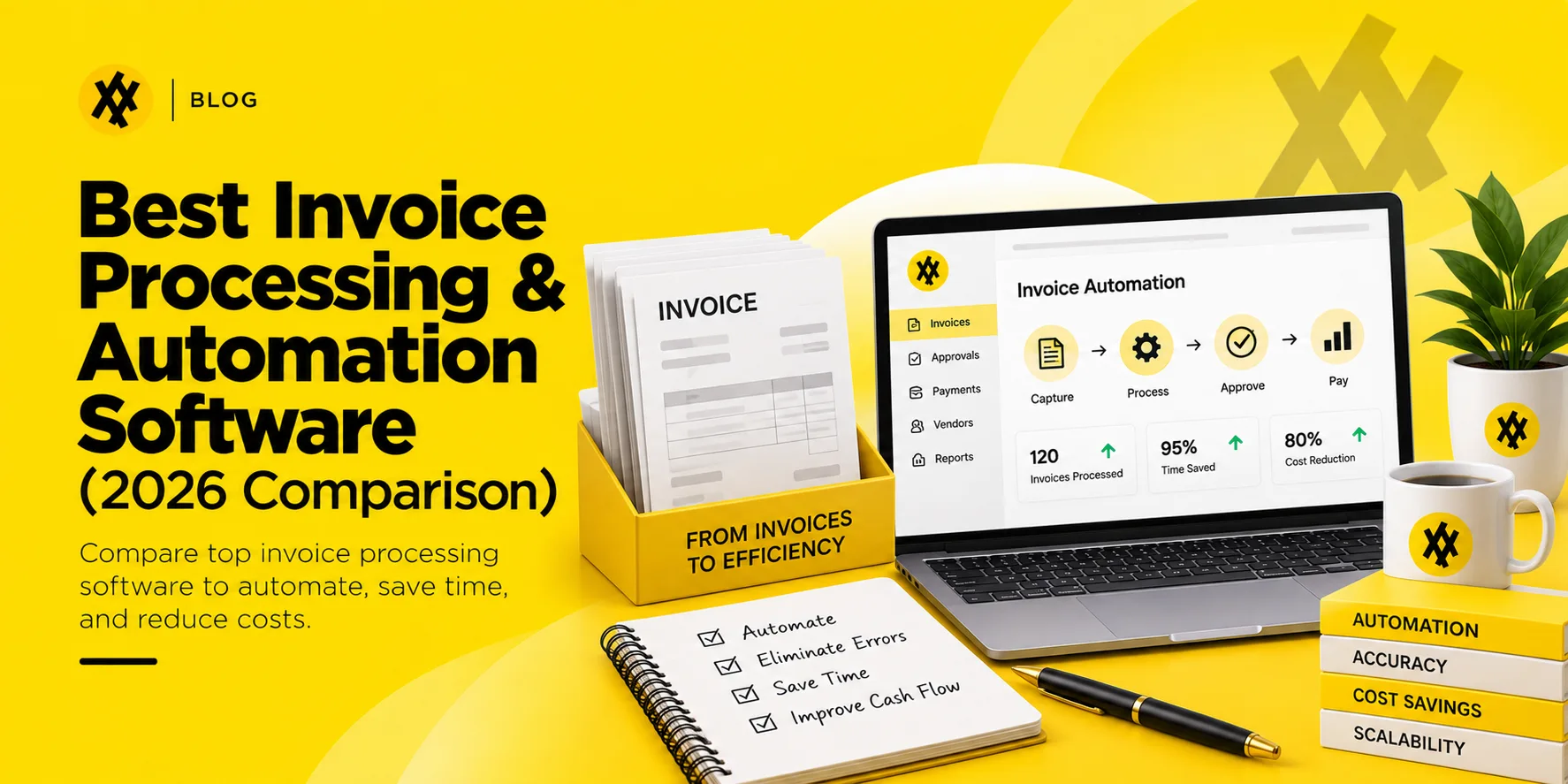


AI invoice automation is the use of artificial intelligence, including machine learning and OCR, to capture, read, code, and match supplier invoices with little or no manual data entry. It replaces manual invoice keying with software that extracts line-item data, checks it against purchase orders and receipts, and routes exceptions for review.
Manual accounts payable (AP) processes always hamper business growth. Besides the never-ending data entry, misplaced email attachments, and manual three-way matching, processing one invoice alone can take days and cost the business significantly more than it should.
AI invoice automation transforms the situation completely. By changing manual processes with intelligent, self-learning systems, businesses can not only process invoices in a few seconds but also cut down on operational expenses and totally get rid of making costly accounting mistakes.
What Is AI Invoice Automation?
AI invoice automation refers to the use of artificial intelligence and machine learning ($ML$) techniques in an automated manner that enables the system to capture, comprehend, and work with supplier bill information for payment processing with little or no manual intervention.
How Is It Different from Traditional Invoice Processing?
Traditional AP automation is based on the use of strict, template-based OCR (Optical Character Recognition). If the supplier changes their invoice layout, for instance by moving the total amount block by an inch, the traditional system will most probably fail and the AP specialist will have to manually create a new template rule for it.
AI-based invoice processing is template-free. It uses natural language processing ($NLP$) and deep learning techniques to interpret invoices just like human accountants do. So the system recognizes terms such as “Total Due,” “Amount,” or “Balance,” in any location on a page and in any font.
What Technologies Power AI Invoice Processing?
Today’s invoice processing automation systems are fundamentally dependent on the following three artificial intelligence technologies:
- Advanced OCR and Computer Vision: Converts the raw pixels of scanned papers, image-based files, and native PDFs into searchable, digital text blocks.
- Natural Language Processing (NLP): Understands linguistic context to accurately identify data fields that are similar, such as a vendor’s phone number and invoice number.
- Machine Learning (ML): Uses confidence scores, detects repeating patterns in bills, and gradually updates its data extraction rules in response to human corrections.
Learn about AP Invoice Processing

By automating the processing of invoices based on purchase orders (POs)… AP clerks were enabled to process about 50% more invoices.
How Does AI Invoice Processing Work — Step by Step?
Capture Across Channels──► AI Data Extraction ──► 3-Way Matching │
ERP Sync & Payment◄── Approval Routing ◄── GL Coding
Step 1 — Invoice Capture Across Any Channel
Invoices reach the system through one central digital inbox. The system keeps on “listening” to designated AP emails, supplier web portals, electronic data interchange ($EDI$) pipes, or document scanners so that new invoices can be pulled into the working pipeline immediately after their arrival.
Step 2 — OCR and AI-Powered Data Extraction
The AI looks through the document pattern in a flash. It zones in on and picks up essential invoice information pieces (vendor name, tax ID, itemized lists of products/services, unit prices, totals, due dates) without the assistance of pre-arranged layout templates.
The extracted vendor name, tax ID, and bank details are typically checked against the vendor master record kept in AI Vendor Management software, catching a fraudulent or duplicate vendor before payment goes out.
Step 3 — Automated Validation and 3-Way Matching
The extracted invoice information is immediately checked against the company records. The invoice is matched automatically with the corresponding Purchase Order (PO) and Goods Received Note (GRN) to ensure that payment will be made only for the goods that were ordered and received.
Three-way matching only works if the purchase order it is checking against is clean to begin with, which is why invoice automation tends to deliver the most value at companies already running purchasing through an AI procurement platform.
Step 4 — GL Coding and Cost Allocation
The AI system predicts the most appropriate general ledger ($GL$) codes, line-item cost centers, and department allocations by analyzing previous transactions. Since it learns how the past invoices from that one supplier have been accounted for, it essentially automates the major part of the operational accounting work.
Step 5 — Approval Routing
Once the invoice has been verified at all points, it will also be automatically routed through the set approval chains and the approved will be notified with alerts by email or chat messages or mobile app notifications.
Step 6 — Payment Scheduling and ERP Sync
After approval, the information is delivered to your main accounting system or enterprise resource planning ($ERP$) platform. Here the invoice is recognized as an outstanding accounts payable and a payment run is planned according to the vendor’s payment terms or discount schedule.
Step 7 — Continuous Learning
If a decision-maker in accounts payable corrects an erroneous data point or adjusts a split GL code, the system shall analyze the manual modification and the machine learning algorithms will revise their rules, therefore ensuring greater vendor billing accuracy for the next cycle. A split-coded invoice is simply one credit matched against several debits — laid out in T-account format it takes about ten seconds to check.
Learn about Automate Accounts Payable software
Ready to Transform Your Invoice Tracking?

Key Benefits of AI Invoice Automation
Dramatic Reduction in Processing Time
Working with a human AP team, the processing of five to ten invoices per hour can be comfortably done due to the verification delays, but with an AI invoice processing system, hundreds of complex, multi-page invoices can be processed within a few minutes.
Lower Cost Per Invoice
Manual processing leads to labor costs, physical storage, printing fees, and entry error correction costs. Using an automated invoice processing solution can cut overall cost-per-invoice processing overhead by up to 80%.
Higher Accuracy and Fewer Errors
Data input by humans is prone to errors such as typos, number transpositions, and duplicate payments. Out of the box, AI systems run at a consistent accuracy rate of 95% to 99%, and they identify double billings and calculation mistakes before payments are made.
Better Cash Flow Visibility and Control
Invoices extracted in real time ensure that liabilities end up in your system that very day and not after weeks of delay until an accountant finally types them in. It is a jam-packed highly descriptive live data that finance leadership gets on upcoming capital requirements.
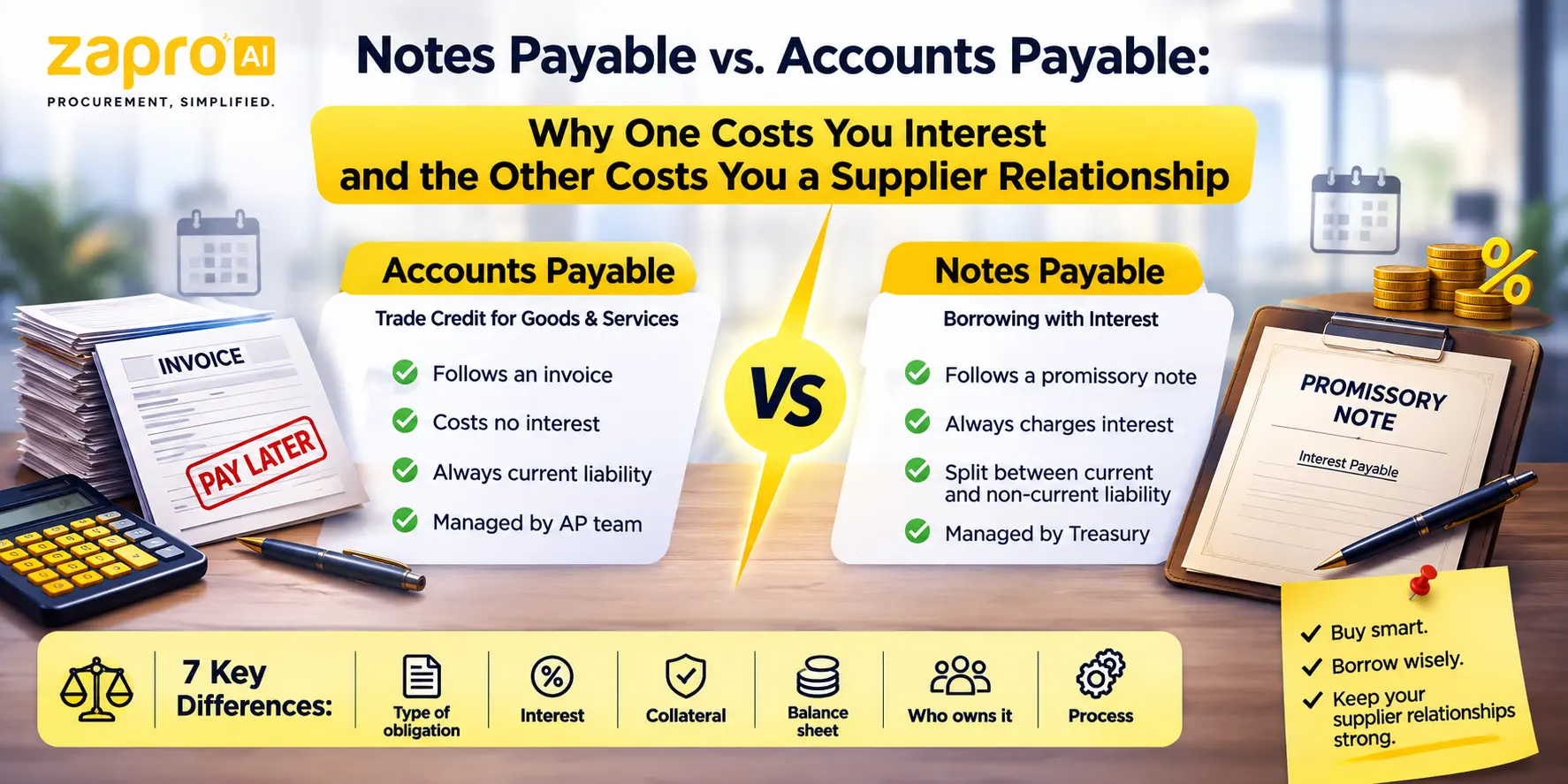
That visibility also makes it easier to catch a liability changing character, not just growing. A supplier balance that finance renegotiates into a formal note — with interest and a fixed repayment date — is a different obligation from the interest-free invoice it started as, and the distinction between notes payable and accounts payable is one finance teams want flagged the moment it happens, not discovered at close.
Stronger Supplier Relationships
Automated workflows shorten the entire cycle from receipt to settlement. Paying suppliers regularly and on time will prevent late fees, cut down vendor inquiries, and result in opening doors for strategic early-payment discount negotiations.
Scalability Without Headcount Growth
During certain times of the year or just overall business growth, transaction volume may increase significantly. Handling the additional workload is very easy for the AI engine so no additional hires are required. The accounting team can dedicate most of their time to high-value budgeting and financial analyses.
Learn about Purchase Order Invoice Software
How Machine Learning Improves Invoice Processing Over Time
Baseline AI Model (85-90%) ──► Human Corrections ──► Continuous Optimization (99%+)
Pattern Recognition Across Vendor Formats
Initially, the system runs on baseline machine learning algorithms that are exposed to millions of historical invoices of the system. Whenever it deals with the unique supplier layout, it grabs the specific visual markers and then in the next data extractions, use them first to speed up.
Confidence Scoring and Exception Routing
Every time the data is extracted, the AI assigns an internal confidence score ($0-100\%$) extraction to it. When a low confidence score occurs, the system generates an exception flag, safely routes that single invoice to a human queue for quick review.
Learning From Human Corrections
Human verification is essentially a feedback loop because when a user corrects an error, the machine learning system maps the fix back to the specific document layout. Thus, the distributed training workflow ensures that specific extraction error is rarely repeated.
Learn about PO Invoice vs Non-PO Invoice
What to Look for in AI Invoice Automation Software
You should take into account the following essential enterprise functionalities when selecting invoice automation software for your company:
- Intelligent OCR and Template-Free Data Capture: Don’t choose legacy systems that will require your employees to spend many hours drawing bounding boxes or setting up custom rules for every new supplier.
- Automated 3-Way Matching: The application should be able to automatically check the line items, quantities, and unit prices against your live POs and inventory receipts so as to prevent excessive billing.
- Configurable Approval Workflows: Make sure you can easily build flexible routing pathways based on specific spend tiers, geographic entities, cost centers, or custom parameters.
- ERP and Accounting System Integration: Go for the ones with deep, native integrations to platforms like NetSuite, SAP, QuickBooks, or Microsoft Dynamics so that you can achieve seamless data synchronization without custom API developments.
- Multi-Currency and Multi-Language Support: Global supply chains need software that can read non-English invoices and process multi-currency transactions without making errors.
- Real-Time Reporting and Audit Trail: The platform should track every single document modification, system extraction, and managerial approval to keep your accounts clean and fully audit-ready.
- Security and Compliance Features: Ensure the vendor provides data protection measures such as encryption, SOC compliance, and access controls.
Learn about Invoice Tracking
Manual vs. AI Invoice Processing — Side-by-Side Comparison
| Operational Feature | Manual Invoice Processing | AI Invoice Automation |
| Data Intake Speed | 5 to 10 minutes per document | 1 to 3 seconds per document |
| Error Vulnerability | High risk of data entry typos and duplicate payments | Negligible; automated system cross-checks |
| Validation Method | Manual file searches across folders and emails | Instant, automated 3-way matching engine |
| GL Coding | Manual lookup and manual spreadsheet entry | AI-predicted codes based on past patterns |
| Operational Bottlenecks | Common; physical or email handoffs cause delays | None; automated multi-tier approval routing |
| Scalability Costs | Linearly expensive; requires additional hiring | Highly scalable with zero incremental headcount |
Common Challenges in AI Invoice Automation — and How to Overcome Them
Poor Master Data Quality
The AI would be unable to validate an invoice accurately if the data base of master vendor records or purchase orders in the ERP is wrong.
- The Fix: You need to prepare a clean list of master vendors, a standardized list of master POs before you start your automated invoice matching.
Integration Complexity with Legacy Systems
Integrating modern cloud automation solutions with traditional, premises-based accounting platforms can sometimes create operational difficulties.
- The Fix: Select the kind of product that has been architected for highly flexible use cases. For example, Zapro provides a series of native connectors and APIs that can be used to connect new AI technologies with traditional ERP systems.
Staff Resistance to Change
Accounts payable personnel are often concerned about automation replacing their jobs, so they may be hesitant when onboarding new systems.
- The Fix: Explain it through a different lens. Demonstrate how the software actually removes burdensome data entry tasks allowing the employees to devote their time to cash flow management and vendor relations.
Transition Period Accuracy Concerns
Leadership usually has some doubts related to the accuracy of data that is totally parsed by AI during the initial implementation period.
- The Fix: Adopt the confidence-score thresholds. The system can be configured to require a fast human sign-off on all invoices during the first weeks whilst gradually lessening the manual checks as accuracy levels go up.
Unrealistic Expectations About Touchless Processing
Assuming that an AI tool would be able to perform 100% human-free processing on the first day is impossible. Besides the main acknowledgment of the AI system capabilities, certain human interventions always exist because of damaged document scans, unreadable files, or completely new vendors.
- The Fix: Set your eyes on the aim of continuous optimization. An SPP system that processes 85% to 90% of invoices on a straight-through basis is still a major financial and operational victory.
Which Industries Benefit Most from AI Invoice Automation?
Manufacturing
Material supply networks are massive, material costs are constantly changing, and components are being delivered on a continual basis. This inevitably results in a large volume of documents. AI keeps the matching issues to a minimum even when complex multi-line purchase orders are involved.
Retail and E-Commerce
The retail business processes thousands of drops, warehouse deliveries, and supplier invoices on a daily basis. Automation installation is the best measure keeping at bay the dangerous stockouts originated from processing lags.
Financial Services
Financial institutions operating under heavy regulatory and auditors’ watch use automation to maintain system-generated audit trails that are foolproof and trackable for every corporate expense.
Professional Services
Companies that offer professional services and entail client rebill expenses use AI solutions to parse, categorize and allocate costs to client accounts or project milestones directly, avoiding any delays.
How Zapro Delivers AI Invoice Automation
Managing accounts payable through scattered spreadsheets and manual workflows is a huge efficiency drain. Zapro delivers a single platform for spend management and AP automation that is intended to unravel the complexity of large global sourcing networks.
Zapro AI applies this same template-free intelligence upstream of AP as well, in requisitions and purchase orders, so invoice matching starts from clean, already-approved data instead of being reconciled after the fact.
- AI-Based OCR for Any Invoice Layout: No templates. Zapro’s neural-networks extraction engine quickly locates key headers and complex line items even from a completely unstructured source document.
- 3-Way Matching is Automated for Each Invoice: Zapro aims to access your purchase system data, thereby getting live 3-way matching done across invoices, purchase orders, and receipt notes.
- Machine Learning Gets Stronger After Each Invoice: Our system keeps track of all internal manual corrections and gradually learning the best practices of data extraction and GL-coding prediction.
- Approvals with Flexibility for Diverse Structures: Build rule-based multi-level routing trees for various legal entities, departments, and spending limits of executives.
- ERP and Accounting Sync: Without your core subcontracting system being disturbed, Zapro will natively recognize the transactions by your enterprise ERP and automate your cross-border ledger accounting entries, multi-currency conversion, and asset syncing.
- Real-Time AP Dashboard and Audit Report On-Demand: Have a single dashboard of corporate spend. Always will have at your fingertips through system log history, payment statuses, and operational performance metrics.
[See how Zapro helps procurement teams remain in control of their spend and get PPV down — Book a Demo]

Start Mastering Your Invoice Process Today
Experience Effortless Invoice Management
Frequently Asked Questions About AI Invoice Automation
1. What is AI invoice automation?
AI invoice automation is a technology-driven workflow that uses artificial intelligence in combination with machine learning to manage invoice data without human data entry. The software reads the invoices, extracts the data, compares them with purchase orders for accuracy, and sends the documents to managers for approval.
2. How does machine learning improve invoice processing accuracy over time?
Machine learning algorithms improve through training. When an accounting manager intervenes by correcting a misinterpreted data field or updating a general ledger code, the software stores that specific document layout and changes. This feedback from humans is used by the ML system to avoid a similar processing error in the future. It can reach up to 99% accuracy with enough cycles of human engagement and remediation.
3. Can AI invoice processing handle non-PO invoices?
Yes, indeed. The system performs three-way matching for documents backed by purchase orders but also handles non-PO invoices such as utility bills or service contracts. The AI infers the vendor profile, automatically assigns predicted GL codes based on historical accounts, and sends the document directly to the department manager who needs to approve the purchase.
4. How long does it take to implement AI invoice automation?
Implementation of cloud-based AI invoice software can be done within a few weeks. It works on smart, template-free AI, as opposed to old-school systems that rely on custom layout configurations. Therefore, the only things needed for initial setup are connecting standard ingestion emails and linking with accounting software or ERP.
5. What is the ROI of AI invoice processing software?
Businesses can usually expect to add up the total benefits of this kind of solution within 3 to 6 months. By factoring out manual data entry, realizing duplicate payments early, and drastically reducing invoice processing times, companies typically cut their overall invoice processing operational costs by 70% to 80%.
5. How does AI actually help with invoice processing?
Three things, mainly. It reads unstructured invoices, including varied layouts and scanned documents, and extracts fields without a template being built per supplier. It improves matching by recognising that the same item is described differently on a purchase order and an invoice. And it learns from corrections, so coding and exception handling improve with use. What it does not do is remove the need for controls, since approval limits, duplicate checks and audit trails still have to be enforced by rules. Zapro applies AI at exactly this point in the cycle: reading the invoice and matching it to the purchase order, then routing only genuine exceptions to a person while clean invoices move through approval and payment automatically.
Don’t miss our weekly updates
We’ll email you 1-3 times per week—and never share your information.
Stop Chasing Invoices, Start Growing
Zapro delivers automated tracking and complete visibility for smarter finance management.

About the Author

Md. Kafil


About the Reviewer

Zapro is dedicated to helping businesses of all sizes make informed decisions. We adhere to strict editorial guidelines to ensure that our content meets and maintains our high standards.
Our editorial standards help keep every article accurate, useful, and trustworthy.