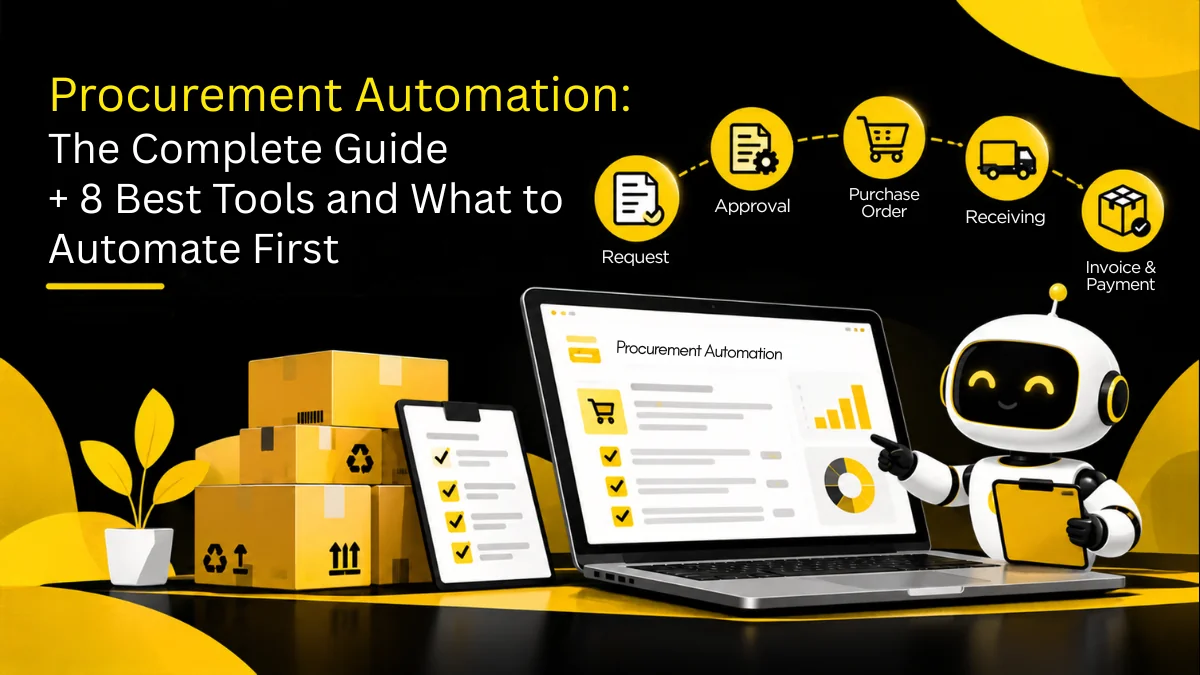
To reduce manual work across purchasing, procurement automation tools use workflows, AI, and integrations. They can process approvals, create purchase orders, manage vendors, cross-check invoices, and monitor expenses. The best procurement automation software connects these steps into one workflow instead of automating individual tasks.
Projected to grow from $9.81 billion in 2025 to $11.14 billion in 2026, then touch $17.6 billion in 2030, the global procurement software market is seeing steady growth. A 13.6% growth rate from 2025 to 2026 and a 12.1% CAGR from 2026 to 2030 are reported by the Business Research Company.
What Can Procurement Automation Tools Automate?
Most of the end-to-end procurement workflow can be covered by procurement automation:
| Process | What automation does |
|---|---|
| Purchase requisitions | Regulates requests and manages approvals |
| Purchase orders | Approved requests get converted to POs |
| Vendor management | Automates onboarding and compliance tracking |
| Invoice processing | Captures invoices and matches them against POs and receipts |
| Expense management | Tracks spending and flags anomalies |
| Contract management | Flags renewals and expiry dates |
Connecting these steps creates real value. For example, an approved request can create a purchase order without repeating the same information, while invoice matching checks the PO, receipt, and invoice before payment.
What Features Should Procurement Automation Software Have?
Core capabilities to look out for:
- Workflow automation: Manages requests and approvals according to business rules.
- PO automation: Creates purchase orders from approved requests and applies budget or policy checks.
- Vendor management: Centralizes onboarding, documentation, compliance, and vendor information.
- Invoice automation: Captures invoice data and supports two-way or three-way matching.
- Spend analytics: Categorizes spending by vendor, category, department, and exception type.
- ERP integration: Connects procurement with finance and accounting systems to reduce manual data entry.
Better automation does not always come with a long feature list. The most important question is whether the tool streamlines the workflow from request to payment.

The procurement software market is projected to grow from USD 8.65 billion in 2024 to USD 9.81 billion in 2026, at a compound annual growth rate (CAGR) of 13.5 %.
8 Best Procurement Automation Tools in 2026
1. Zapro AI
Zapro AI is built for small and mid-sized businesses. It provides procurement automation without the complications of traditional enterprise suites. With 300+ integrations, its workflow is modelled to cover intake, approvals, POs, vendor management, and compliance.
Zapro AI goes live in as little as 5 days, and its automation capabilities are included in the plan rather than sold as add-ons. It also offers a 90-day satisfaction guarantee.
2. SAP Ariba
SAP Ariba is marketed for businesses with complex procurement needs and global vendor networks. Guided buying, catalogs, managing invoices, vendor collaboration, and end-to-end procurement workflows are some of the key features. SAP offers a deployment period of 12 weeks with its Ariba Snap solution.
3. Coupa
Spend management, purchasing, and visibility across business spend are Coupa’s main focus. For businesses that need broad spend controls and analysis, Coupa is a strong option. Implementation timelines differ based on scope, so buyers consider their integration needs and the process of getting the vendors set up rather than depend on a rigid timeline.
4. Oracle Procurement Cloud
For businesses already using Oracle applications, Oracle Procurement Cloud is a natural fit. It streamlines procurement with finance and enterprise systems and provides sourcing, purchasing, vendor management, and reporting features. The depth of its tools can be too much for smaller teams.
5. JAGGAER
JAGGAER facilitates sourcing, vendor management, contracts, and end-to-end procurement workflows. For businesses with intricate procurement needs and industries where vendor management and compliance are important, JAGGAER is a suitable option. Project scope and vendor enablement requirements affect implementation timelines.
6. Precoro
Purchasing centralization, approval workflows, purchase orders, spend tracking, vendor management, and AP automation are Precoro’s main features. Its current public pricing starts at $499 per month for Core and $999 per month for Automation, billed annually. Precoro says most teams can implement it in 2 to 8 weeks.
7. Procurify
Procurify focuses on spend control, purchase requests, purchase orders, budgets, and procurement analytics. The design suits teams that need purchasing workflows without a large enterprise suite. Depending on complexity, Procurify’s current onboarding guide says average onboarding takes 4 to 6 weeks.
8. Kissflow Procurement Cloud
Kissflow is built around configurable, no-code procurement workflows. Intake, requisitions, approvals, POs, vendor management, goods receipts, three-way matching, invoice automation, and ERP integration are Kissflow’s key features. In as little as 8 weeks, Kissflow says teams can go live with a full end-to-end procurement cycle.
| Tool | Best for | Key strengths |
|---|---|---|
| Zapro AI | SMBs and mid-market teams | AI automation, POs, vendor management |
| SAP Ariba | Large and complex businesses | Guided buying, supplier network, P2P |
| Coupa | Spend management | Analytics and spend visibility |
| Oracle Procurement Cloud | Oracle users | Procurement and finance integration |
| JAGGAER | Complex procurement environments | Sourcing, suppliers, P2P |
| Precoro | Growing businesses | Purchasing and spend control |
| Procurify | Multi-department teams | Spend control and purchasing workflows |
| Kissflow | Flexible workflows | No-code configuration |
How to Choose the Right Procurement Automation Tool?
Start with the problem you need to solve. If approvals are stuck in email, prioritize workflow automation. If invoice mismatches consume AP time, look for invoice capture and three-way matching.
Then evaluate the full workflow, from requisition and approval through PO creation, receipt, invoice, and payment. Automating one step can simply move the bottleneck to the next step.
Test integration and usability with the systems and employees who will actually use the platform. Also consider supplier readiness. Some vendors may still depend on email or manual processes, which can limit the value of automation.
Finally, ask vendors how they measure exceptions. If 7,500 of 10,000 transactions require no human intervention, the exception rate is 25%. That gives you a practical way to compare how much work the system handles without intervention.
How to Implement Procurement Automation?
- Map the current workflow and identify the biggest bottlenecks.
- Clean vendor, item, and accounting data before migration.
- Standardize approval policies and purchasing rules.
- Integrate the procurement platform with your ERP or finance system.
- Roll out the workflow in phases and monitor adoption, cycle time, exception rate, and spend under management.
Procurement automation can produce measurable improvements, but the results depend on how well the process is designed and adopted. Cflow reports 60–80% reductions in PO cycle time and 20–30% reductions in maverick spend within the first year among organizations that automate procurement workflows.
Automating a poorly defined process does not fix it. It makes the existing problems move faster.
How Much Does Procurement Automation Cost?
Procurement software can use different pricing models, including flat monthly plans, per-user pricing, usage-based pricing, and custom enterprise quotes. Current vendor pricing shows why a single market-wide range can be misleading. Precoro publishes starting prices of $499 per month for Core and $999 per month for Automation, while Procurify uses custom quotes based on products, add-ons, users, and integrations.
When comparing costs, include implementation, integrations, training, support, and the internal cost of manual processing. The cheapest subscription is not necessarily the lowest total cost of ownership.
Get Started with Smarter Procurement Today.

FAQs
What is procurement automation?
Procurement automation uses software to automate tasks such as purchase approvals, purchase orders, invoice matching, and vendor management.
What is the best procurement automation software?
It depends on your business size, workflow, integrations, and budget. The best tool should automate your key procurement processes without adding unnecessary complexity.
Can procurement automation improve long-term value?
Yes. It can reduce manual work, improve compliance, control maverick spend, and give procurement teams better visibility into spending.
Are procurement automation and purchasing tools the same thing?
No. Purchasing tools typically focus on buying activities, while procurement automation can connect multiple steps across the procurement workflow, from requisition and approval to purchase orders, invoices, and vendor management.
Don’t miss our weekly updates
We’ll email you 1-3 times per week—and never share your information.
Let’s Discuss Your Procurement Needs.
Your Smarter Procurement Starts with a Conversation
About the Author

Md. Kafil


About the Reviewer

Zapro is dedicated to helping businesses of all sizes make informed decisions. We adhere to strict editorial guidelines to ensure that our content meets and maintains our high standards.
Our editorial standards help keep every article accurate, useful, and trustworthy.