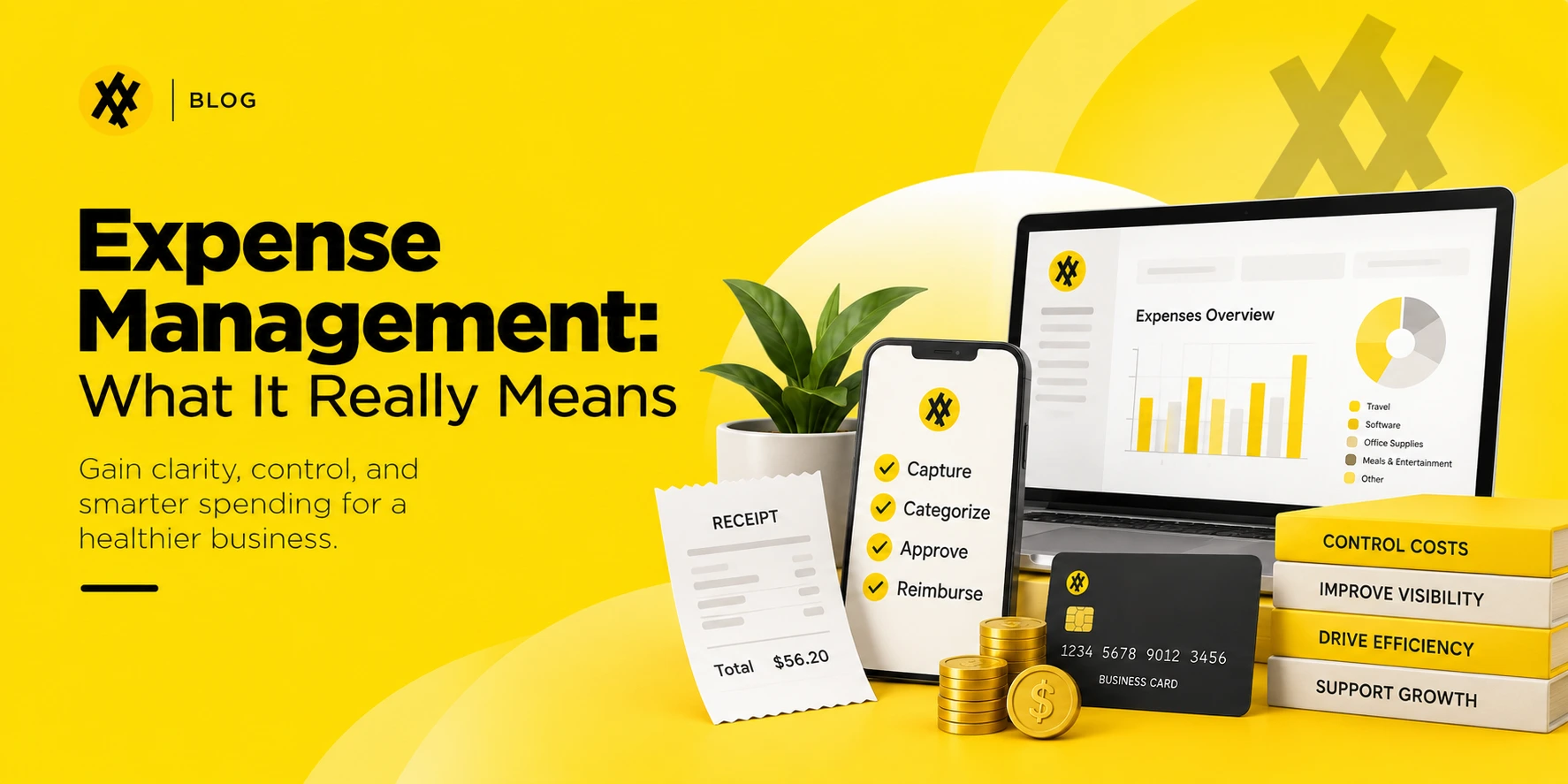
Most finance teams can tell you what they spent last month. Far fewer can tell you why a purchase order-worthy expense showed up on someone’s personal card three weeks after the fact. That gap — between recording spend and actually controlling it — is what expense management is supposed to close.
Expense management is the process a business uses to set spending rules, capture and approve employee-initiated purchases, reimburse what’s owed, and turn the resulting data into decisions about budgets, vendors, and policy. It covers everything from a $12 parking receipt to a $4,000 conference bill, and it only works when policy, approval, and reimbursement operate as one connected system instead of three separate headaches.
What is expense management, exactly?
Expense management governs spending that an employee initiates — a business trip, a client lunch, a laptop charger bought at the airport — rather than spending a procurement team negotiates in advance. It has five moving parts: policy, capture, approval, reimbursement, and reporting.
Where it gets confusing is that “expense management” often gets used as shorthand for the software, not the process. The software automates the parts that used to eat up a Tuesday afternoon: reading receipts, checking dollar limits, routing approvals, and syncing coded transactions to the general ledger. The process is the set of rules and decisions the software is enforcing. A company can have expense software and still have weak expense management if nobody has actually defined what’s reimbursable.
The building blocks
- Policy. What employees can spend, on what, and how much documentation they need to provide.
- Capture. Getting a receipt or transaction into the system the moment it happens, not weeks later.
- Approval. Routing the request to whoever has authority over that amount or category.
- Reimbursement or reconciliation. Paying the employee back, or matching a card charge to its receipt and business purpose.
- Reporting. Turning coded transaction data into patterns finance can act on — repeat violations, category creep, vendors worth renegotiating.
None of these work in isolation. A tight policy with slow approvals still frustrates employees. Fast approvals with no policy just move money faster in the wrong direction.
Expense management vs. spend management vs. procurement
These three terms get used almost interchangeably in vendor marketing, and that’s part of why buyers end up confused about what they’re actually shopping for.
| Expense management | Procurement | Spend management | |
| Who initiates the purchase | The employee | The company, before the purchase happens | Both |
| When control is applied | At submission, after the money is often already spent | Before a commitment is made | Across the full purchase lifecycle |
| Typical spend | Travel, meals, small purchases, mileage | Vendor contracts, equipment, recurring services | Everything listed |
| The failure mode | Out-of-policy claims discovered after the fact | Maverick buying that skips the approved vendor list | Fragmented visibility across both |
The distinction that matters most in practice: expense management is largely reactive by design. An employee spends first and asks permission second, even with real-time policy checks in place. Procurement flips that order — a request gets approved before the vendor is paid. Spend management is the umbrella that’s supposed to connect the two so finance isn’t managing two separate blind spots.
This is where a lot of expense tools quietly fall short. They get very good at reading a receipt after the fact. They don’t ask the more useful question: should this purchase have gone through a purchase request in the first place? A $600 software subscription submitted as a personal reimbursement is an expense management problem on the surface. Underneath, it’s a procurement gap — a purchase that never touched a vendor evaluation, a contract, or a budget owner before the card was swiped.
Types of business expenses
Almost every company expense falls into one of three buckets, and each one needs a different level of control.
Operating expenses are the predictable, recurring costs of running the business — software subscriptions, office supplies, utilities, coworking fees. These are easy to budget because they show up on a schedule, which also makes them easy to ignore. Subscription creep is a real cost center precisely because nobody treats a $40-a-month tool as worth a second look.
Travel and entertainment covers flights, hotels, client meals, and rideshares. This category carries the heaviest documentation burden because tax rules and internal policy both care about business purpose, attendees, and itemization, not just the total.
Employee expenses are the out-of-pocket and corporate-card purchases tied to doing the job day to day — a parking fee, a client coffee, a per diem during a work trip. Per diems exist specifically to remove the need to itemize every incidental cost during travel.
Where a purchase lands in this list should determine how much friction it gets. A recurring $15 subscription doesn’t need the same approval chain as a $3,000 conference sponsorship, but most companies apply one policy to all of it, which is a big reason employees start guessing instead of reading the policy at all.
The expense management process, step by step
- The purchase happens. An employee books a flight, buys supplies, or takes a client to dinner.
- The receipt gets captured. Mobile scanning, email forwarding, or a card feed pulls the transaction into the system before the paper trail goes cold.
- The expense gets categorized and submitted. Travel, meals, software — whatever bucket it belongs to, plus a business justification if the policy requires one.
- A manager reviews and approves. Routine amounts often clear with one signature; larger or unusual ones escalate.
- Finance reimburses or reconciles. Personal-fund purchases get paid back, typically by direct deposit; card purchases get matched against the statement.
- The transaction posts to the ledger. Coded correctly, on time, feeding both the books and next quarter’s budget conversation.
The step most companies skip, or do badly, is the first half of step 1: deciding before the purchase whether it should have gone through a different process entirely. A recurring software purchase or a piece of equipment over a certain dollar threshold arguably belongs in procurement, not an expense report. Companies that never draw that line end up processing vendor-grade purchases through a workflow built for parking receipts.
Where expense management usually breaks down
Manual entry and receipt chasing. Spreadsheets and email approvals were never built to scale past a handful of employees. Someone loses a receipt, someone else miscodes a category, and finance spends the days before close reconciling gaps that shouldn’t exist.
Policy nobody can actually find. A 40-page PDF buried in a shared drive isn’t a policy employees follow — it’s a policy finance argues about after the fact. When guidance is unclear or inconsistently enforced, people default to guessing, and guessing produces rejected claims and resentment in roughly equal measure.
No visibility until it’s too late. Month-end reporting tells you what already happened. It doesn’t stop the overspend from happening in the first place. According to the Association of Certified Fraud Examiners, expense reimbursement schemes are the third most common form of asset misappropriation, with median losses around $36,000 per case — a number that’s hard to catch if nobody’s looking until the books close.
The procurement blind spot. This is the one expense-focused tools rarely mention, for an obvious reason: it’s not their problem to solve. When a purchase that should have gone through vendor approval gets routed as a personal reimbursement instead, expense software will happily process it — check the receipt, apply the policy, reimburse the employee — without ever flagging that the underlying vendor relationship, contract terms, or budget owner were never reviewed. The expense gets managed. The spend doesn’t.
What effective expense management actually delivers
Faster close. When transactions are captured and coded as they happen instead of batched at month-end, close stops being a scramble and starts being a review.
Lower cost per report. The Global Business Travel Association has put the cost of processing a single manual expense report at roughly $58, with automated processing cutting that by more than half. That gap compounds fast once you’re running hundreds of reports a month.
Fewer policy surprises. Real-time checks at submission catch violations before an employee finds out three weeks later that a $200 dinner won’t be reimbursed.
A cleaner audit trail. Every submission carries who spent it, who approved it, and what documentation backs it up — which matters a lot more the day an auditor or the IRS actually asks.
Data finance can use. Categorized, consistent spend data surfaces duplicate subscriptions, vendors worth renegotiating, and departments quietly drifting over budget, months before a spreadsheet review would catch the same thing.
Expense management software: what actually matters
Most tools in this category advertise the same five features — receipt capture, OCR, policy rules, approval routing, accounting sync. Those are table stakes at this point, not differentiators. The real questions are underneath the feature list:
- Does policy get enforced before the purchase, or only flagged after? A real-time check at submission is worth more than a report generated after the money is already gone.
- Does it talk to procurement, or stop at the reimbursement? If a submitted expense should have been a purchase request, does anything in the workflow catch that, or does it just process the receipt and move on?
- How much manual coding survives automation? OCR that still requires someone to fix the category half the time isn’t really saving anyone a step.
- Does the accounting sync actually eliminate reconciliation, or just relocate it? Some integrations still leave someone matching line items by hand at month-end.
For a company where procurement and expense already live in the same platform — purchase requests, vendor records, and reimbursements sharing one data model — that middle question mostly disappears. A purchase over a set threshold gets routed to a purchase request automatically instead of quietly becoming an expense report. That’s the difference between managing expenses and managing spend. If you are evaluating platforms on that basis, our roundup of the best procurement software compares the main options.
KPIs worth tracking
| Metric | What it tells you |
| Cost per expense report | Whether automation is actually lowering processing overhead |
| Approval cycle time | How long spend sits between submission and sign-off |
| Reimbursement cycle time | How long employees wait to get paid back |
| Policy violation rate | Whether the policy is realistic and well understood |
| Out-of-policy spend rate | How much leakage is happening despite the rules |
| % of spend routed through procurement vs. reimbursed directly | Whether vendor-grade purchases are slipping past procurement review |
That last metric rarely shows up on a standard expense dashboard, mostly because most expense tools don’t track anything upstream of the submission. It’s worth building manually if your platform doesn’t surface it — it’s often the fastest way to find money that should have been negotiated down before it was ever spent.
Best practices that hold up in practice
Write a policy people can actually use. Specific dollar thresholds by category, a plain-language list of what’s reimbursable, and clear documentation rules beat a legal-sounding document nobody opens. Put the essentials on one page and link out to the full policy for edge cases.
Match approval friction to risk, not org chart position. A $30 parking receipt and a $3,000 vendor payment shouldn’t clear the same way. Route by amount and category, not by who happens to be the requester’s manager.
Set a dollar threshold where reimbursement should become a purchase request instead. This is the practice most companies skip, and it’s the one that actually closes the procurement gap. If a “personal” purchase crosses a certain size or becomes recurring, it should route to vendor approval, not the expense queue.
Review the exceptions monthly, not the totals. Total spend tells you what happened. The pattern of what got flagged, rejected, or resubmitted tells you what’s actually broken in the policy or the workflow.
Keep documentation requirements proportional. The IRS lets businesses skip a receipt for most expenses under $75, provided the date, amount, and business purpose are still recorded — company policy can be stricter, but there’s little point demanding a full paper trail for a $6 coffee.
How to choose an expense management solution
- Map your current process before shopping, including the true cost of the manual version — hours spent chasing receipts, fixing miscoded entries, and processing late reimbursements.
- Decide what you actually need solved. Faster reimbursements and tighter compliance call for different feature priorities, and it’s worth being honest about which one is actually costing you more right now.
- Check whether the tool sees past the reimbursement. Ask directly whether the platform can route a submission into a procurement workflow when it should never have been an expense claim to begin with. Most demos won’t volunteer the answer.
- Weigh total cost, not the subscription line. Per-user pricing, implementation time, and the cost of running two disconnected systems — one for procurement, one for expenses — usually outweigh the sticker price of either tool alone, so compare transparent pricing plans before you commit.
- Pilot with a real, messy month of data, not a clean sample the vendor prepared. The tool that handles your actual receipt chaos is the one worth buying.
For companies already running purchasing through Zapro procurement software, this is less of an either/or decision. Purchase requests, vendor records, approvals, and reimbursements sit in the same system, so a purchase that should be vetted through procurement doesn’t have a separate expense pipeline to slip through. To see a purchase request and a reimbursement move through the same workflow, book a demo.
Frequently asked questions
What is expense management in simple terms?
It’s how a business tracks what employees spend, checks it against policy, pays people back, and uses the resulting data to control costs going forward.
What’s the difference between expense management and accounts payable?
Expense management handles employee-initiated spending and reimbursements. Accounts payable handles invoices a company owes to vendors under negotiated terms. Different initiators, different workflows.
Do I need a receipt for every business expense?
Under IRS Publication 463, most expenses under $75 don’t require a physical receipt, though you still need to record the date, amount, and business purpose. Lodging is an exception and always needs itemized documentation. Company policy can set a stricter threshold than the IRS minimum.
What’s the biggest mistake companies make with expense management?
Treating it as purely a reimbursement problem. The purchases that cost the most are usually the ones that should have gone through procurement in the first place — a recurring subscription, a piece of equipment, a service contract — and got submitted as a personal expense instead because nobody drew that line.
Is expense management software worth it for a small business?
Usually, yes, once manual processing starts costing more in staff time than the software would cost in fees. The break-even point comes faster than most founders expect, particularly once reimbursement delays start affecting how honestly employees report spend.
Zapro AI brings purchase requests, vendor management, approvals, and expense reimbursements into one system, so a purchase that should go through procurement never gets buried in an expense report. See how Zapro handles both.
Don’t miss our weekly updates
We’ll email you 1-3 times per week—and never share your information.
About the Author

Md. Kafil


About the Reviewer

Zapro is dedicated to helping businesses of all sizes make informed decisions. We adhere to strict editorial guidelines to ensure that our content meets and maintains our high standards.
Our editorial standards help keep every article accurate, useful, and trustworthy.