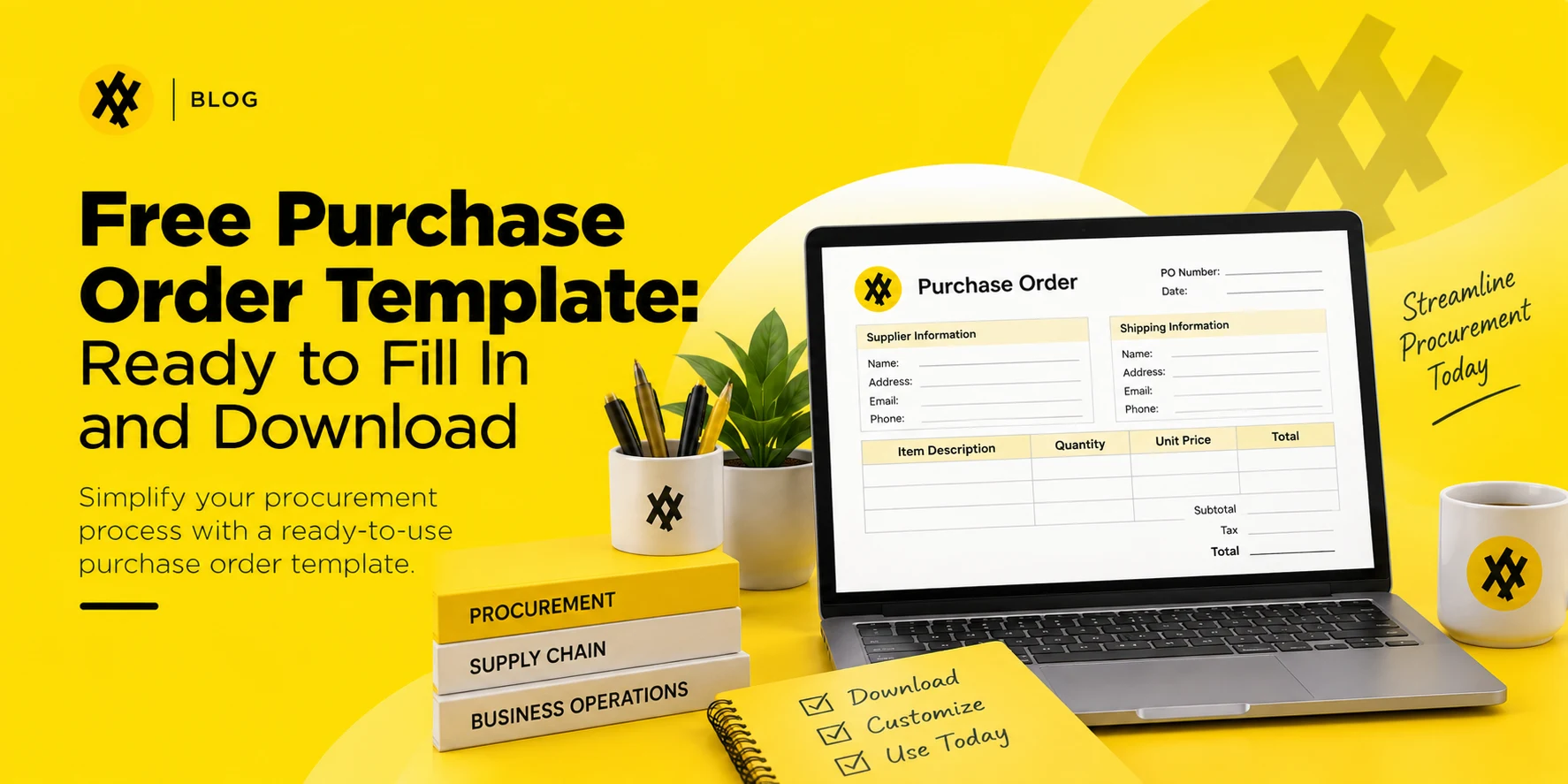
A purchase order only does its job if a vendor can read it in ten seconds and know exactly what you’re buying, how much you’re paying, and where it’s going. Most free templates floating around online fail that test — too many fields, unclear totals, or no PO number at all. The one below is built to be filled in, sent, and forgotten about, not fought with.
A purchase order (PO) template is a pre-built form that captures everything a vendor needs to fulfill an order: buyer and seller details, a unique PO number, line-item quantities and pricing, delivery terms, and a total. Fill in the blanks, send it to your vendor, and it becomes a binding record of what was ordered and agreed on. This template is provided free by Zapro, an AI-powered procure-to-pay platform.
What a purchase order actually is
A purchase order is the buyer’s half of a sales agreement. It states what you want, how many units, at what price, and by when — and once the vendor accepts it, both sides are working from the same document. That matters more than it sounds: without a written PO, a “verbal agreement” on price or quantity is the first thing that falls apart during a dispute.
A PO is not the same as an invoice. The PO comes from the buyer, before the goods ship. The invoice comes from the seller, after delivery, requesting payment. A clean paper trail runs PO → delivery → invoice → payment, and each document should match the one before it. Together, these documents form the transactional backbone of procurement, the wider function of sourcing and buying what a business needs.
What this free purchase order template includes
The template below covers the fields a vendor actually needs, and nothing they don’t:
- Buyer information — company name, billing address, contact details
- Vendor information — company name, address, contact details
- Ship-to address — where the order should actually be delivered, if different from billing
- PO number and issue date — the reference every future invoice and shipment should tie back to
- Line items — item or SKU, description, quantity, unit price, and line total
- Subtotal, tax, shipping, and grand total
- Payment terms and delivery date
- Authorized signature line
Copy the layout below into Word, Excel, or Google Sheets, or use it as-is.
Purchase order template
PO Number: _________________ Date Issued: _________________
| Bill To | Vendor | Ship To |
| Company name | Company name | Company name |
| Address | Address | Address |
| City, State, ZIP | City, State, ZIP | City, State, ZIP |
| Contact name, email, phone | Contact name, email, phone | Contact name, phone |
| Item / SKU | Description | Quantity | Unit Price | Line Total |
| Subtotal | $ |
| Tax | $ |
| Shipping | $ |
| Total | $ |
Payment terms: _________________ Requested delivery date: _________________
Notes to vendor:
_________________________________________________________________
Authorized by: _________________ Signature: _________________ Date: _________________
How to fill out a purchase order template
- Assign a PO number before you do anything else. Sequential numbering (PO-1001, PO-1002…) is what lets you match invoices back to the right order later. Skipping this step is the single most common reason small businesses lose track of what they’ve committed to spend.
- Fill in buyer and vendor details exactly as they appear on the vendor’s invoice. A mismatched company name or address is a common reason invoices get flagged during reconciliation.
- List every line item separately, even if two items are going to the same vendor on the same order. Bundling items into one line makes partial deliveries and returns much harder to track.
- Add tax and shipping before you total the order, not after you’ve sent it. A PO that arrives with a total that doesn’t match the vendor’s quote creates back-and-forth that delays the order.
- Get sign-off before sending. Even a one-person business benefits from a second look — it’s the cheapest error check available.
- Send it to the vendor and keep a copy. The PO isn’t binding until the vendor accepts it, so treat their confirmation email or signed copy as part of the record, not the PO alone.
Purchase order vs. purchase requisition vs. invoice
These three documents get confused constantly, and the confusion is exactly where paper trails start to break.
| Purchase requisition | Purchase order | Invoice | |
| Who creates it | An employee, requesting to buy something | The buying company, once the request is approved | The vendor, after delivery |
| When it happens | Before a vendor is contacted | Before the order ships | After the order ships |
| What it does | Asks for internal approval to spend | Commits the company to a vendor | Requests payment |
| Legally binding? | No | Yes, once accepted | Yes, as a payment demand |
A requisition is internal. A PO is external and binding. An invoice closes the loop. Skipping the requisition step is common in small teams and usually fine — skipping the PO step is where spend stops being traceable.
When a spreadsheet template stops being enough
A template like the one above works well for a handful of orders a month. It starts breaking down in predictable ways once volume grows:
- PO numbers collide or repeat because two people are filling out copies of the same file without a shared counter.
- Nobody can find last quarter’s POs without digging through email attachments or a shared drive folder that’s never organized the way you need it that day.
- There’s no approval step, so a $50 order and a $5,000 order go out the same way — unreviewed.
- Matching invoices back to POs is manual, which means the first sign of a duplicate payment or a price discrepancy is usually a vendor complaint, not your own records.
None of that means the free template is a bad choice to start with — it’s exactly the right tool for low volume. It just isn’t built to scale, because a document has no memory of the twenty POs that came before it. When you reach that point, our roundup of the best procurement software compares tools that automate PO numbering, approvals and matching.
Zapro picks up from there: PO numbering, vendor records, approval routing by dollar amount, and invoice matching all live in one system, so growing past a spreadsheet doesn’t mean losing the audit trail you built with it. To see that workflow on your own purchase orders, you can book a demo.
Common purchase order mistakes to avoid
Reusing PO numbers. Even accidentally, this breaks every downstream match against invoices and payments.
Leaving the ship-to address blank when it differs from billing. This is one of the most common reasons deliveries go to the wrong location.
Vague line-item descriptions. “Supplies” tells a vendor nothing. “50 x A4 printer paper, 20lb, white” tells them exactly what to pull.
No payment terms on the PO. If net 30 isn’t written down, don’t be surprised when the vendor invoices net 15, or expects payment on delivery.
Sending a PO without internal sign-off. A missing approval is invisible until the invoice arrives and nobody recognizes the charge.
Purchase order numbering best practices
Keep it simple and sequential: PO-2026-001, PO-2026-002, and so on. Resist the urge to encode department, vendor, or category into the number itself — that information belongs in the PO fields, not the ID, because encoding schemes always run out of characters or break the first time two departments need the same prefix. The only thing a PO number needs to do is be unique and easy to search for later.
Frequently asked questions
Is this purchase order template really free to use?
Yes. Copy the layout into Word, Excel, or Google Sheets and fill it in directly — no account or software required.
What file format should I use for a purchase order?
Word or PDF works well for one-off orders you’ll send by email. Excel or Google Sheets is better if you’re issuing more than a handful a month, since you can keep a running log and reuse the numbering column.
Do I need a signature on a purchase order for it to be valid?
A signature isn’t legally required in most cases, but it’s good practice internally — it shows someone with spending authority reviewed the order before it went out. The vendor’s acceptance, not your signature, is what makes the PO binding.
What’s the difference between a purchase order and a sales order?
A purchase order comes from the buyer requesting goods. A sales order is the seller’s internal confirmation that they’ll fulfill it. They usually mirror each other line for line.
How many purchase orders can a small business realistically manage with a spreadsheet?
Most teams start feeling friction somewhere between 20 and 50 POs a month, once one person can no longer track every open order from memory and numbering conflicts start showing up. Past that point, it is worth comparing procurement software pricing against the time spent reconciling orders by hand.
Once purchase orders outgrow a spreadsheet, Zapro handles PO creation, approval routing, and invoice matching in one procurement platform. See how Zapro manages purchase orders at scale.
Don’t miss our weekly updates
We’ll email you 1-3 times per week—and never share your information.
About the Author

Md. Kafil


About the Reviewer

Zapro is dedicated to helping businesses of all sizes make informed decisions. We adhere to strict editorial guidelines to ensure that our content meets and maintains our high standards.
Our editorial standards help keep every article accurate, useful, and trustworthy.
Related Blogs
Sales Order vs Purchase Order: Key Differences Explained