

Watch an Invoice Process Itself, Start to Finish

How Does Automated Invoice Processing Work?
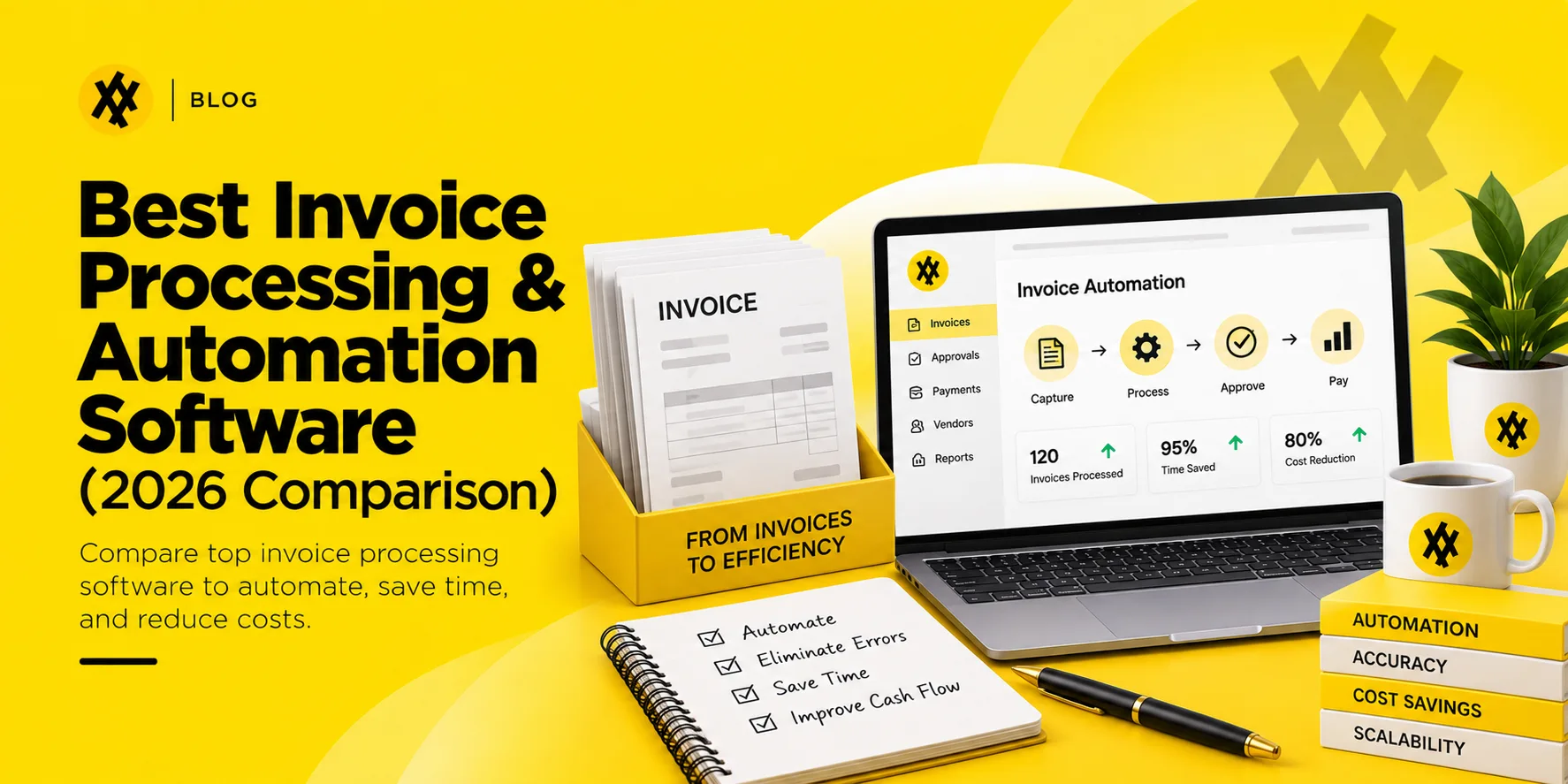
Transitioning from a manual, paper-driven setup to an automated invoice processing lifecycle involves a series of highly synchronized, digital steps:
[Invoice Intake] ──► AI OCR Capture ──► 3-Way Matching (PO & Receipt)
│
[ERP Ledger Sync] ◄── Auto-Payment ◄── Automated Approval Routing
Step 1 — Invoice Capture and Data Extraction
The software continuously monitors inbound digital channels—such as a dedicated ap@company.com email inbox, supplier portals, or digital scanning folders. When an invoice lands, an AI-powered Optical Character Recognition (OCR) engine reads the document, extracting key metadata like vendor names, itemized line rates, tax metrics, and total dues within seconds.
Validating the vendor and bank details on an incoming invoice against a current vendor master record — the kind AI Vendor Management software is built to maintain — is one of the simplest ways to catch a fraudulent invoice before it is paid.
Step 2 — Automated Validation
Once the data is extracted, the platform runs a series of integrity checks. It flags potential duplicate invoices, checks for calculation errors, and verifies the active status of the supplier’s corporate tax ID and banking registration.
Step 3 — 3-Way Matching
The software executes a comprehensive check by initiating a 3-way matching invoice protocol. It automatically aligns the incoming invoice against two other files: the original approved purchase order (PO) and the warehouse goods receipt note (GRN). If the item quantities, SKUs, and unit prices match across all three documents within pre-approved thresholds, the invoice passes directly to the next stage.
Three-way matching depends on having a clean purchase order to check against in the first place, which is one reason invoice automation projects tend to go more smoothly at companies already running purchasing through an AI procurement platform.
Step 4 — Invoice Approval Workflow
If an invoice is a routine, recurring utility bill or passes the 3-way match perfectly, it can bypass human intervention entirely (known as straight-through processing). If it requires a human signature or contains a pricing variance, the platform automatically routes the file through a dynamic invoice approval workflow based on your internal rules (e.g., routing to specific department heads based on cost limits or line items).
Step 5 — Payment Processing and ERP Sync
Once fully authorized, the invoice data automatically syncs with your corporate Enterprise Resource Planning (ERP) or core accounting software (such as NetSuite, QuickBooks, or Xero). The platform marks the bill as a liability, sets the optimal payment date to capitalize on early-payment discounts, and queues up the funds for digital release.
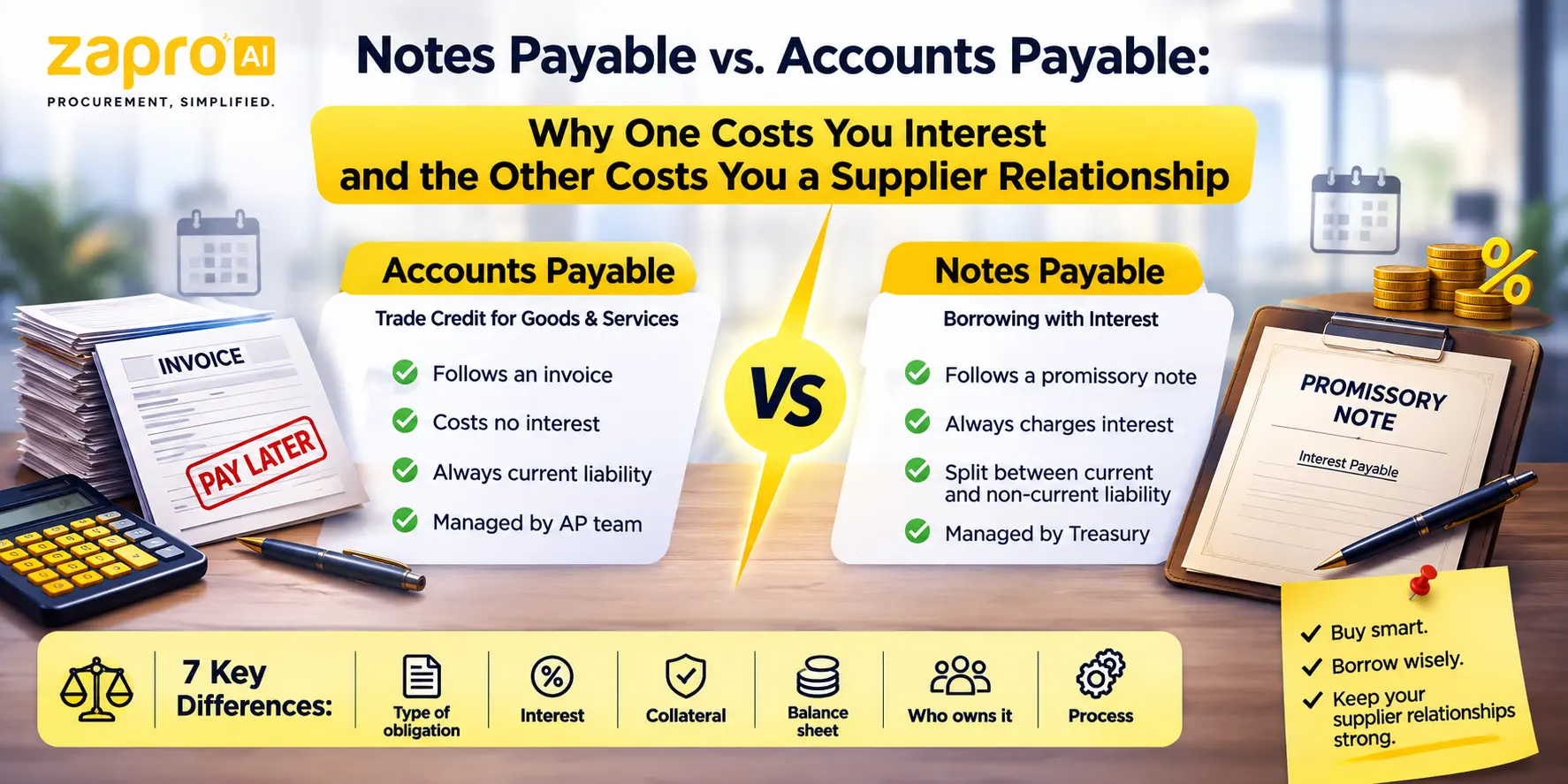
The software writes the entry, but the underlying logic has not changed since the T-account was invented — expense debited, payable credited.
That entry assumes the liability is still a standard trade payable — interest-free and tied to an invoice. If a balance has instead been converted into a formal note with a signed agreement and an interest rate, it needs to be booked and tracked differently, which is exactly why distinguishing notes payable from accounts payable matters before the data ever reaches the ERP.
Step 6 — Reporting and Audit Trail
Every single automated action—including data extractions, matching results, approval timestamps, and system notifications—is permanently stamped into a read-only digital ledger. This provides your finance team with a detailed, audit-ready paper trail for internal control tracking and year-end external reviews.
Learn about Purchase Order Invoice Software
Manual Invoice Processing Challenges — and How Automation Solves Them
Manual Data Entry Errors
- The Pain: Accounts payable staff typing numbers all day inevitably transpose digits, assign expenses to the wrong general ledger codes, or miss hidden supplier overcharges.
- The Solution: AI-powered extraction tools instantly parse invoice data with high accuracy, eliminating manual keystroke slip-ups.
Lost and Missing Invoices
- The Pain: Physical paper invoices sit forgotten on managers’ desks, and digital PDFs get buried in crowded email inboxes, leading to missed vendor payments and late fees.
- The Solution: A centralized cloud inbox automatically ingests and logs every inbound invoice immediately, ensuring no document is overlooked.
Slow Approval Cycles
- The Pain: AP teams waste time chasing managers across different departments and time zones for simple signature sign-offs, causing lengthy processing delays.
- The Solution: Automated routing sends instant system alerts and mobile push notifications directly to the right approvers, keeping the process moving.
Invoice-to-PO Mismatches
- The Pain: Manually cross-checking line items on a vendor’s invoice against the original PO and delivery receipts is a tedious process that makes it easy to miss minor pricing discrepancies.
- The Solution: Algorithmic 3-way matching cross-references all three documents instantly, flagging any price or quantity variances for review.
Limited Visibility Into AP Status
- The Pain: Finance leaders struggle to accurately forecast short-term cash flow because they lack clear visibility into outstanding liabilities pending approval across different departments.
- The Solution: Real-time financial dashboards provide instant clarity into your exact cash liabilities, pending bills, and overall processing times.
Learn about AP Invoice Processing
Benefits of Invoice Automation
- Lower AP Processing Costs: Eliminating manual data entry, printing fees, and spreadsheet tracking can reduce your overall invoice processing costs by up to 80%.
- Faster Invoice Cycle Times: Processing times drop from weeks to hours, allowing your finance team to secure early-payment discounts and avoid late fees.
- Improved Accuracy and Reduced Fraud Risk: Automated validation checks instantly flag duplicate billing, unvetted suppliers, and unauthorized cost increases, preventing fraudulent payouts.
- Stronger Supplier Relationships: Fast, reliable payments prevent project delays and build trust, giving your sourcing team more leverage to negotiate preferential pricing down the road.
- Scalability Without Headcount Growth: Your business can double or triple its transaction volumes without needing to hire a massive team of AP clerks to keep up with the paperwork.
- ERP and Accounting System Integration: Eliminates data silos by automatically keeping your general ledger synchronized with real-time accounts payable data.
Key Features to Look for in Invoice Automation Software
When evaluating potential invoice automation software, ensure the platform includes these essential features:
| Feature | What It Does | Why It Matters |
| AI-Powered OCR | Instantly extracts header and line-level data without manual intervention. | Eliminates human data entry and handles unpredictable invoice layouts. |
| Configurable Workflows | Tracks and routes bills to the right managers based on cost thresholds or departments. | Prevents operational bottlenecks and enforces internal spending controls. |
| Automated 3-Way Matching | Cross-checks invoices, purchase orders, and receiving slips automatically. | Catches supplier overcharges and prevents fraudulent bill payouts. |
| Recurring Invoice Management | Auto-approves fixed monthly expenses like software subscriptions or rent. | Bypasses repetitive approval loops for predictable monthly overhead. |
| Native ERP Integration | Syncs financial data with tools like NetSuite, QuickBooks, or Xero seamlessly. | Eliminates manual data imports and keeps your general ledger current. |
| Audit Trails & Analytics | Log every touchpoint and display process speeds and cash metrics. | Provides instant visibility and simplifies regulatory compliance reviews. |
How to Prepare Before Switching to Invoice Automation Software
To ensure a smooth transition to an automated accounts payable system, complete these foundational steps first:
Audit Your Current Invoicing Process
Map out exactly how invoices flow through your business today. Identify your primary intake channels, note who handles approvals for different spend categories, and isolate where your current process faces the most significant delays.
Standardize Invoice Intake
Instruct your suppliers to send all digital invoices to a single, dedicated email address (e.g., invoices@yourcompany.com). Eliminating scattered delivery channels makes it much easier for your automation software to capture every inbound document.
Define Approval Rules and Tolerances
Establish clear guidelines for your automated workflows. Decide exactly which cost thresholds require executive sign-offs, assign backup approvers to cover for out-of-office managers, and set acceptable price tolerances (such as allowing a 2% variance on shipping costs) to prevent routine bills from getting stuck.
Align Procurement and Finance Teams
Ensure your purchasing and accounts payable teams are closely aligned. 3-way matching relies heavily on consistent purchase order generation—your procurement team must consistently log POs and goods receipts so the automation software has the data it needs to validate incoming invoices.
Learn about Purchase Order vs Invoice
How Zapro Automates Your Entire Invoice Process
Zapro provides an enterprise-grade accounts payable and invoice automation platform designed to give mid-market finance teams total spend control, deep workflow visibility, and effortless automation.
- AI-Powered Invoice Capture and OCR: Ditch manual data entry. Zapro’s intelligent extraction engine automatically reads and parses both header and line-item details from inbound supplier invoices with high accuracy, regardless of layout variations.
- Automated 3-Way Matching Before Every Payment: Protect your bottom line from overbilling. Zapro automatically cross-references invoices against your open purchase orders and warehouse goods receipts, instantly flagging any price deviations before funds leave your account.
- Flexible, Configurable Approval Workflows: Build ironclad spending controls. Easily configure multi-tier approval paths based on department codes, specific vendors, or cost thresholds, complete with streamlined mobile access for fast on-the-go approvals.
- Recurring Invoices on Autopilot: Save time on predictable expenses. Set up automated approval tracks for fixed, recurring contracts like SaaS subscriptions or facility rent, allowing compliant bills to process through your pipeline without manual human touchpoints.
- Seamless ERP and Accounting Integration: Keep your financial records uniform. Zapro connects directly with your existing ERP tools and core accounting suites, automating data reconciliation and eliminating the need for manual data syncing.
- Real-Time AP Dashboards and Audit-Ready Reports: Gain instant financial clarity. Access live analytics dashboards to track outstanding liabilities and processing speeds, while comprehensive, system-generated logs provide absolute visibility for year-end corporate compliance audits.
Ready to transform your accounts payable operation? [See how Zapro works →]

Cut Invoice Processing Time From Weeks to Hours
Automate OCR capture, three-way matching, and approvals so your AP team can stop chasing paperwork and start scaling.
Frequently Asked Questions About Invoice Automation
1. What is invoice automation?
Invoice automation is the use of digital software to capture, extract, validate, and process vendor billing documents through their complete lifecycle without requiring manual data entry or paper-driven tracking from AP teams.
2. How does automated invoice processing work?
The software captures incoming invoices from a dedicated email or folder, uses AI-powered OCR to extract the text, runs a 3-way match against the corresponding PO and receipt, routes the document to the correct manager for approval, and automatically syncs the data with your ERP for payment.
3. What is 3-way matching in invoice processing?
It is a financial compliance check that cross-references three key procurement documents: the supplier’s invoice, your original purchase order, and the warehouse receiving note. This ensures you only pay for the exact items you ordered and actually received at the agreed-upon price tier.
4. What are the benefits of invoice automation for AP teams?
Invoice automation helps AP teams reduce processing costs, accelerate invoice turnaround times, minimize data entry errors, and prevent duplicate or fraudulent payments. It also enables businesses to handle growing invoice volumes without increasing administrative workload or headcount. By automating data capture, invoice validation, matching, approvals, and payment workflows, AP teams can spend less time on repetitive paperwork and more time on strategic financial activities. The result is a faster, more accurate, and more cost-efficient accounts payable process.
5. How do I choose the right invoice automation software?
Look for a platform that offers high-accuracy AI data extraction, customizable multi-tier approval routing, automated 3-way matching capabilities, and native integration support for your existing ERP or core accounting system.
6. What is AP automation and how does it work?
AP automation is the use of software to run the invoice-to-payment cycle with minimal manual handling. Invoices are captured digitally and their data extracted automatically, then matched against the purchase order and goods receipt. Invoices that match within tolerance move straight to payment approval; those that do not are routed to the right person as exceptions. Coding, approval routing, duplicate detection and payment scheduling are handled by rules. People stay involved for judgement and exception resolution, not for data entry and chasing.
Invoice automation is the use of software to capture, code, match, and route supplier invoices for approval and payment without manual data entry. It typically combines OCR data capture, purchase order matching, and rules-based approval workflows to replace paper and email-based invoice processing.
For modern accounts payable (AP) teams, manual invoice management is a costly, time-consuming drag on productivity. Relying on staff to manually rip open paper envelopes, copy long lines of alphanumeric billing data into spreadsheets, and chase down department heads via email for approval signatures inevitably slows down business operations.
Transitioning your enterprise to invoice automation eliminates these manual bottlenecks. By passing tedious tracking, matching, and data-routing tasks over to intelligent software systems, finance departments can protect their cash margins, catch billing errors before they occur, and scale their transaction capacity without inflating departmental headcount.
What Is Invoice Automation?
Invoice automation is the practice of utilizing digital technology to ingest, extract, validate, and route supplier billing documents through their complete lifecycle without manual human data entry.
It forms the cornerstone of broader accounts payable automation initiatives. Instead of treating an invoice as an isolated piece of paper or unread email attachment, an automation platform transforms it into a structured, digital asset. The software tracks the document from the moment it enters the corporate ecosystem down to its final payment reconciliation inside your general ledger, replacing manual labor with secure, digital workflows.
Watch an Invoice Process Itself, Start to Finish
How Does Automated Invoice Processing Work?
Transitioning from a manual, paper-driven setup to an automated invoice processing lifecycle involves a series of highly synchronized, digital steps:
[Invoice Intake] ──► AI OCR Capture ──► 3-Way Matching (PO & Receipt)
│
[ERP Ledger Sync] ◄── Auto-Payment ◄── Automated Approval Routing
Step 1 — Invoice Capture and Data Extraction
The software continuously monitors inbound digital channels—such as a dedicated ap@company.com email inbox, supplier portals, or digital scanning folders. When an invoice lands, an AI-powered Optical Character Recognition (OCR) engine reads the document, extracting key metadata like vendor names, itemized line rates, tax metrics, and total dues within seconds.
Validating the vendor and bank details on an incoming invoice against a current vendor master record — the kind AI Vendor Management software is built to maintain — is one of the simplest ways to catch a fraudulent invoice before it is paid.
Step 2 — Automated Validation
Once the data is extracted, the platform runs a series of integrity checks. It flags potential duplicate invoices, checks for calculation errors, and verifies the active status of the supplier’s corporate tax ID and banking registration.
Step 3 — 3-Way Matching
The software executes a comprehensive check by initiating a 3-way matching invoice protocol. It automatically aligns the incoming invoice against two other files: the original approved purchase order (PO) and the warehouse goods receipt note (GRN). If the item quantities, SKUs, and unit prices match across all three documents within pre-approved thresholds, the invoice passes directly to the next stage.
Three-way matching depends on having a clean purchase order to check against in the first place, which is one reason invoice automation projects tend to go more smoothly at companies already running purchasing through an AI procurement platform.
Step 4 — Invoice Approval Workflow
If an invoice is a routine, recurring utility bill or passes the 3-way match perfectly, it can bypass human intervention entirely (known as straight-through processing). If it requires a human signature or contains a pricing variance, the platform automatically routes the file through a dynamic invoice approval workflow based on your internal rules (e.g., routing to specific department heads based on cost limits or line items).
Step 5 — Payment Processing and ERP Sync
Once fully authorized, the invoice data automatically syncs with your corporate Enterprise Resource Planning (ERP) or core accounting software (such as NetSuite, QuickBooks, or Xero). The platform marks the bill as a liability, sets the optimal payment date to capitalize on early-payment discounts, and queues up the funds for digital release.
The software writes the entry, but the underlying logic has not changed since the T-account was invented — expense debited, payable credited.
That entry assumes the liability is still a standard trade payable — interest-free and tied to an invoice. If a balance has instead been converted into a formal note with a signed agreement and an interest rate, it needs to be booked and tracked differently, which is exactly why distinguishing notes payable from accounts payable matters before the data ever reaches the ERP.
Step 6 — Reporting and Audit Trail
Every single automated action—including data extractions, matching results, approval timestamps, and system notifications—is permanently stamped into a read-only digital ledger. This provides your finance team with a detailed, audit-ready paper trail for internal control tracking and year-end external reviews.
Learn about Purchase Order Invoice Software
Manual Invoice Processing Challenges — and How Automation Solves Them
Manual Data Entry Errors
- The Pain: Accounts payable staff typing numbers all day inevitably transpose digits, assign expenses to the wrong general ledger codes, or miss hidden supplier overcharges.
- The Solution: AI-powered extraction tools instantly parse invoice data with high accuracy, eliminating manual keystroke slip-ups.
Lost and Missing Invoices
- The Pain: Physical paper invoices sit forgotten on managers’ desks, and digital PDFs get buried in crowded email inboxes, leading to missed vendor payments and late fees.
- The Solution: A centralized cloud inbox automatically ingests and logs every inbound invoice immediately, ensuring no document is overlooked.
Slow Approval Cycles
- The Pain: AP teams waste time chasing managers across different departments and time zones for simple signature sign-offs, causing lengthy processing delays.
- The Solution: Automated routing sends instant system alerts and mobile push notifications directly to the right approvers, keeping the process moving.
Invoice-to-PO Mismatches
- The Pain: Manually cross-checking line items on a vendor’s invoice against the original PO and delivery receipts is a tedious process that makes it easy to miss minor pricing discrepancies.
- The Solution: Algorithmic 3-way matching cross-references all three documents instantly, flagging any price or quantity variances for review.
Limited Visibility Into AP Status
- The Pain: Finance leaders struggle to accurately forecast short-term cash flow because they lack clear visibility into outstanding liabilities pending approval across different departments.
- The Solution: Real-time financial dashboards provide instant clarity into your exact cash liabilities, pending bills, and overall processing times.
Learn about AP Invoice Processing
Benefits of Invoice Automation
- Lower AP Processing Costs: Eliminating manual data entry, printing fees, and spreadsheet tracking can reduce your overall invoice processing costs by up to 80%.
- Faster Invoice Cycle Times: Processing times drop from weeks to hours, allowing your finance team to secure early-payment discounts and avoid late fees.
- Improved Accuracy and Reduced Fraud Risk: Automated validation checks instantly flag duplicate billing, unvetted suppliers, and unauthorized cost increases, preventing fraudulent payouts.
- Stronger Supplier Relationships: Fast, reliable payments prevent project delays and build trust, giving your sourcing team more leverage to negotiate preferential pricing down the road.
- Scalability Without Headcount Growth: Your business can double or triple its transaction volumes without needing to hire a massive team of AP clerks to keep up with the paperwork.
- ERP and Accounting System Integration: Eliminates data silos by automatically keeping your general ledger synchronized with real-time accounts payable data.
Key Features to Look for in Invoice Automation Software
When evaluating potential invoice automation software, ensure the platform includes these essential features:
| Feature | What It Does | Why It Matters |
| AI-Powered OCR | Instantly extracts header and line-level data without manual intervention. | Eliminates human data entry and handles unpredictable invoice layouts. |
| Configurable Workflows | Tracks and routes bills to the right managers based on cost thresholds or departments. | Prevents operational bottlenecks and enforces internal spending controls. |
| Automated 3-Way Matching | Cross-checks invoices, purchase orders, and receiving slips automatically. | Catches supplier overcharges and prevents fraudulent bill payouts. |
| Recurring Invoice Management | Auto-approves fixed monthly expenses like software subscriptions or rent. | Bypasses repetitive approval loops for predictable monthly overhead. |
| Native ERP Integration | Syncs financial data with tools like NetSuite, QuickBooks, or Xero seamlessly. | Eliminates manual data imports and keeps your general ledger current. |
| Audit Trails & Analytics | Log every touchpoint and display process speeds and cash metrics. | Provides instant visibility and simplifies regulatory compliance reviews. |
How to Prepare Before Switching to Invoice Automation Software
To ensure a smooth transition to an automated accounts payable system, complete these foundational steps first:
Audit Your Current Invoicing Process
Map out exactly how invoices flow through your business today. Identify your primary intake channels, note who handles approvals for different spend categories, and isolate where your current process faces the most significant delays.
Standardize Invoice Intake
Instruct your suppliers to send all digital invoices to a single, dedicated email address (e.g., invoices@yourcompany.com). Eliminating scattered delivery channels makes it much easier for your automation software to capture every inbound document.
Define Approval Rules and Tolerances
Establish clear guidelines for your automated workflows. Decide exactly which cost thresholds require executive sign-offs, assign backup approvers to cover for out-of-office managers, and set acceptable price tolerances (such as allowing a 2% variance on shipping costs) to prevent routine bills from getting stuck.
Align Procurement and Finance Teams
Ensure your purchasing and accounts payable teams are closely aligned. 3-way matching relies heavily on consistent purchase order generation—your procurement team must consistently log POs and goods receipts so the automation software has the data it needs to validate incoming invoices.
Learn about Purchase Order vs Invoice
How Zapro Automates Your Entire Invoice Process
Zapro provides an enterprise-grade accounts payable and invoice automation platform designed to give mid-market finance teams total spend control, deep workflow visibility, and effortless automation.
- AI-Powered Invoice Capture and OCR: Ditch manual data entry. Zapro’s intelligent extraction engine automatically reads and parses both header and line-item details from inbound supplier invoices with high accuracy, regardless of layout variations.
- Automated 3-Way Matching Before Every Payment: Protect your bottom line from overbilling. Zapro automatically cross-references invoices against your open purchase orders and warehouse goods receipts, instantly flagging any price deviations before funds leave your account.
- Flexible, Configurable Approval Workflows: Build ironclad spending controls. Easily configure multi-tier approval paths based on department codes, specific vendors, or cost thresholds, complete with streamlined mobile access for fast on-the-go approvals.
- Recurring Invoices on Autopilot: Save time on predictable expenses. Set up automated approval tracks for fixed, recurring contracts like SaaS subscriptions or facility rent, allowing compliant bills to process through your pipeline without manual human touchpoints.
- Seamless ERP and Accounting Integration: Keep your financial records uniform. Zapro connects directly with your existing ERP tools and core accounting suites, automating data reconciliation and eliminating the need for manual data syncing.
- Real-Time AP Dashboards and Audit-Ready Reports: Gain instant financial clarity. Access live analytics dashboards to track outstanding liabilities and processing speeds, while comprehensive, system-generated logs provide absolute visibility for year-end corporate compliance audits.
Ready to transform your accounts payable operation? [See how Zapro works →]
Cut Invoice Processing Time From Weeks to Hours
Automate OCR capture, three-way matching, and approvals so your AP team can stop chasing paperwork and start scaling.
Frequently Asked Questions About Invoice Automation
1. What is invoice automation?
Invoice automation is the use of digital software to capture, extract, validate, and process vendor billing documents through their complete lifecycle without requiring manual data entry or paper-driven tracking from AP teams.
2. How does automated invoice processing work?
The software captures incoming invoices from a dedicated email or folder, uses AI-powered OCR to extract the text, runs a 3-way match against the corresponding PO and receipt, routes the document to the correct manager for approval, and automatically syncs the data with your ERP for payment.
3. What is 3-way matching in invoice processing?
It is a financial compliance check that cross-references three key procurement documents: the supplier’s invoice, your original purchase order, and the warehouse receiving note. This ensures you only pay for the exact items you ordered and actually received at the agreed-upon price tier.
4. What are the benefits of invoice automation for AP teams?
Invoice automation helps AP teams reduce processing costs, accelerate invoice turnaround times, minimize data entry errors, and prevent duplicate or fraudulent payments. It also enables businesses to handle growing invoice volumes without increasing administrative workload or headcount. By automating data capture, invoice validation, matching, approvals, and payment workflows, AP teams can spend less time on repetitive paperwork and more time on strategic financial activities. The result is a faster, more accurate, and more cost-efficient accounts payable process.
5. How do I choose the right invoice automation software?
Look for a platform that offers high-accuracy AI data extraction, customizable multi-tier approval routing, automated 3-way matching capabilities, and native integration support for your existing ERP or core accounting system.
6. What is AP automation and how does it work?
AP automation is the use of software to run the invoice-to-payment cycle with minimal manual handling. Invoices are captured digitally and their data extracted automatically, then matched against the purchase order and goods receipt. Invoices that match within tolerance move straight to payment approval; those that do not are routed to the right person as exceptions. Coding, approval routing, duplicate detection and payment scheduling are handled by rules. People stay involved for judgement and exception resolution, not for data entry and chasing.
Don’t miss our weekly updates
We’ll email you 1-3 times per week—and never share your information.
Still Manually Keying In Invoices?
Get expert guidance on automating your AP workflow and eliminating data entry errors with Zapro.

About the Author

Md. Kafil


About the Reviewer

Zapro is dedicated to helping businesses of all sizes make informed decisions. We adhere to strict editorial guidelines to ensure that our content meets and maintains our high standards.
Our editorial standards help keep every article accurate, useful, and trustworthy.