Meet Zap 2: the AI agent that can handle your entire frontline support Learn more

GL Coding in Accounts Payable: How It Works and How to Automate It

GL Coding in Accounts Payable (How it Works & To Automate)

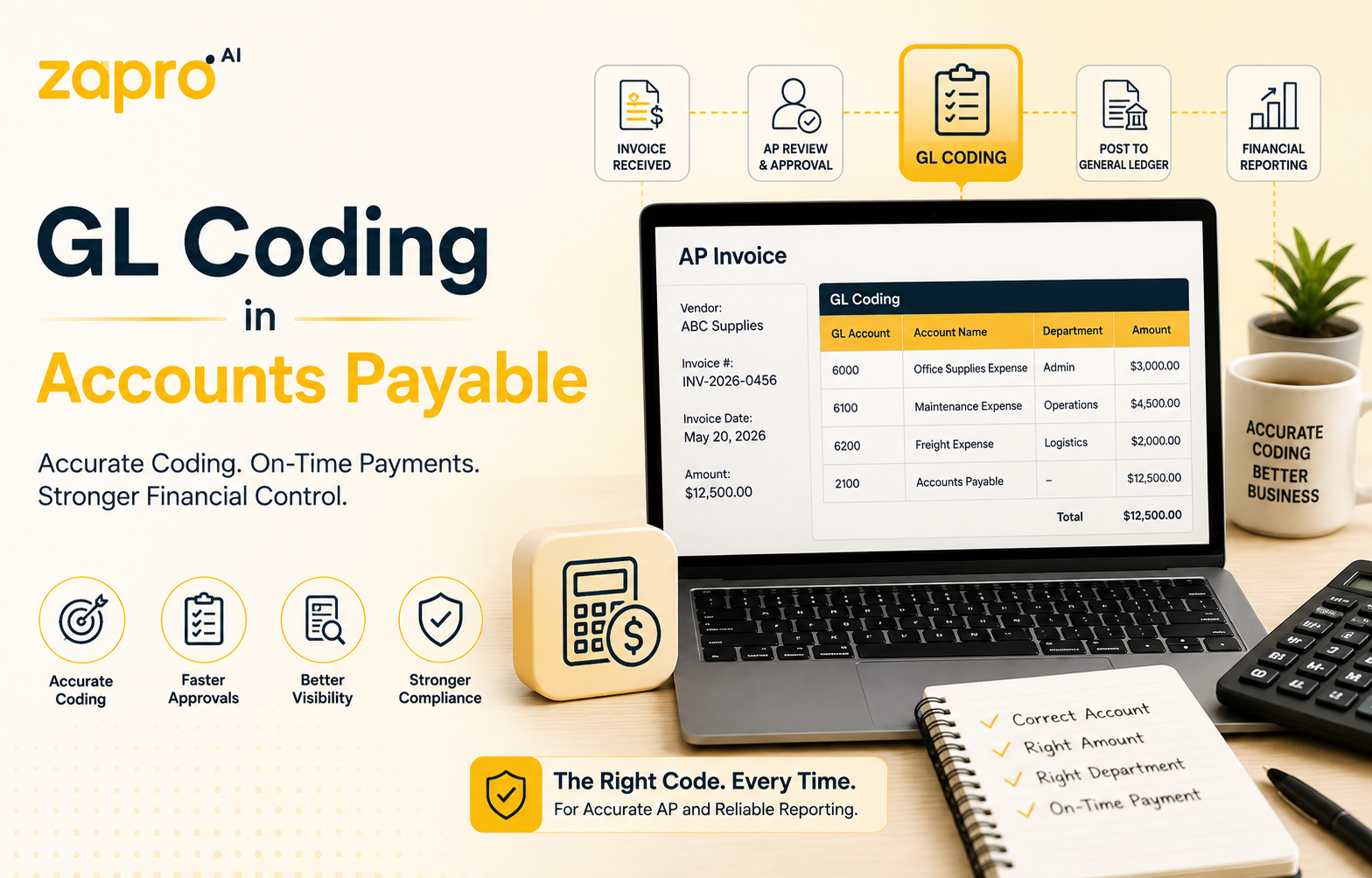
GL coding in accounts payable is the assignment of general ledger codes to each line of a supplier invoice, so the expense posts to the correct account, department and period. It happens between capture and posting, and it decides whether month-end close is a reconciliation or an investigation.

Key takeaways

  • The AP subledger holds invoice-level detail; the general ledger holds the summarised total in a control account.
  • Code at line level. One invoice often spans several accounts and more than one cost centre.
  • PO-backed invoices inherit a code approved before the money was committed. Non-PO invoices have no anchor, which is why they cause most errors.
  • Three-way matching enforces the code agreed at ordering rather than one inferred later.
  • The subledger and the control account must agree before close.

What is GL coding in accounts payable?

GL coding in accounts payable is the step where each line of a supplier invoice is assigned a GL code, setting which account the expense hits, which department carries the cost, and which period it lands in.

For an AP team this is a throughput problem rather than an accounting one. Every invoice arriving without a clear code becomes a question, and every question becomes a delay. The invoices that flow through untouched are the ones coded before they arrived.

How the AP subledger connects to the general ledger

Most AP process problems trace back to this relationship.

What the AP ledger records

The accounts payable subledger holds one record per supplier invoice: who invoiced you, for what, when it is due, what has been paid, what remains outstanding. It carries the line items, PO references, approval history and the coding applied to each line. It answers supplier-level questions: what do we owe, what is overdue, what did we pay last quarter.

How AP posts to the GL control account

The general ledger holds no such detail. It holds a single control account for accounts payable, usually in the 2000 range, carrying the total owed to all suppliers — the same structure the federal chart of accounts uses for the same reason.

Posting an invoice does two things at once: the expense lines debit the accounts their codes point to, and the total credits the control account. Expense goes wherever the coding says; liability goes to one place. Written out as a debit and credit as T-accounts, it is one credit against many debits, which is exactly why the subledger has to carry the detail the control account cannot.

Reconciling the AP subledger to the general ledger

At period end, the sum of open invoices in the subledger must equal the balance on the control account. When they agree, the subledger is proven and close proceeds.

When they do not, something has broken the link: an invoice posted directly to the GL bypassing AP, a manual journal against the control account, a payment applied in one system only, or a timing difference across the cut-off. Reconciling monthly rather than quarterly means a smaller haystack.

The AP invoice GL coding process, step by step

Five steps between an invoice arriving and the books closing.

Step 1: Invoice capture and data extraction

The invoice arrives by email, portal or post, and header and line data are extracted: supplier, invoice number, date, PO reference, descriptions, amounts, tax. Capture quality decides everything downstream, because a line that extracts badly cannot be coded automatically and lands in someone’s queue. This is the step invoice automation is usually bought for, though as the automation section below argues, it is not the step where the time actually goes.

Step 2: PO matching and line-level allocation

If the invoice references a purchase order, the system matches invoice lines to PO lines. A major part of the coding process happens at this stage because the PO line already carries the code agreed when the order was approved, and the invoice line inherits it. Where quantities or amounts differ, the line flags as an exception rather than passing through. The strength of this step depends entirely on how much discipline sits in the purchase order process upstream of it.

Step 3: GL code assignment and cost allocation

Lines that did not inherit a code need one. Rules handle the predictable cases: this supplier and this category always post to this account. What remains is genuinely ambiguous and needs a person. This is also where a line gets split if the cost belongs to more than one department.

Step 4: Approval routing and exception handling

Coded invoices route to whoever owns the budget the coding points at, which is the reason for coding before routing. Exceptions — a price variance, a quantity mismatch, a missing PO, a low-confidence code — route separately, because they need a decision rather than an approval.

Step 5: Posting to the general ledger

The approved invoice posts: expenses debited to their coded accounts, total credited to the control account, tax to its own. The posting date sets the period, which matters most at cut-off. Once posted, changing the coding means a reclassification journal rather than an edit.

GL coding examples in accounts payable

A coded invoice, line by line

One invoice, four lines, four accounts.

Line Description Amount GL code Why
1 Laptops, 4 units 5,200 1510-000-01 Capitalised as computer equipment, not expensed
2 Software licences, 12 months 3,600 5600-200-01 Marketing’s subscription, operating expense
3 Cables and accessories 180 5610-200-01 Non-capitalised IT hardware, below the threshold
4 Delivery 95 5040-200-01 Freight in, follows the goods it delivered

Line 1 is the one that matters. Coded to 5610 with the accessories it would be expensed in full this month; coded to 1510 it capitalises and depreciates. Same invoice, materially different profit for the period.

Split coding across two cost centers

A security services contract of £12,000 covers a site shared by two teams, and neither owns it outright. Split by headcount, 55% engineering and 45% operations:

  • 5540-300-01 — engineering — 6,600
  • 5540-400-01 — operations — 5,400

The split needs a stated basis that survives being questioned six months later. Headcount, floor area and usage are all defensible. A 50/50 split chosen because it was quick is not, and that is what happens when nobody records why. Write the basis into the invoice record, not into somebody’s memory.

Where AP GL coding breaks down

Non-PO and maverick invoices

An invoice with no purchase order has no pre-agreed code, so someone in AP works out what it was for from the supplier’s description. Often they cannot, so they ask, and the invoice waits. Non-PO invoices are a small share of volume and a large share of AP’s time.

Split coding across departments and cost centers

Splits break for a different reason than they get created. The allocation is agreed once, then repeats monthly for two years while the basis changes: teams move floors, headcount shifts, the project ends. Nobody revisits it because the invoice keeps posting cleanly. The coding is wrong and nothing flags it.

Duplicate and miscoded invoices

Duplicates arrive when a supplier resends an unpaid invoice with a new number, or the same document reaches AP by two routes. Miscodes are quieter: a wrong code is usually a valid code, so the transaction posts without error to the wrong account. Both surface late, once the context needed to unpick them has gone.

Period-end cut-off errors

An invoice for work done in one month, posted in the next, lands the expense in the wrong period. The coding is right and the timing is wrong, which is harder to spot than a wrong account. It distorts both months, and it is why a departmental budget looks fine one period and overspent the next. Under an accrual method, which period an expense belongs to is set by when the liability was incurred rather than when the paperwork was processed — a distinction that only shows up at cut-off.

How three-way matching improves GL coding accuracy

Three-way matching compares the purchase order, the goods received note and the invoice before anything posts. It is usually justified on fraud and overbilling. Its underrated benefit is coding.

The reason is sequencing. In a matched process the code is set on the purchase order, when someone who knew what they were buying asked for approval, and the approver reviewed the code as part of approving the spend. By the time the invoice arrives, two people with context have agreed it. The invoice inherits it and nobody in AP decides anything.

Compare that with an unmatched invoice, where the code is inferred weeks later by someone who was not involved, reading a description the supplier wrote for their own purposes.

The match also catches errors coding alone cannot. A quantity mismatch means the receipt does not support the invoice, so an otherwise correctly coded line overstates the expense. A price variance does the same. Both flag before posting rather than after close, which makes matching a preventive control rather than a detective one — the distinction the GAO’s internal control standards build on, and the reason a matched process survives a procurement audit with a narrower sample.

One limitation worth stating: matching enforces consistency, not correctness. A PO coded to the wrong account at requisition will match cleanly and post confidently to the wrong place. The match proves the invoice agrees with the order. It does not check whether the order was right.

Automating AP GL coding

OCR capture and AI-suggested codes

Capture extracts the data; prediction proposes a code per line based on how similar lines were coded before. The useful part of AI-suggested codes is the confidence score. High-confidence lines post without review, low-confidence lines queue for a person. Without that split, automated coding moves the review work rather than reducing it.

Vendor and category coding rules

Rules cover the traffic you can specify in advance: this supplier always posts to this account, this category always carries this cost centre. They are transparent, easy to audit, and cover a large share of volume for little effort. They also only cover what someone thought to write down, which is why they work best alongside prediction rather than instead of it.

Touchless posting to your ERP

The end state is an invoice that arrives, matches, codes, approves within policy and posts without anyone opening it. What makes it possible is a live connection to your ERP and its chart of accounts, so the codes applied still exist. A stale copy produces confident postings to retired accounts, which is worse than no automation at all. For what to measure once the flow is running, see the guide to accounts payable automation.

Frequently asked questions about AP GL coding

What is the difference between the AP ledger and the general ledger?

The AP ledger is a subledger holding one detailed record per supplier invoice. The general ledger holds the summarised total in a single control account. One tells you what you owe each supplier; the other, what you owe in total.

Is accounts payable a GL account?

Yes. It is a liability account in the general ledger, and it functions as the control account for the AP subledger. The two must reconcile at period end.

What GL code is used for accounts payable?

It varies by chart, but AP typically sits in the 2000 range, which conventionally holds liabilities. There is no universal number. In the standard GL code list, trade accounts payable is 2000 and accrued accounts payable is 2010.

How do you reconcile accounts payable to the general ledger?

Compare open invoices in the subledger to the control account balance, then investigate any difference: postings that bypassed AP, manual journals, payments applied in one system only, or cut-off timing.

Can GL coding be automated for non-PO invoices?

Partly. Rules based on supplier and category handle recurring non-PO spend well. One-off invoices from unfamiliar suppliers have no history to predict from. The bigger win is reducing how many arrive without a PO at all.

Who assigns GL codes to invoices in accounts payable?

In a PO-driven process the code is set at requisition and inherited by the invoice. Without a PO, an AP clerk assigns it at entry, usually after asking the budget holder what the purchase was for.

Close the books faster with automated AP coding

Most AP coding problems are questions arriving too late — someone in finance asking a department what a purchase was for, weeks after both had moved on.

Zapro connects the requisition, the purchase order and the invoice, so the code an approver agreed at ordering is the one that posts. Book a demo and we will walk through it end to end.
Book a free demo →

Read More

GL Code List: 150+ GL Code Examples by Account Type

150+ GL Code Examples by Account Type (GL Code List of 2026)

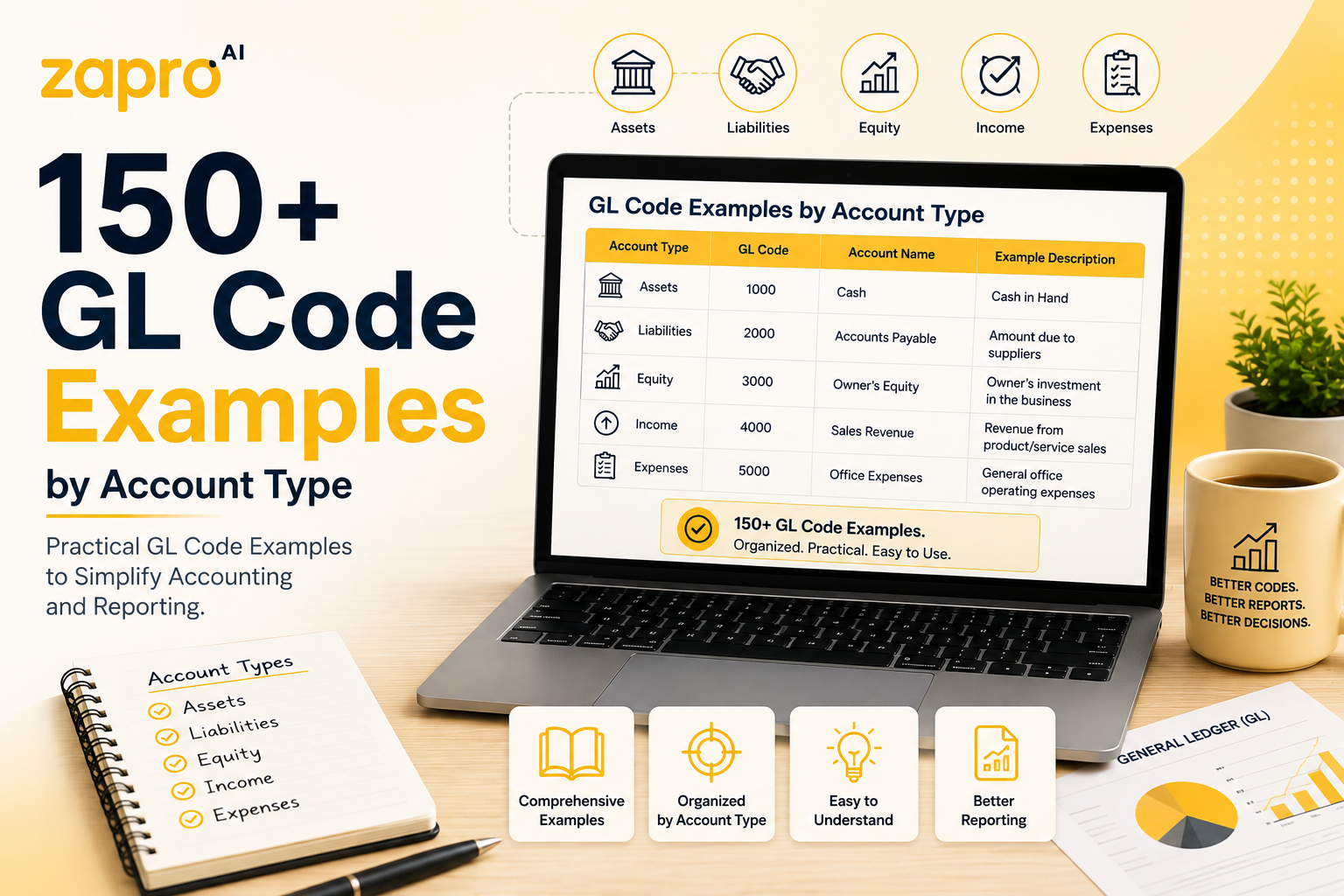
A GL code example is a specific account number paired with what it records, such as 5960 for office supplies or 2000 for trade accounts payable. Numbering follows conventions rather than a standard, so codes are broadly recognisable between companies but never identical. The tables below give more than 150 working examples.

Key takeaways

  • Most charts use four digits, with the leading digit signalling the account category.
  • Nothing here is a standard. These are conventions, and every business adapts them.
  • Leave gaps. A chart numbered consecutively has nowhere to put the account you need next year.
  • The same cost sits in different accounts depending on the industry. Hosting is a direct cost for a SaaS business and an overhead for a manufacturer.
  • Copy the structure, not the numbers. What matters is that your ranges are consistent and your gaps are deliberate.

Get the free GL Code List Template (.xlsx) — all 150+ codes from this page in an editable spreadsheet, ready to copy and renumber for your own chart.

What a GL code example looks like

A GL code example has two parts: the number, and the account it points to. On its own, 5600 means nothing. Paired with software subscriptions, it becomes usable. For the underlying concept, see what GL codes are.

How to read a composed GL code

Many businesses extend the account number with segments. Reading 5600-200-01 left to right:

  • 5600 — the account. Software subscriptions, an operating expense.
  • 200 — the department. Marketing.
  • 01 — the entity or location. The UK company.

A marketing software subscription bought by the UK entity. The account says what it was, the segments say whose it was and where. Segment count and order vary by system, so treat this as the pattern rather than the format.

Standard GL code list by account type

More than 150 codes, grouped by range. Use them as a starting point and renumber to suit your own chart.

1000–1999: Asset GL codes

Code Account
1000 Cash — operating account
1010 Cash — payroll account
1020 Cash — savings and reserves
1030 Petty cash
1040 Undeposited funds
1100 Accounts receivable — trade
1110 Accounts receivable — other
1150 Allowance for doubtful accounts
1200 Inventory — raw materials
1210 Inventory — work in progress
1220 Inventory — finished goods
1230 Inventory reserve
1300 Prepaid expenses
1310 Prepaid insurance
1320 Prepaid rent
1330 Prepaid software subscriptions
1400 Employee advances
1410 Deposits paid
1500 Furniture and fixtures
1510 Computer equipment
1520 Machinery and equipment
1530 Vehicles
1540 Leasehold improvements
1550 Land
1560 Buildings
1600 Accumulated depreciation — equipment
1610 Accumulated depreciation — vehicles
1620 Accumulated depreciation — buildings
1700 Capitalised software development
1710 Goodwill
1720 Trademarks and patents
1730 Accumulated amortisation

2000–2999: Liability GL codes

Code Account
2000 Accounts payable — trade
2010 Accounts payable — accrued
2020 Accrued expenses
2030 Accrued payroll
2040 Accrued bonuses
2050 Accrued interest
2100 Credit cards payable
2200 Sales tax payable
2210 VAT payable
2220 VAT recoverable
2230 Payroll tax payable
2240 Income tax payable
2300 Employee deductions payable
2310 Pension contributions payable
2400 Deferred revenue — current
2410 Customer deposits
2420 Gift cards and credits outstanding
2500 Notes payable — current
2510 Current portion of long-term debt
2520 Lease liability — current
2600 Notes payable — long term
2610 Lease liability — non-current
2620 Deferred revenue — non-current
2630 Deferred tax liability

3000–3999: Equity GL codes

Code Account
3000 Common stock / share capital
3010 Preferred stock
3020 Additional paid-in capital
3100 Retained earnings
3110 Current year earnings
3200 Owner’s draw / distributions
3300 Treasury stock
3400 Accumulated other comprehensive income

4000–4999: Revenue GL codes

Code Account
4000 Product revenue
4010 Subscription revenue
4020 Service revenue
4030 Licence revenue
4040 Implementation and onboarding revenue
4050 Maintenance and support revenue
4100 Shipping and handling revenue
4200 Sales discounts
4210 Sales returns and allowances
4220 Rebates and volume allowances
4300 Interest income
4310 Dividend income
4400 Rental income
4500 Royalty income
4900 Other operating revenue
4910 Foreign exchange gain — operating

5000–5999: Expense GL codes

Direct costs sit in the lower half of the range, operating expenses in the upper half.

Code Account
5000 Direct materials
5010 Direct labour
5020 Manufacturing overhead
5030 Subcontracted production
5040 Freight in
5050 Packaging materials
5060 Production scrap and waste
5100 Hosting and infrastructure
5110 Third-party licences — cost of sales
5120 Payment processing fees
5130 Customer support salaries
5140 Implementation and delivery services
5150 Data and content licensing
5400 Salaries and wages
5410 Employer payroll taxes
5420 Health insurance
5430 Pension contributions
5440 Bonuses and commissions
5450 Contractor and temporary labour
5460 Recruitment fees
5470 Training and development
5480 Staff welfare
5500 Rent
5510 Utilities
5520 Building maintenance
5530 Cleaning and janitorial
5540 Security services
5550 Property insurance
5560 Waste and recycling
5600 Software subscriptions
5610 IT hardware — non-capitalised
5620 Telecommunications
5630 Internet and connectivity
5640 IT support services
5650 Cloud storage and backup
5700 Marketing and advertising
5710 Digital advertising
5720 Events and trade shows
5730 Print and production
5740 Public relations
5750 Market research
5760 Sponsorships
5800 Travel — airfare
5810 Travel — accommodation
5820 Travel — ground transport
5830 Meals and entertainment
5840 Mileage reimbursement
5900 Legal fees
5910 Accounting and audit fees
5920 Consulting fees
5930 Bank charges
5940 Business insurance
5950 Licences and permits
5960 Office supplies
5970 Postage and courier
5980 Subscriptions and memberships
5990 Bad debt expense

6000–6999: Other income and expense GL codes

Code Account
6000 Interest expense
6010 Interest income — non-operating
6100 Depreciation expense
6110 Amortisation expense
6200 Foreign exchange gain or loss
6300 Gain on disposal of assets
6310 Loss on disposal of assets
6400 Impairment charges
6500 Restructuring costs
6600 Income tax expense
6610 Deferred tax expense
6700 Penalties and fines
6800 Charitable donations
6900 Other non-operating income

GL code examples by industry

The ranges above are common to everyone. What differs is which costs a business treats as direct rather than overhead, and that decision changes the gross margin on the face of the income statement.

Hosting is the clearest case. A SaaS company codes it to cost of sales, because it scales with customers served. A manufacturer codes the same invoice to IT overhead. Same supplier, same amount, different line.

SaaS and technology GL codes

Code Account
4010 Subscription revenue — recurring
4040 Implementation and onboarding revenue
5100 Hosting and infrastructure — cost of sales
5110 Third-party API and data licences
5130 Customer success salaries
5160 Payment gateway and merchant fees
1700 Capitalised software development
2400 Deferred subscription revenue

Manufacturing GL codes

Code Account
5000 Direct materials — raw
5015 Direct labour — production floor
5025 Factory overhead absorbed
5035 Tooling and dies
5045 Inbound freight and duty
5065 Rework and scrap
1210 Inventory — work in progress
5075 Plant maintenance and downtime

Professional services GL codes

Code Account
4020 Client fee revenue
4025 Recoverable expenses billed
5140 Billable consultant salaries
5145 Subcontracted consultants
5155 Non-recoverable client expenses
1120 Unbilled receivables / work in progress
5925 Professional indemnity insurance
5475 Certification and CPD

Healthcare GL codes

Code Account
4060 Patient service revenue
4065 Insurance and payer reimbursement
4215 Contractual allowances
5170 Medical supplies and consumables
5175 Pharmaceuticals
5180 Laboratory reagents
5185 Clinical staff salaries
5945 Medical malpractice insurance

Retail and ecommerce GL codes

Code Account
4000 Merchandise sales
4105 Shipping revenue collected
5085 Cost of goods sold — merchandise
5090 Outbound shipping and fulfilment
5095 Marketplace and platform fees
5195 Inventory shrinkage
2420 Gift cards outstanding
4215 Returns and refunds

GL account code structure: building your own numbering system

Copying a list is faster than designing one, but the numbering has to fit the business. Four decisions do most of the work.

Choosing your code length and block ranges

Four digits suits most companies and gives a thousand slots per category, which is more than enough. Five or six digits are worth it only when you genuinely need hundreds of accounts within a single category, which usually means a large group or a regulated sector with prescribed reporting. Longer codes are harder to remember and slower to type, and both of those show up as coding errors.

Leaving gaps for future accounts

The most common mistake is numbering consecutively. A chart running 5000, 5001, 5002 has nowhere to put a new account that belongs between two existing ones, so it lands at the end and the logical grouping breaks.

Numbering in tens or hundreds solves it. The list above jumps from 5600 to 5610 precisely so that 5601 through 5609 stay available for related accounts later. Leave larger gaps between groups than within them.

Sub-account and sub-ledger conventions

Related accounts should sit adjacent and share a prefix, so that 5800 to 5840 are all travel and a report can roll them up by range. Subledgers work differently: accounts payable, receivable and fixed assets each hold their detail separately and post a summarised total to one control account in the general ledger. You do not need a GL account per supplier. You need one control account and a subledger behind it.

Adding department, location, and project segments

Segments carry the context the account number cannot: who spent it, where, and on what. Each one adds precision and adds a field somebody has to complete correctly. Three or four is workable. Beyond that, requisitioners start guessing, and a guessed segment is worse than no segment because it looks like data.

GL code examples in practice

Coding a software subscription invoice

An annual design tool licence, £4,800, bought by marketing in the UK entity. It codes to 5600-200-01: software subscriptions, marketing, UK. Because it covers twelve months, the portion relating to the next financial year moves to 1330, prepaid software subscriptions, and releases monthly. Coding the whole amount to 5600 in month one overstates this year’s cost and understates next year’s.

Coding a multi-department facilities cost

A cleaning contract of £12,000 covering two floors used by different teams. Split by floor area, sixty per cent to 5530-300-01 and forty per cent to 5530-400-01. What matters is that the basis is recorded somewhere. An allocation nobody can explain six months later will be questioned at audit and repeated wrongly for years.

Coding an intercompany transfer

The UK entity pays a shared licence and recharges half to the German entity. The UK side posts the full cost to 5600-000-01, then credits the recharged half to an intercompany receivable. The German side carries the matching payable. Both legs must reference the same intercompany account pair, because these are eliminated on consolidation, and a mismatch is the single most common reason group consolidation fails to balance.

Free GL code list template

Every code on this page, in an editable spreadsheet: account number, name, category, and a column for your own department and location segments. Copy the sheet, renumber to suit your chart, and delete what you do not use.

Get the GL Code List Template (.xlsx)

Frequently asked questions about GL code examples

What is an example of a GL code?

5960 for office supplies, 2000 for trade accounts payable, or 4010 for subscription revenue. With segments, a full code might read 5960-200-01: office supplies, marketing department, UK entity.

What are the standard GL code ranges?

Conventionally, 1000s for assets, 2000s for liabilities, 3000s for equity, 4000s for revenue, 5000s for expenses, and 6000s for other income and expense. Some charts split expenses across 5000s and 6000s and push other items into the 7000s.

How many digits should a GL code be?

Four is standard and suits most businesses. Five or six only pay off when a single category needs hundreds of accounts, which usually means a large group or a regulated sector.

Do GL codes differ between companies?

Yes. Ranges are broadly shared, but the accounts inside them are built for each business. Two companies in the same industry will have different charts.

What GL code is used for office supplies?

Typically an operating expense account in the 5000s, such as 5960 in the list above. Some charts place it in the 6000s. What matters is consistency within your own chart.

How do I create a GL code list for my business?

Start from the list above, delete what does not apply, and renumber in tens or hundreds so there is room to grow. Agree the ranges with whoever owns the close, then publish it somewhere everyone can reach. See GL coding in accounts payable for how the list gets used day to day.

Stop maintaining your GL code list in a spreadsheet

A chart in a spreadsheet drifts. Someone adds an account without telling anyone, a retired code stays in circulation, and two versions exist with different contents.

Zapro pulls the live chart from your accounting system, so the codes people pick from are the ones that currently exist. Book a demo and we will show you how it works end to end.

Book a free demo →

Read More

What Is a GL Code? Meaning, Structure, and Examples

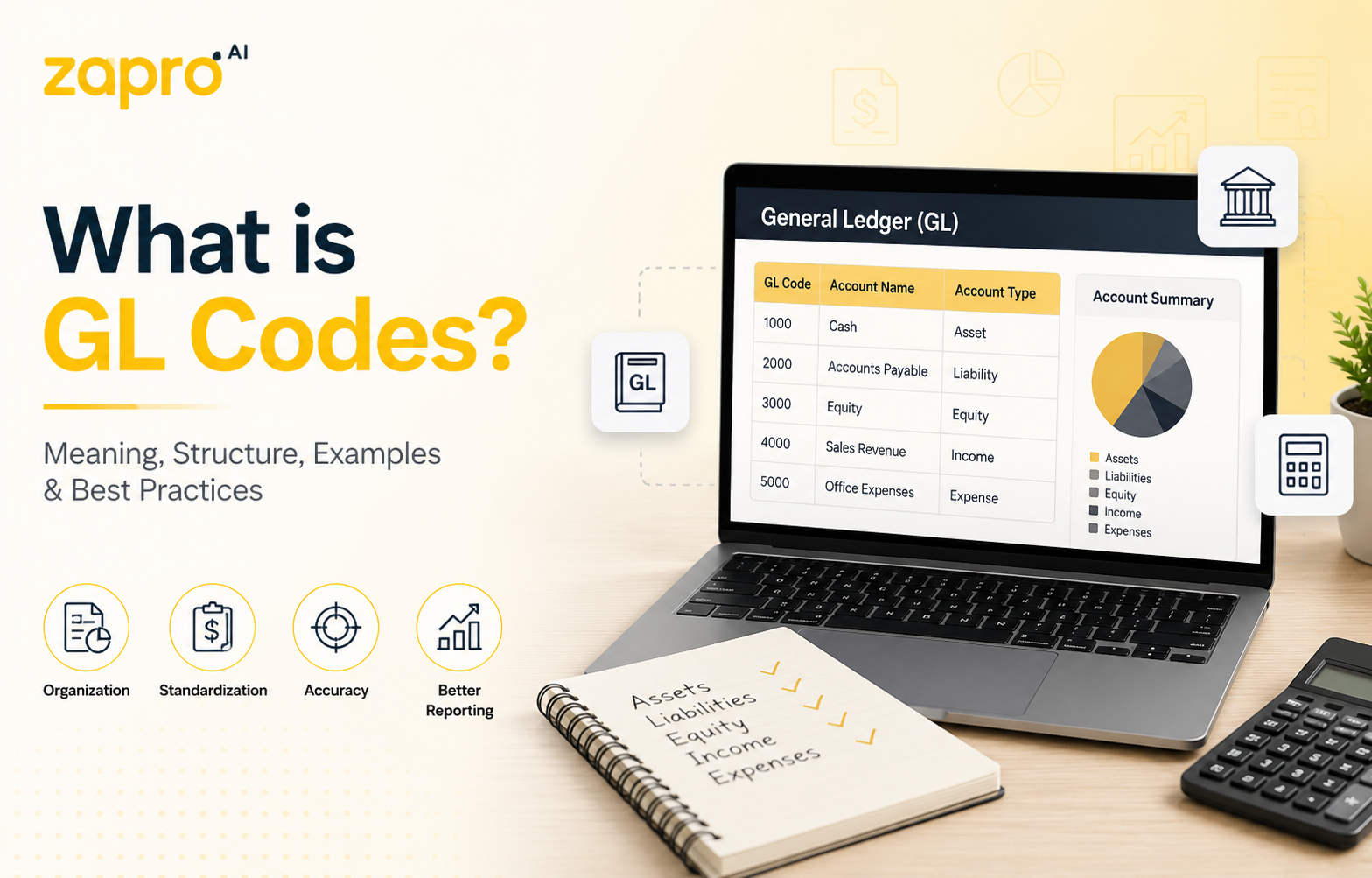
What is GL Codes? A Complete Guide

A GL, or a general ledger, is used by accountants to track every transaction of a company, and a GL code is a unique identifier that is implemented to ensure correct recording and categorisation of a transaction. Most codes combine an account number with segments for department, location and project. Coding every transaction consistently is what makes financial reporting, budget control and audit possible.

Key takeaways

  • GL stands for general ledger. In accounting it has nothing to do with general liability, which is an insurance term.
  • A GL code identifies the classification. A GL account number identifies the account. The two are often the same string, which is why they get confused.
  • Most companies use a segmented structure: account, department, location, project. Segment order and count vary by ERP.
  • There is no universal set of GL codes. Conventions exist, but every chart is built for its own business.
  • Coding gets cheaper the earlier it happens. A code applied at requisition costs nothing to fix; the same code applied at invoice entry is already three approvals deep.

What is a GL code?

A GL code is an alphanumeric identifier an accounting system uses to classify a transaction. Every purchase, payment, receipt and journal entry is assigned a code, and based on that it is determined which line of which report the amount eventually lands on.

Without codes, a ledger is only a list of amounts. With them, it becomes something you can query — what marketing spent last quarter, what a project cost against budget, which expenses are deductible. The code is what turns a transaction into information.

What does GL stand for?

GL stands for general ledger. It is also written G/L, and the two are interchangeable.

The ambiguity worth clearing up early: in insurance, GL means general liability, a form of business cover with no connection to accounting. In some technical contexts it means graphics library. If you arrived here from a procurement or finance context, general ledger is the one you want, and it is the only meaning used on this page.

What is the general ledger?

The general ledger is the master record of every financial transaction a business has made. Sub-ledgers hold the detail for specific areas — accounts payable, accounts receivable, fixed assets — and post summarised entries up into the general ledger, which is the single source used to produce the balance sheet and income statement.

Every entry in the ledger has to be classified, and the GL code is the classification. That is the whole relationship between the two.

GL code vs. GL account number

Three terms that overlap enough to cause daily confusion.

Term What it is Example
GL account number The identifier for a single account in the ledger 6400
GL code The full classification applied to a transaction, usually the account plus segments 6400-200-01
Chart of accounts The complete structured list of every account available All accounts from 1000 to 9999

In a single-segment system, the GL code and the account number are the same string, which is why the terms get used interchangeably. In a segmented system they are not: the account says what was bought, and the segments say who bought it and where. Whichever structure you use, the underlying entry is still a debit and a credit recorded as T-accounts — the code only decides which two accounts they land on.

Why GL coding matters in finance and procurement

Coding is administrative work with disproportionate consequences. Four of them matter most.

Accurate financial reporting and faster month-end close

Financial statements are assembled by grouping coded transactions. If the coding is wrong, the statements are wrong, and the error surfaces during close when someone notices a variance nobody can explain. Most of the time lost at month-end is not spent producing reports. It is spent tracing miscoded transactions back to source and reclassifying them.

Spend visibility by department, project, and cost center

Segment coding is what lets you answer questions the account number alone cannot. Total spend on a code tells you what was bought. Spend broken down by department, location and project tells you whether a budget holder is on track, which project is running hot, and where a category is being bought twice by teams who do not know about each other.

Audit readiness and tax compliance

Auditors sample transactions and check whether the classification supports the treatment. Consistent coding means the sample passes and the audit stays narrow. Inconsistent coding means the sample fails, the scope widens, and the fee rises.

Tax treatment depends on the same classification — deductibility, capitalisation and recoverable input tax all follow from how a transaction was coded. The records the IRS expects a business to keep are, in practice, the coded transaction history plus the documents behind it. A clean chart is what makes that history defensible without a reconstruction exercise.

Budget control and forecasting accuracy

Budgets are set against codes and consumed against codes. When coding drifts, a budget holder sees an underspend that is not real, because purchases landed on someone else’s line. Forecasts built from that history inherit the error, and the purchase price variance you calculate against them is measuring the wrong baseline. The problem compounds quietly, because nobody investigates a line that looks healthy.

GL account code structure explained

Most systems use a segmented code: a base account number followed by dimensions that add context. Segment count and order differ by organisation, but the logic is consistent.

Segment 1: Account type

The base account number, and the only mandatory segment. It places the transaction in one of five categories: assets, liabilities, equity, revenue, or expenses. This is the segment that determines which financial statement the amount appears on, and it is set by accounting rather than by the person spending the money.

Segment 2: Department or cost center

Identifies which part of the business owns the cost. Marketing, engineering, facilities, finance. This is the segment budget holders care about, because it determines whose budget a purchase consumes. It is also the segment most often coded wrong, since the person raising a requisition is not always buying for their own team.

Segment 3: Location or entity

Identifies the site, region, or legal entity. In a single-entity business this is often the office or site. In a group, it carries the legal entity, which makes it load-bearing for statutory reporting and intercompany elimination. Getting it wrong in a multi-entity structure is harder to unwind than any other segment error.

Segment 4: Project or product code

Attaches the transaction to a project, campaign, client engagement or product line. Usually optional, and populated only where project accounting is in use. It is what allows a total cost to be assembled for something that spans several departments and several months.

Custom segments

Beyond the four above, most systems allow additional dimensions: fund, grant, contract, channel, vehicle. Each adds precision and adds a field somebody has to complete correctly. The practical limit is not technical. It is how many fields a requisitioner will fill in accurately before they start guessing.

GL code examples

Standard GL code ranges

Most charts follow a numbering convention where the leading digit signals the account category. It is a convention rather than a standard, and it is not consistent across companies. The closest thing to a genuine published standard is the U.S. Standard General Ledger, which the Treasury maintains as a uniform chart of accounts for federal agencies — and it exists precisely because commercial charts are not uniform.

Range Category Typical accounts
1000–1999 Assets Cash, accounts receivable, inventory, equipment
2000–2999 Liabilities Accounts payable, accrued expenses, loans
3000–3999 Equity Share capital, retained earnings
4000–4999 Revenue Product sales, service revenue, other income
5000–5999 Cost of goods sold Direct materials, direct labour, freight in
6000–6999 Operating expenses Salaries, rent, software, marketing, travel
7000–7999 Other income and expense Interest, foreign exchange, disposals

Composed GL code examples, decoded

Three codes read left to right.

6400-200-01

Account 6400 is software subscriptions, an operating expense. Segment 200 is marketing. Segment 01 is the UK entity. A marketing tool bought by the UK team, charged to the marketing budget, and reported as an operating expense.

5100-300-02-PRJ118

Account 5100 is direct materials, part of cost of goods sold. Segment 300 is manufacturing. Segment 02 is the second production site. PRJ118 attaches the cost to a specific build. The same materials bought without the project segment would still hit the right account but would be invisible in project reporting.

1500-000-01

Account 1500 is equipment, an asset rather than an expense. The department segment is zeroed because the asset belongs to the entity rather than a team. This code capitalises the purchase. The same laptop coded to 6500 would be expensed instead, which changes both the profit for the period and the tax position.

How GL code structures differ in NetSuite, SAP, and Dynamics 365

The concept is universal. The implementation is not, and the difference matters when you integrate procurement with finance.

NetSuite keeps the account number standalone and holds context in separate classification fields — subsidiary, department, class, location — plus custom segments. There is no single concatenated code string. An integration must map to several fields rather than parse one.

SAP uses a G/L account defined within a chart of accounts, with account groups controlling number ranges. Context sits in separate objects: company code, cost centre, profit centre. In S/4HANA the universal journal brought financial and management accounting into one table, so the same account carries both.

Dynamics 365 Finance combines a main account with financial dimensions into a segmented string, typically displayed with separators. Account structures define which dimension combinations are valid, so an invalid combination is rejected at entry rather than corrected later.

The practical consequence: a procurement system that assumes one concatenated code will need mapping logic for NetSuite and SAP, and validation logic for Dynamics.

Who assigns GL codes, and when

Coding happens at one of two moments, and which one you pick determines how much of it gets corrected later.

GL coding at the requisition and PO stage

The earliest point a code can be applied is when someone requests a purchase. At that moment the requisitioner knows exactly what they are buying and why, and no approval has been given yet.

In practice they are rarely asked. Most requisition forms capture a description, a supplier and an amount, and leave classification to finance weeks later. That is a lost opportunity, because a code applied here can be defaulted from the catalogue item or the requisitioner’s department, checked by the approver as part of the approval they are already giving, and carried through to the purchase order automatically — attached to the PO number before the supplier ever sees it.

The requisitioner does not need to know accounting. They need a short, sensible list and a default that is right most of the time. Coding early also shortens everything downstream, which is the whole argument for treating the procure-to-pay process as one continuous chain rather than three handoffs.

GL coding at invoice entry

The alternative is coding when the invoice arrives, usually by an AP clerk reading a document from a supplier who has no idea how your chart is structured. The context that made the purchase obvious has gone, so the clerk infers from the line description or asks. That question and its answer are what makes invoice processing slow — and it is why invoice automation pays back fastest on the coding step rather than on data capture.

Common GL coding challenges

Inconsistent coding across departments

The same purchase gets coded differently by different teams, usually because the chart has two plausible accounts and no guidance on which applies. Software might sit under IT expense for one department and marketing expense for another. Nothing is technically wrong, and every report on that category is now unusable.

Manual data entry errors and misclassification

Codes are long strings of digits typed under time pressure. Transposition is common and hard to spot, because a wrong code is usually still a valid code — the transaction posts cleanly to the wrong place. These errors surface at close or at audit, long after the context needed to fix them has gone.

Spreadsheet-based GL management at scale

Charts maintained in spreadsheets drift. Someone adds an account without telling anyone, a retired code stays in circulation, and two versions of the file exist with different contents. Small teams get away with this. Once the chart passes a few hundred accounts across several entities, reconciling which version is authoritative becomes a monthly task in itself.

How to automate GL coding

Automation reduces how often a human types a code, and how often the code they type is wrong. It is the same principle the GAO puts at the centre of its internal control standards: preventive controls that stop an error being made are worth more than detective ones that find it afterwards. A wrong GL code found at close is a detective control doing expensive work.

Rule-based and AI-assisted coding

Rules map known inputs to known codes: this supplier and this category always post to this account. They are predictable and easy to audit, but they only cover what someone anticipated. AI invoice automation predicts from historical patterns instead, which extends coverage to transactions no rule was written for. The two work best together — rules for the traffic you can specify, prediction for the rest, and human review for anything low-confidence.

Pre-coded catalogs and requisition defaults

The most effective automation is the least sophisticated. If a catalogue item carries its GL code, every purchase of that item is coded correctly without anyone deciding anything. Defaulting the department segment from the requisitioner and the location from their site handles most of the remainder. What is left is the genuinely ambiguous, which is the only part worth a human’s attention.

ERP and accounting system sync

Automation is only as good as the chart it references. If the procurement system holds a copy of the chart that was exported six months ago, it will confidently apply codes that no longer exist. A live sync keeps the list current and pushes coded transactions back without rekeying, which is what ERP and accounting integrations are for.

Frequently asked questions about GL codes

What is a GL code in accounting?

An identifier that classifies a transaction in the general ledger, determining which account it posts to and which line of the financial statements it appears on.

What is a GL code in finance?

The same thing. Finance teams tend to use the term for the full segmented string including department and location, where accounting may mean only the account number.

What does GL code stand for?

General ledger code. Also written G/L. In insurance, GL means general liability, which is unrelated.

What is a GL account number?

The identifier for one account in the chart, such as 6400 for software subscriptions. The GL code is the account number plus any segments applied to the transaction.

What does a GL code look like?

Usually four to six digits, sometimes followed by segments separated by hyphens or dots. A simple code is 6400. A segmented one is 6400-200-01.

Are there standard GL codes across companies?

No. Numbering conventions are widely shared, such as assets in the 1000s and expenses in the 6000s, but the accounts themselves are built for each business. Two companies in the same industry will have different charts.

What is the difference between a GL code and a cost center?

The GL code says what was bought. The cost center says which part of the business pays for it. In segmented structures the cost center is one segment within the full code.

Who is responsible for assigning GL codes?

Finance owns the chart and defines the codes. Who applies them to a transaction varies: a requisitioner at the point of request, an AP clerk at invoice entry, or a rule in the system.

Get GL coding right from the first click

Most coding problems are not accounting problems. They are timing problems. The code is applied weeks after the purchase, by someone who was not there, reading a supplier’s description of what they sold.

Zapro captures the requisition, the purchase order and the invoice in one place, so classification happens where the context is rather than where the paperwork ends up. See how it works on your own chart.

Book a free demo →

Read More

Vendor Management Software Demo: Full Platform Walkthrough

Demo for Vendor Management Software

Vendor management is the work of keeping the companies you buy from in order. Finding the right one. Checking they are legitimate before any money moves. Signing them, paying them, and knowing two years later whether they delivered what they promised. 

Vendor management software is a platform that handles the full supplier relationship, from the first conversation through to the performance review. 

A spreadsheet handles this for twenty vendors. It does not handle it for four hundred. Past a certain point, the work outgrows the people doing it, and the failures are quiet ones. A contract that renewed because nobody read the date. An insurance certificate that expired eight months ago. A vendor everyone assumes is fine because nobody has checked. 

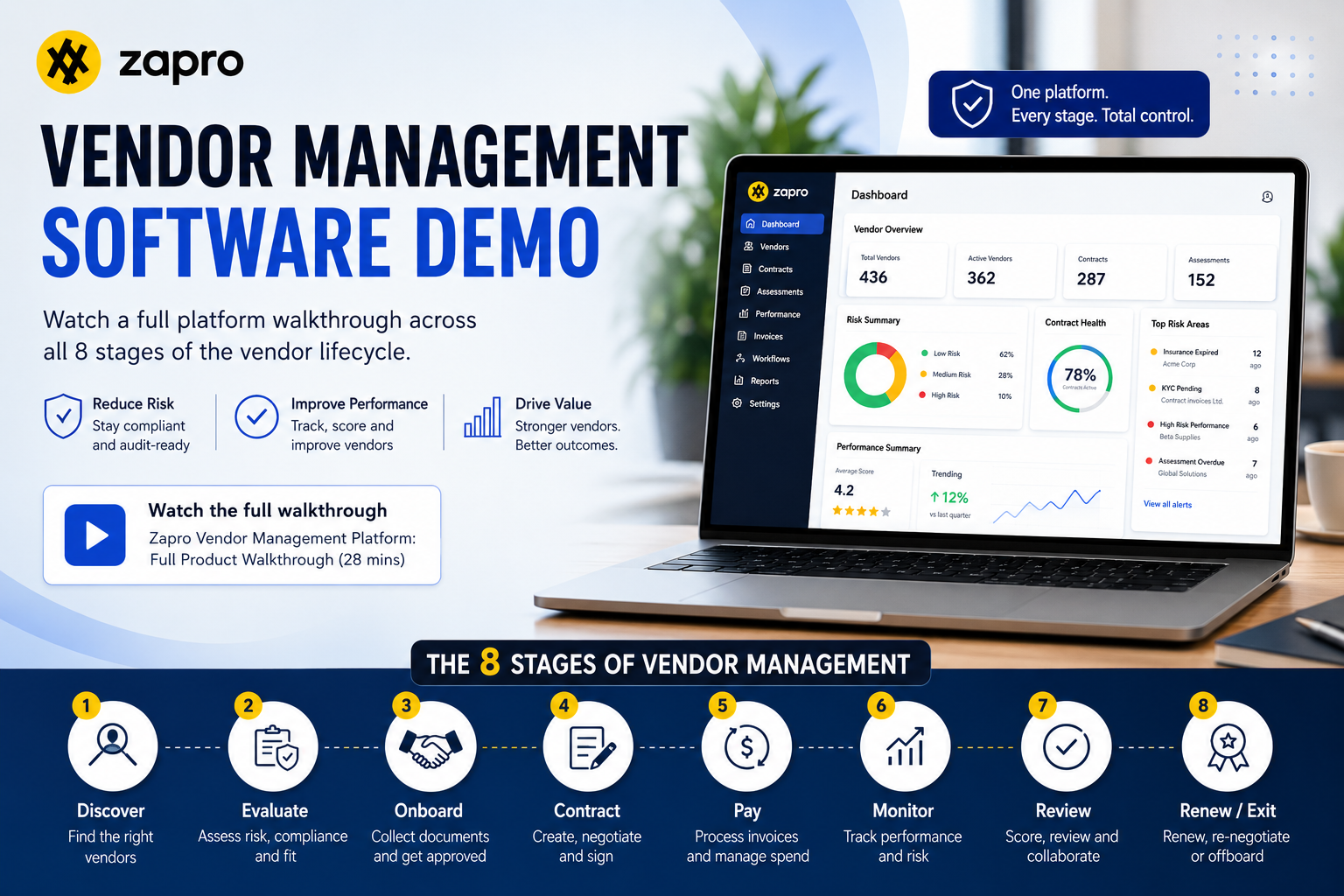
This page covers a complete vendor management software demo and platform walkthrough covering the eight stages of vendor management and showing how each stage works in Zapro. 

Vendor or supplier: which one are you managing? 

The two words get swapped around constantly, so it helps to separate them early. 

Anything that ends up inside your finished product came from a supplier. A battery maker shipping cells to a car plant is the clearest case, since their component leaves the factory inside the car. Everything else you buy comes from vendors, who support how the business runs rather than what it sells. Agencies, resellers, software providers, the company that books your flights. 

Getting this right shapes your shortlist. If most of your buying is operational, tools built for supply chains will solve problems you don’t have and skip the ones you do, which are tracking contracts, catching renewals and keeping the relationship coherent. 

Learn More: Vendor Management Guide 

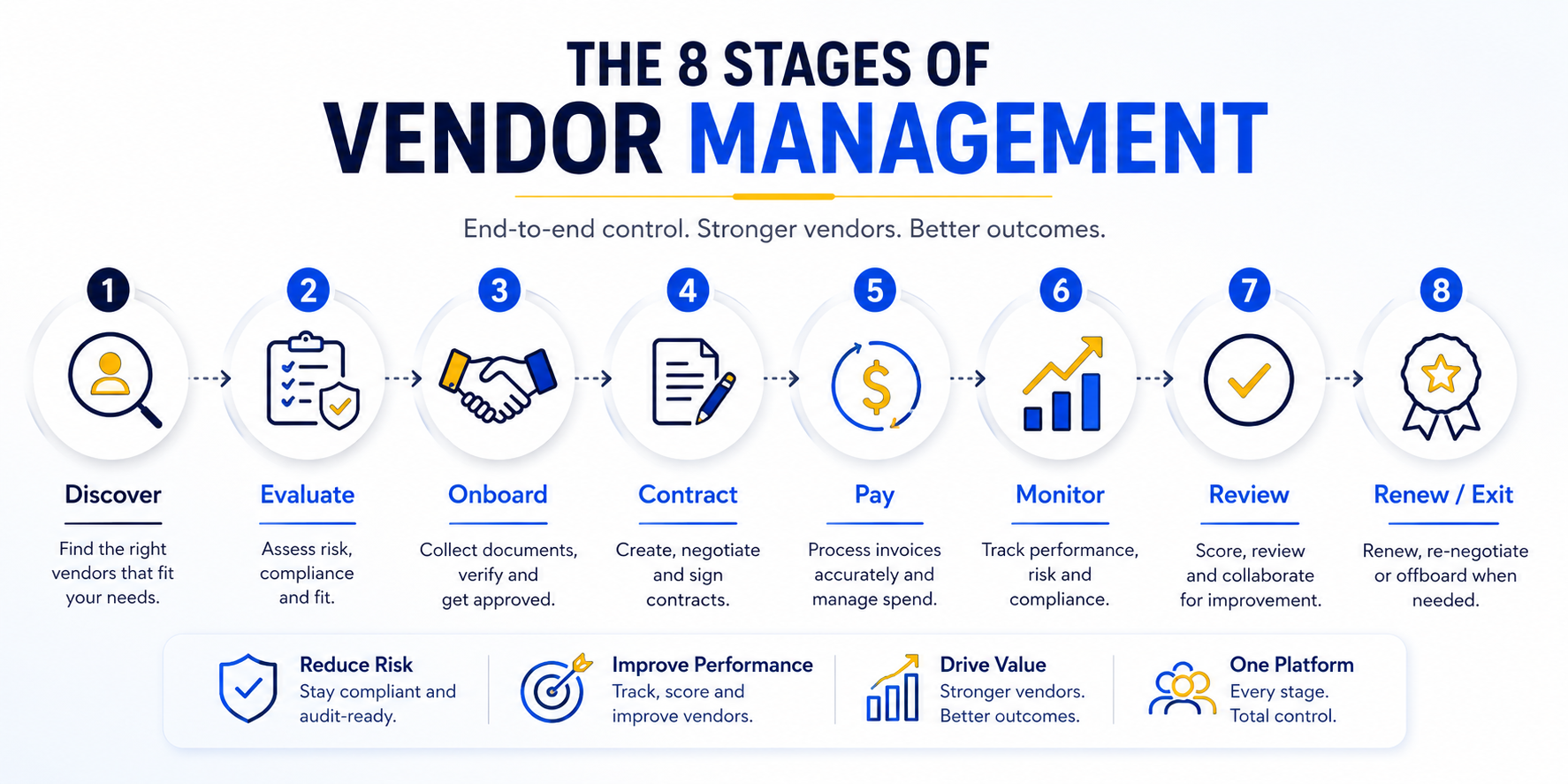
The eight stages of vendor management software demo

The eight stages, and what to look for in each 

Vendor management breaks into eight stages. Below, each one gets three things: what it covers, what ought to appear on screen when someone demonstrates it, and a question worth putting to whoever is running the demo. 

It’s worth knowing why the later stages exist at all. Most teams can stay properly on top of twenty or so vendors in a month, perhaps a hundred if things are quiet. Everyone else drifts, and the drifting is invisible until something has already lapsed. 

Stage 1: Discovery 

Discovery is the stage before any commitment. You identify candidates, compare what they offer, check what the market rate looks like and put a sourcing request together. Handled properly, that comparison takes place inside the platform, with the alternatives and their pricing recorded against the decision rather than scattered across email.

Zapro does not cover this yet. Discovery remains a manual process today, and our native Discovery module is in active development for release in the coming months. Until it ships, this is the one stage of the eight where the platform offers you nothing.

Stage 2: Onboarding 

Onboarding brings a vendor into your systems and establishes that they are legitimate, solvent, appropriately certified and safe to pay. The work sits closer to legal review than administration, and it is where eligibility gets decided. A vendor can be entirely competent and still fail this stage because a certificate is absent or a registration does not verify.

In Zapro, the request passes through internal approval before it reaches the vendor’s own portal, and the chain stays visible throughout: who raised it, who reviewed it, and where it currently sits. Registration documents and certificates uploaded by the vendor are read by the platform and used to complete their onboarding form. The same applies from your side, so a certificate that arrives by email can be uploaded and the form populated from it.

The part of this stage worth examining most closely in any demo is a vendor changing their bank account details. Ask to see it performed: who is permitted to initiate the change, what verification runs before it takes effect, who has to approve it, and what the audit record retains afterwards. 

Read: 7 Simple Steps for Vendor Onboarding Process 

Stage 3: Contracting 

Contracting turns an understanding into a signed agreement, and then keeps track of that agreement for however long it runs. 

Some of this belongs outside any platform, and it’s worth being honest about which parts. Your legal team drafts in Word, as they always have. Zapro connects to DocuSign and Adobe Sign for signature, and our own authoring and in-app signing are in development for the coming months. 

What the platform contributes now is a policy check that runs before anyone signs anything. Say your standard terms are sixty days and an agreement turns up at fifteen. Those forty-five days come straight out of working capital on every invoice the contract produces, and in practice nobody chose that outcome. Someone simply agreed terms without knowing the policy existed. 

Signed contracts land in the contract library, which handles three things. 

  • Expiry and renewal alerts tell you what’s ending and when you need to make a decision about it. 
  • Obligation tracking is the one people misread. If you promised ten lakh of business and have spent six, the four lakh outstanding isn’t money in your pocket. That promise is why you were quoted the price you were quoted, so it’s a commitment with a deadline behind it. 
  • Invoice structures come in two shapes. Some contracts bill the same amount on the same day every month with nothing to check, which is a release. Others bill as work completes and need evidence before anyone pays, which is a milestone. 

Book a free demo: Contract Management Software for the Full Contract Lifecycle

Stage 4: Transacting 

Transacting covers requisitions, purchase orders and invoice matching. This is the procurement engine, and it is the stage most software presents as the entire discipline.

What changes when the same platform already holds your onboarding and contracting history is the quality of what it can tell you mid-transaction. Raise a purchase order with a delivery date seven days out, and Zapro will point out that this vendor has historically taken twenty. It will also surface the 2.3 score your own users gave the vendor in the last performance round and ask whether the work should go elsewhere. Neither observation is available to a system that holds nothing but the order itself.

Watch Our Procurement Software Demo 

Stage 5: Relationships

This stage exists because vendor history tends to accumulate inside individual mailboxes. Finance holds part of the record, the commercial team holds another, and there is usually correspondence nobody else has read. When the person at the centre of it leaves, their successor inherits an account number and very little context.

Zapro consolidates that history against the vendor: correspondence from across the business rather than only your own, call recordings and transcripts, summarised threads, open tasks, shared files and scheduled meetings. The test to apply in any demo is straightforward. If whoever owns this relationship resigned tomorrow, how much of it could their replacement reconstruct simply by reading?

Stage 6: Risk Management

Risk management is about your vendors, and whether they meet the standards you’ve committed to meeting yourself. 

Most of the industry lumps risk in with compliance under the heading GRC, which obscures the fact that the two look in opposite directions. Splitting them makes both easier to evaluate. 

Hold ISO, SOC 2 or GDPR obligations and your vendors take on a share of them. Your security team drafts a questionnaire, sends it out, and scores the answers. Is access to the premises controlled? Are the accounts filed and current? The stakes are practical rather than procedural, because an important vendor collapsing mid-contract lands squarely on you. 

Zapro lets you build those questionnaires today, and a library of ready-made industry templates is due in the coming months. 

As for our own posture: Zapro holds SOC 2 certification, operates in line with GDPR, and encrypts vendor, contract and financial data with AES-256 both in transit and at rest. 

Stage 7: Compliance 

Compliance faces inward, at your own organisation. Are the committees you are required to maintain actually meeting? Is your own team following the purchasing policy it approved? Are you meeting the standards you are auditing everyone else against? A substantial share of what gets recorded as vendor risk turns out, on inspection, to concern your own house rather than anyone else’s.

Compliance management is in active development for release in the coming months. Risk management, covered above, is available today. Worth asking any platform whether compliance is a genuinely separate module or the risk module relabelled, because the two are frequently sold as one.

Stage 8: Performance 

Performance answers whether the vendor is doing the job: delivering on time, delivering in full, and billing you correctly for it. 

It gets muddled with the relationship stage, though the two track different things. One is about how much contact you’re having. The other is about what arrives at the end of it. 

Zapro tracks this at KPA level and builds it around you. During implementation, you tell us which indicators your business actually cares about, and we build those dashboards accordingly, on the reasonable assumption that a logistics business and a software business are watching for different things.

Why the order bends 

Eight stages implies a sequence, and reality is looser than that. Two things are worth knowing before you evaluate any platform on how neatly it enforces process. 

The first is that onboarding and contracting swap places regularly. Sometimes a vendor is onboarded and then signed. Sometimes a director signs an agency over lunch and the team onboards them afterwards so an invoice can be paid. Which way round depends on how urgent it is and who you’re dealing with, so any platform that insists on one order will get in your way. 

The second is more fundamental. Where a vendor has the upper hand commercially, none of this applies. An airline will not renegotiate its payment terms for you, whatever your process says, because the volume you represent doesn’t warrant the conversation. You’ll pay in advance, on their paperwork, and adapt to them. 

So the lifecycle describes the vendors you have leverage over. For the rest, you’re following someone else’s process, and no software changes that. 

What to ask in any vendor management demo 

Seventeen questions that hold up whether you’re evaluating Zapro or someone else entirely. Worth printing before the call. 

Lifecycle coverage 

  • Which of the eight stages are live modules today, and which are still on the roadmap? 
  • Can you show me a vendor changing their bank account details, click by click? 
  • What happens when a vendor’s compliance certificate expires part-way through a contract? 
  • How does the system catch the same vendor being added twice? 
  • Does the contract module track outstanding obligation, or only remaining budget? 

Integrations 

  • Which ERPs have ready-made connectors, which need building against an API, and which need middleware? 
  • Does data move one way or both ways, and does it update live or on a schedule? 
  • For each connector you’ve just named, is it available now or planned? 

Access and permissions 

  • Can staff sign in with their existing work accounts, and does access end automatically when they leave? 
  • How precise do permissions get? Can a single field be hidden from a particular role? 

Security 

  • Which security certifications do you hold, and how recent is the report? 
  • Can we choose the country our data is stored in? 
  • How long do you keep the audit log, and can anyone alter it? 

Configuration and migration 

  • What can our own administrator change without opening a ticket with you? 
  • How do we get our existing vendor list in, and what happens to duplicates during import? 
  • What does moving off our current system involve in practice? 
  • What happens in the first ninety days after signing, and which parts are ours to do? 

How the demo changes by company size 

Fewer changes on screen than you’d expect. What changes is who’s sitting in the meeting. 

Smaller and growing businesses. There’s rarely a procurement manager. The CFO tends to absorb the role, largely because the finance team is already handling supplier invoices through accounts payable, and sometimes it lands with whoever runs admin or facilities. These conversations concentrate on onboarding, contracting and the contract library, because the vendor list has outgrown whatever process was holding it together.

Mature and manufacturing businesses. A procurement function exists in its own right, and the discussion turns to transaction volume, approval routing and ERP integration. More often than not, this is a procurement software conversation rather than a vendor management one.

Technology-led businesses. The CTO frequently owns it, since software suppliers are vendors too. Attention goes to renewals, visibility across a sprawling software estate, and risk questionnaires for anyone processing data on your behalf.

Zapro’s plans are tiered by vendor count, at ten, one hundred and one thousand. 

Vendor management demo or procurement demo: which do you need? 

If the pressing question is about approvals and transaction volume, book the procurement demo. If it’s about anything else on this page, book the vendor management one. 

Procurement software arrived first and was designed around routing. A five hundred rupee purchase takes one path, a five thousand rupee purchase takes another, software requests go to one approver and hardware to a different one. That work is real, and it occupies stage four of eight. 

The trouble is that most of what surrounds it wasn’t on anyone’s mind when procurement software was designed. GDPR is recent. Measuring vendor performance systematically is recent. Recording a call and summarising a mail thread wasn’t technically possible. Those capabilities settled on top of procurement platforms until the original label stopped describing them. 

Which is why the two demos answer different questions. A procurement demo shows you how an order gets approved. A vendor management demo shows you what happens to that vendor over the following five years. 

Check out here: [Procurement software demo] · [Vendor Management vs Procurement] 

FAQs

What is a vendor management software demo? 

A vendor management software demo is a guided walkthrough of a platform covering the full supplier lifecycle. A complete one runs through discovery, onboarding, contracting, transacting, relationships, risk, compliance and performance, rather than stopping at purchase orders and invoices. 

How long does a vendor management demo take? 

Live demos usually run 30 to 45 minutes and cover the three or four stages closest to your situation. Walking through all eight takes nearer an hour, which is why the recorded version on this page is chaptered so you can skip. 

What is the difference between a vendor and a supplier? 

A supplier’s goods end up inside your finished product, which places them in your manufacturing chain. A vendor supports operations instead, so agencies, resellers, software providers and service firms all qualify. Finance teams tend to say vendor; supply chain teams tend to say supplier. 

Is vendor management software the same as procurement software? 

No. Procurement software covers requisitions, purchase orders and invoice matching, which is a single stage of the lifecycle. Vendor management software includes that stage alongside onboarding, contracting, relationship history, risk assessment, compliance and performance measurement. 

What should I ask during a vendor management software demo? 

Ask which modules are live rather than planned, how a bank account change gets verified, which ERP connectors already exist, how precise permissions can be, and what your own administrator can change without opening a support ticket. 

Do I need vendor management software if I only have 50 vendors? 

Possibly not. Fifty vendors is workable with disciplined spreadsheets and a shared drive. The calculation changes once renewals, certificate expiries and performance reviews start slipping because nobody has the hours to keep track of them all. 

Does vendor management software replace our ERP? 

No. It runs alongside the ERP and passes transactional data across. Your ERP stays the financial system of record, while the vendor management platform holds the lifecycle, documents, correspondence and compliance evidence for each vendor. 

How does AI change vendor management? 

AI absorbs the work that doesn’t scale with headcount: issuing performance surveys, chasing questionnaires, following up purchase orders and flagging expiring certificates across the whole vendor base, while people keep hold of the decisions that need judgement.

Read More

The Complete Vendor Payment Process Guide: Steps & Automation Tips

To protect operating margins and sustain a healthy supply chain, corporate finance teams must maintain absolute control over out-flowing capital. When a company manages its financial data across fragmented systems, it opens the door to costly data entry mistakes, payment backlogs, and strain on supplier partnerships. Developing a highly secure workflow for vendor payments ensures your business operations scale smoothly while protecting cash assets.

What Is a Vendor Payment Process?

The vendor payment process is the end-to-end accounting workflow that begins the exact moment an invoice is received from an external supplier and finishes when the cash payment is executed and reconciled inside the company’s general ledger.

This transactional pipeline acts as the core of Accounts Payable (AP). Managing it requires balancing strict corporate compliance rules, absolute financial data precision, and operational velocity to ensure suppliers are compensated accurately and on time.

Learn about Vendor Payment Terms Optimization

Watch Invoices Go From Inbox to Paid

Book a Demo
Optimize Your P2P Cycle

5-Step Vendor Payment Process

Processing an inbound invoice involves five systematic accounting stages:

[1. Invoice Capture] ➔ [2. 3-Way Matching] ➔ [3. Approval Routing] ➔ [4. Payment Execution] ➔ [5. Ledger Reconciliation]

Step 1: Invoice Capture and Receipt

The cycle opens when a supplier transmits a bill for completed services or delivered inventory. Modern accounting departments utilize automated OCR (Optical Character Recognition) engines to extract line-item figures, tax information, billing codes, and payment due dates, eliminating manual typing.

Step 2: Invoice Validation and Matching

Once captured, the document undergoes a validation check known as three-way matching. The software cross-references the invoice details against the original internal purchase order (PO) and the warehouse goods received note (GRN). This structural check ensures that item quantities, item numbers, and unit prices match before releasing any capital.

Step 3: Routing and Approval Workflows

Validated invoices must clear internal corporate spending limits. The request routes automatically through conditional matrix paths based on the department, project budget, or dollar threshold, triggering instant notifications to designated team managers for sign-off.

Step 4: Payment Scheduling and Funding

Approved invoices move into the scheduling queue. Sourcing leaders review the pre-negotiated payment terms (such as Net-30 or Net-60) and schedule the transaction to maximize cash flow performance, taking advantage of early-payment discounts while retaining working capital as long as possible.

Step 5: Payment Execution and Reconciliation

The financial settlement is sent to the supplier using their preferred transaction tool. As the cash clears the bank, the software matches the transactional bank data with the general ledger automatically, closing out the open account payable file and creating a clear audit trail. Payment is the entry that closes the loop: payables debited, cash credited. Draw it as a T-account once and the direction stops being confusing.

Learn about Vendor Payment Software

Common Vendor Payment Methods

Selecting the proper settlement tool directly impacts your operational transaction costs, processing speeds, and vulnerability to corporate payment fraud.

ACH Payments

Automated Clearing House (ACH) transactions move funds electronically between domestic banking networks. This method represents the industry gold standard for regular domestic vendor processing because it offers low transaction costs, high digital security, and seamless automation capabilities.

Wire Transfers

Wire transfers are electronic fund movements designed for high-priority or international B2B transactions. While wire routing executes almost instantly, financial institutions apply steep individual processing fees, making this method expensive for low-value, high-volume transactions.

Virtual Credit Cards (ePayables)

Virtual credit cards assign a unique, single-use 16-digit card number to a specific invoice payment. This digital approach provides elite security control, prevents supplier overcharges, simplifies payment tracking, and allows finance teams to secure lucrative cash-back rewards.

Paper Checks

Relying on paper checks requires manually printing documents, securing physical signatures, and paying postage fees. This manual method introduces severe operational delays, increases delivery risks, and remains highly vulnerable to intercept check fraud.

Key Challenges in Vendor Payment Processing

Failing to modernize your accounting infrastructure leaves your business exposed to costly back-office bottlenecks:

  • Manual Data Entry Bottlenecks: Human typing mistakes on complex invoice sheets lead to incorrect ledger entries and severe reporting inaccuracies.
  • Lengthy Internal Approval Loops: Stagnant email threads drag out verification cycles, resulting in missed deadlines and late-payment penalties.
  • Duplicate and Unauthorized Payments: Fragmented tracking pipelines can cause companies to accidentally pay the exact same supplier bill twice.
  • Payment Fraud Exposure: Weak verification protocols make finance teams vulnerable to phishing attempts and fake vendor invoicing schemes.

4 Strategies to Improve Your Vendor Payment Process

1. Implement Accounts Payable Automation

Transitioning away from manual processing blocks financial errors at the front door. Introducing vendor payment automation software allows systems to read inbound documents, run immediate matching rules, and flag processing errors without human effort.

2. Integrate Business Systems

Bridge the data divide between your procurement workflows, invoice processors, and main financial ERP dashboards. A unified ecosystem ensures that your financial commitments match your general ledger codes in real time without manual CSV exports.

3. Optimize Payment Methods

Actively incentivize your supplier network to transition away from paper checks toward digital electronic settlements like ACH or secure virtual cards. This transition lowers processing fees, simplifies reconciliation, and speeds up your payment processing speed.

4. Enhance Vendor Communication

Give your business partners a single, structured workspace. Providing a self-service vendor panel eliminates unnecessary status emails, allowing suppliers to review their own transaction records and view active invoice approvals.

Best Practices for Vendor Payment Management

To build an accounting infrastructure capable of supporting rapid business scale, incorporate clear operational guidelines:

  • Enforce a Strict No-PO, No-Pay Rule: Inform all business partners that an inbound invoice will face automatic rejection unless it references an approved, numbered purchase order document.
  • Enforce Clear Segregation of Duties: Ensure that the individual team member who approves a new vendor profile is never the same accountant who executes the final cash payment.
  • Conduct Systematic Vendor Ledger Audits: Run routine quarterly database cleanups to identify duplicate files, update outdated banking details, and remove old vendor listings to reduce compliance risks.

How Zapro Streamlines Your Vendor Payment Process

Managing high-volume supplier transactions across fragmented systems leaves your corporate capital vulnerable to hidden leaks. Zapro provides an intelligent, automated source-to-pay platform designed to remove all the administrative complexity from vendor payment processing and accounts payable.

[Inbound Vendor Invoice] ➔[AI OCR Engine Extracts Line Data Automatically] ➔[System Executes Precise 3-Way Match Validation] ➔[Dynamic Approval Chains Route Based on Budget] ➔ [Automated ERP Sync & Secure Digital Settlement]

Zapro elevates your financial operations through advanced automation features:

  • AI-Powered OCR and Data Capture: Say goodbye to typing entry errors. Zapro’s intelligent document engine reads, extracts, and codes inbound supplier bills instantly.
  • Automated Three-Way Matching: Eliminate financial validation friction. Zapro automatically checks the incoming bill details against the original purchase order parameters and the warehouse receiving files to flag price variations.
  • No-Code, Dynamic Approval Routing: Construct custom, multi-stage approval pathways based on project budgets, departments, or specific cost thresholds, removing internal email backlogs.
  • Self-Service Supplier Collaboration Portal: Improve transparency. Zapro’s secure portal allows business partners to manage their own billing setup, upload tax documentation, and trace active payment milestones in real time.
  • Native ERP and Ledger Synchronization: Maintain complete financial data integrity. Zapro integrates directly with leading platforms like NetSuite and QuickBooks Online, ensuring actual spending matches active corporate budgets automatically.

Ready to eliminate accounting mistakes, speed up your approval workflows, and implement comprehensive vendor payment management? Schedule a custom Zapro demo today.

Optimize Your P2P Cycle

Pay Vendors Faster, Without the Errors

Automate invoice capture, matching, and approvals so every payment goes out accurate, on time, and audit-ready.

Get Started Today!

FAQ Questions

1. What is a vendor payment process?

The vendor payment process is the end-to-end accounting pipeline that starts when an invoice is received from an external supplier, moves through verification and approval stages, and concludes when payment is executed and reconciled.

2. What are the steps in the vendor payment process?

The five core operational steps are: 1) Invoice capture and receipt, 2) Invoice validation and three-way matching, 3) Internal routing and approval workflows, 4) Payment scheduling and funding, and 5) Final payment execution and general ledger reconciliation.

3. What is the most efficient vendor payment method?

ACH payments are widely considered the most efficient option for domestic supplier settlements. They feature incredibly low processing fees, high digital security protocols, and sync easily with automated accounts payable software.

4. What is 3-way matching in vendor payments?

Three-way matching is an automated verification method that cross-references three distinct records—the original purchase order, the warehouse goods received log, and the inbound vendor invoice—to verify that pricing and quantities match perfectly before capital is sent.

5. How does vendor payment automation help?

Automation software dramatically eliminates manual typing data errors, cuts invoice approval processing speeds, prevents costly duplicate transactions, enforces internal corporate policy compliance, and builds flawless audit records automatically.

6. What KPIs should finance teams track for vendor payments?

Accounts payable teams should closely monitor explicit key performance indicators (KPIs), including the Average Cost per Invoice Processed, Invoice Processing Cycle Time, On-Time Payment Rate, and the Percentage of Inbound Bills requiring manual review.

Read More

What​‍​‌‍​‍‌​‍​‌‍​‍‌ Is the Vendor Management Lifecycle? 6 Key Stages

Scaling businesses that want to increase operational efficiency and safeguard corporate margins should start governing their dealings with external third parties. If a company thinks of buying as a series of isolated transactions, they are likely to have a fragmented network of suppliers, hidden contract renewals, and unvetted security profiles. To make sure your processes are secured, your staff needs to get used to the vendor management lifecycle.

Through the use of an organized framework for third-party relationship management, companies can ensure that every software vendor, supplier of raw materials and service provider is not only delivering maximum business value but also keeping corporate risk at a minimum level.

What Is the Vendor Management Lifecycle?

The vendor management lifecycle is an ongoing, complete end-to-end strategic framework which companies use to identify, acquire, manage, and eventually retire with safety their third-party suppliers. Whereas the traditional view of a vendor interaction is that of a temporary transaction ending at the payment of the invoice, vendor lifecycle management sees the relationship as one continual loop that requires constant evaluation all the way from initial discovery through to eventual termination.


Watch Your Vendor Lifecycle Run Itself

Book a Demo
Optimize Your P2P Cycle


Key Components of Vendor Lifecycle Management

High-quality frameworks depend primarily on the following three pillars to keep operational control:

  • Centralized Data Integrity: Keeping a single source of truth for all supplier compliance records, master agreements, and active contact sheets.
  • Risk and Compliance Frameworks: Carrying out scheduled security reviews, financial audits, and regulatory checks at the right stages.
  • Objective Performance Benchmarks: Utilizing accurate, data-driven scorecards instead of instincts and personal feelings for assessing the quality of vendor delivery.

Benefits of Implementing a Vendor Management Lifecycle

Moving from a messy, unorganized system to one that is a typical contract vendor lifecycle brings commercial benefits directly:

  • Measurable Cost Reductions: Bringing together suppliers who do the same redundantly and using contract milestones give procurement teams a chance to get strong volume discounts.
  • Mitigated Corporate Risk: Conducting regular security and financial background checks is a good way of protecting your brand from expensive data breaches and operational dependencies.
  • Accelerated Operational Speed: Making routing workflows that are clear and pre-approved will help internal departments get rid of administrative bottlenecks and get teams their required tools faster.
  • Clean Audit Readiness: Keeping a record of approvals and compliance certificates maintained continuously ensures your business goes through external financial and regulatory audits smoothly.

The 6 Stages of the Vendor Management Process

The usual vendor lifecycle management process has six clearly separated sequential phases. Each phase consists of particular milestones to help your business get the best value for every dollar spent. The lifecycle below applies to vendors specifically, so it is worth reading the difference between vendor and supplier first — supplier relationships follow a longer, contract-heavy lifecycle of their own.

Stage 1: Vendor Identification and Selection

The trigger for resuming the process is an internal business unit coming up with the idea of a structural need that is only solvable externally. Procurement specialists conduct targeted market research to draw up a list of solutions. Subsequently, the team issues formal Requests for Proposals (RFPs) or Requests for Quotes (RFQs) to collect comprehensive operational and commercial bids. 

Stage 2: Vendor Evaluation and Due Diligence

Upon receipt of bids, vendor management process steps switch from the basic level of discovery to detailed vetting. Sourcing teams look into each vendor’s technical capacity, check market references, review financial stability records, and carry out mandatory information security assessments (e.g. checking SOC 2 Type II reports) to confirm that the supplier complies with the company’s internal risk criteria.

Stage 3: Contract Negotiation and Onboarding

After choosing a preferred vendor, a procurement leader will hold commercial negotiations to determine the unit costs, extend the payment terms, and eliminate automatic contract renewal clauses. Once the legal departments have given their approval to the Master Services Agreement (MSA), the supplier is brought into the corporate ecosystem. IT sets up secure single sign-on (SSO) links, whereas accounting associates the vendor’s profile with the correct general ledger code(s).

Stage 4: Performance Management and Monitoring

Post-activation, the vendor has to be repeatedly assessed against the agreed Service Level Agreements (SLAs). The operations and finance teams check if delivery was on time, measure product or service defect rates, and assess the helpdesk response time to technical support queries.

Stage 5: Relationship Management

This stage is about turning your suppliers that bring in the most value into partners by deeper collaboration. A business review is a prospect of having some business time with the other partner to do the review and alignment of needs and expectations regularly. It is a strategy with the partners that it is aimed to turn the basic vendors into strategic allies. Investing in these relationships will result in your organization getting priority supply allocation and flexible support when macroeconomic disruptions occur unexpectedly.

Stage 6: Vendor Offboarding or Renewal

As a contract deadline is near, procurement will retrieve utilization information to help decide on the way forward. If the product/service is providing significant business value, then early renewal negotiations will be started to get the best price. Conversely, if the cooperation is no longer desired, a structured offboarding process will be followed; access rights will be revoked, data will be securely removed, invoices will be paid, and finally, the supplier record will be closed.

Seeing every stage inside one system is what makes the gaps obvious. Book a vendor management software demo and follow a single supplier from discovery through onboarding, contracting and performance review in Zapro.

Vendor Scorecard Example

To remain completely fair during performance assessments, companies utilize well-designed scorecards. This methodology guarantees that vendors are evaluated in a fair way by applying the same data matrices.

Supplier Performance Scorecard

Vendor: Apex Cloud Solutions

Review Period: Q2 2026

Key Performance Indicators (KPIs)

  • System Uptime
    • Target Metric: Greater than or equal to 99.9%
    • Actual Performance: 99.95%
    • Grade: Excellent
  • Support Response Time
    • Target Metric: Less than or equal to 2 hours
    • Actual Performance: 1.5 hours
    • Grade: Excellent
  • Billing Accuracy
    • Target Metric: 100% correct
    • Actual Performance: 95.0%
    • Grade: Needs Work

Performance Summary

Overall Supplier Rating: 91.5%

Final Grade: A-

Vendor Management Best Practices

Technology and Automation

Avoid any manual systems for tracking that are used for example manual paper folders, scattered emails or static spreadsheets to monitor hundreds of vendor interactions . This leads to contract deadlines being missed and compliance breaches. Invest in a single procurement system that supports automation of document flow in its entirety from receipt to payment.

Risk Management Strategies

Always assuming that a vendor is secure just because they passed an initial onboarding check is simply not a good idea. The best approach is to implement a continuous, tiered risk monitoring matrix. Automated, recurring security audits every year are necessary for high-risk suppliers handling sensitive customer data to make sure potential data vulnerabilities are detected in time.

Building Strategic Vendor Relationships

Get rid of adversarial, short-sighted negotiation techniques that basically are trying to squeeze the suppliers’ margins to the last cent. Instead, the emphasis should be put on creating win-win commercial structures. If a supplier feels respected and is appreciative of your partnership, they will be more inclined to collaborate with you in reducing operational waste.

Common Vendor Management Challenges and Solutions

It takes an equipped team that is well-trained to handle supply chain operations to build a superior vendor management process workflow. Here are some of the main operational issues that your team is likely to face along with recommended solutions:

  • Rogue Spend & Shadow IT: Most times workers buy software subscriptions using corporate cards without IT or procurement being aware of it. The Solution: Provide an easy-to-use intake portal that acts as a firm mandatory “front door” for all business purchase requests.
  • Delayed Contract Onboarding: Email approval loops where every single step is done manually take a long time and departments get frustrated because they do not have what they need. The Solution: Build automatic conditional routing rules that will alert managers immediately of the spend amount.
  • Opaque Supplier Visibility: Disconnected document silos make it impossible for financial analysts to evaluate total corporate supplier commitments. The Solution: Centralize all active contracts, insurance forms, and compliance documents inside a single, searchable digital repository.
  • Surprise Auto-Renewals: Missing an opt-out window locks your business into expensive software tools you intended to cancel. The Solution: Implement automated milestone calendars that flag upcoming contract termination dates months in advance.

How to Implement Your Vendor Management Lifecycle

Step 1: Assess Your Current State

Review your supplier base thoroughly. Locate documents of all existing supplier agreements, identify users of various tools, gather spend data and list all manual workarounds that have been increasing inefficiencies.

Step 2: Define Your Framework

Write down your company’s official buying policy. Define exact roles and point out responsibilities, e.g., exactly when a purchase request must be reviewed by security engineers, legal counsel vetting or executive finance leaders signing off.

Step 3: Select and Implement Technology

Throw away the basic tools and get hold of a software platform that will be capable of managing your entire procurement pipeline. Also, make sure that the tool integrates well with your existing financial platforms and general ledgers.

Step 4: Pilot with Critical Vendors

Implement your new processes with a small and quite easy to handle group of tier-one suppliers. This live pilot gives you a chance to make your intake rules automated, vendor portal tested, and staff training done without interfering with day-to-day operations.

Step 5: Roll Out Across Your Vendor Portfolio

Once the pilot is a success, gradually get the rest of your supplier catalog into the centralized system. Demand your vendors to interact with you through your automated communication and billing channels.

Step 6: Monitor and Optimize

Take advantage of your software’s realtime dashboard for conducting performance audits on a monthly basis. You should always be keeping track of core operational metrics such as average requisition processing speeds and contract compliance rates to maximize your overall business efficiency.

Plan for Change, Timelines, and Ownership

For the deployment to be actually successful, ownership should be clearly defined. Assign a dedicated procurement manager or financial administrator as the program owner. Draw up a phased 60 to 90-day implementation plan that realistically accounts for high internal employee adoption rates.

How Zapro Improves Your Vendor Lifecycle Management

Zapro+

Handling a large number of vendors through manual spreadsheets and disconnected legacy systems results in a huge financial risk exposure. Zapro delivers a smart, automated source-to-pay platform that takes away all the administrative burden associated with vendor management, procurement, and invoice processing.

[User Intake Portal] ➔ [No-Code Policy Engine] ➔ [Centralized Compliance Vault] 

[Automated ERP Accounting Sync] ➔ [AI 3-Way Invoice Match] ➔ [Self-Service Vendor Portal]

Through automation solutions concerning specific business processes, Zapro considerably improves the labor efficiency:

  • Centralized Supplier Visibility: End fragmentation of data. Zapro captures and visually presents each user request, active contract milestone, and supplier compliance document in a user-friendly, centralized dashboard.
  • Dynamic, No-Code Approval Matrix: Create personalized, conditional approval paths on the basis of department, cost limits, or risk levels. Eliminate internal communication bottlenecks by automating routing of requests.
  • Self-Service Vendor Onboarding Portal: Give greater freedom to your partners. Zapro’s supplier portal enables vendors to self-onboard, upload tax and insurance documents, check open PO statuses, and turn approved orders into bills correctly.
  • AI-Driven Three-Way Matching: Safeguard your cash flow. Zapro’s powerful OCR technology scans incoming invoices and compares them with original PO specifications and warehouse receiving records automatically, instantly highlighting data mismatches.
  • Native ERP and Financial Sync: Ensure utmost accuracy of data. Zapro works perfectly with top enterprise and mid-market platforms such as NetSuite and QuickBooks Online, keeping your general ledgers updated without manual CSV exports.

Interested in having a perfect grip on your vendor portfolio, contract surprises eliminating, and profit margin maximizing? Then Schedule a custom Zapro demo today.


Optimize Your P2P Cycle

Take Full Control of Your Vendor Portfolio

Centralize supplier data, automate compliance checks, and manage every stage of the vendor lifecycle — all on one platform.

Get Started Today!


FAQ Questions

1. What is the vendor management lifecycle?

Vendor management lifecycle refers to a thorough and holistic organizational framework that manages third-party supplier relationships. It traces a vendor’s interaction with a business starting from identification and compliance screening to performance management and eventual offboarding.

2. What are the 6 stages of the vendor management lifecycle?

The six core stages are Vendor Identification and Selection, Evaluation and Due Diligence, Contract Negotiation and Onboarding, Performance Management and Monitoring, Relationship Management, and Vendor Offboarding or Renewal.

3. Why is vendor lifecycle management important?

It is a key element in stopping unapproved spending, ensuring data privacy compliance, preventing unexpected contract auto-renewals, lessening the risk of supply chain disruptions, and making sure the business gains the maximum commercial value from every third-party relationship.

4. What is a vendor scorecard?

A vendor scorecard refers to a neutral monitoring tool used to evaluate a supplier’s operational performance. It compares actual performance metrics with pre-negotiated targets like system uptime, delivery timelines, billing accuracy, and customer support responsiveness.

5. How long does vendor management lifecycle implementation take?

Generally, a mid-market implementation lasts 60 to 90 days. This covers auditing your current supplier layout, setting up your automated no-code approval paths, linking your main ERP, and onboarding your top tier-one vendors.

6. What tools support vendor lifecycle management?

The framework relies on specialized e-procurement platforms, vendor self-service onboarding portals, contract lifecycle management tools, spend analytics software, and integrated source-to-pay networks such as ​​​​​​​​​​​​​​Zapro.


Read More

RFI Meaning: What Is a Request for Information and How Does It Work?

When a company needs to purchase goods or services but lacks a clear understanding of the solutions available in the market, it initiates the sourcing process with an exploratory document. Understanding the foundational rfi meaning is essential for any organization aiming to build a structured, risk-aware procurement lifecycle. Instead of jumping straight into formal contract bidding, a Request for Information allows procurement teams to gather vital supplier data, map current market capabilities, and make highly informed purchasing decisions without any upfront financial commitment.

What Does RFI Mean?

An RFI stands for Request for Information. In business terms, it is a standard business document used by organizations to gather written information about the capabilities, services, and overall market position of various suppliers or service providers. It acts as an open, structured inquiry that helps a company build a foundational database of potential partners and available industry solutions.

What Is an RFI Used For in Business?

Market Research and Supplier Discovery

An RFI is primarily used when an organization faces a specific operational problem but does not yet know what solutions exist or which vendors possess the specific technical capabilities required to address it. It allows procurement teams to scan the entire commercial landscape cleanly.

Shortlisting Vendors Before a Formal Process

Evaluating extensive, multi page project proposals from dozens of mismatched companies is a massive drain on corporate time and resources. An RFI in business acts as an initial filter, allowing procurement professionals to narrow down a large, unverified supplier pool into a highly qualified shortlist of vendors before launching a formal bidding process.

Understanding Capabilities and Pricing Ranges

Through analyzing RFI documents, procurement teams can study the operational scale, technical limitations, and general pricing structures common across an industry. This exploratory process lets the issuing firm set realistic internal budgets and define practical project requirements without accidentally triggering a formal, legally intense bidding cycle.

Learn about RFI vs RFP vs RFQ

See How Zapro Simplifies Vendor Discovery

Book a demo
Optimize Your P2P Cycle

RFI vs. RFP vs. RFQ: Key Differences

To run an efficient procurement cycle, teams must understand how an RFI connects with its downstream counterparts:

Sourcing StagePrimary PurposeDocument FocusPricing Commitment
RFI (Request for Information)Exploratory: Learn what solutions exist in the market.Gather high-level supplier profiles, credentials, and capabilities.None (Informational estimates only).
RFP (Request for Proposal)Evaluative: Define project requirements and request approaches.Assess vendor strategies, detailed solutions, and specific timelines.Non-binding, estimated project totals.
RFQ (Request for Quotation)Transactional: Finalize absolute transactional costs.Secure exact line-item costs for clearly defined goods or services.High (Binding, precise financial quotes).

In a standard procurement sequence, the RFI comes first. The preliminary intelligence gathered from supplier RFI responses directly helps project managers write clear requirements for the subsequent RFP or RFQ phases.

Learn about vendor management software

What Does an RFI Document Include?

Company and Project Background

This section provides brief, essential context regarding the issuing company’s operations, the specific operational bottleneck they are trying to solve, and the high-level goals they hope to achieve through eventual vendor collaboration.

Information Requested from Vendors

The core of the document contains a structured set of questions focused on gathering key data points. This includes requests for vendor company size, engineering credentials, platform security certifications, past client success case studies, and corporate financial health records.

Submission Format and Deadline

To make evaluations easier, this section outlines exactly how suppliers must submit their answers, such as via email templates or specialized digital sourcing portals, along with a strict final response deadline.

Evaluation Criteria (Optional)

While not mandatory at this early stage, some firms choose to state the core criteria they will use to assess responses, such as prioritizing vendors with localized regional support teams or specific environmental certifications.

When Should You Send an RFI?

  • When You’re New to a Category: If your procurement team lacks domain expertise in a newly introduced category or software vertical, an RFI builds the foundational technical knowledge necessary to write a smart contract requirement sheet later.
  • When the Market Is Fragmented: When an industry contains hundreds of competing vendors all using different vocabulary, technologies, and pricing methodologies, an RFI helps you determine which ones are genuinely capable of delivering at enterprise scale.
  • Before a Large or Strategic Purchase: For high-value, multi-year contracts, issuing an RFI lowers company risk by ensuring your executive team reviews the full market landscape before committing to a costly, long-term vendor partnership.
  • When You’re Evaluating a Technology or Software Change: This is highly relevant when assessing specialized platforms like procurement software, massive ERP networks, or complex SaaS applications, where feature offerings and integration constraints vary drastically from one vendor to the next.

RFI Best Practices for Procurement Teams

Keep It Focused

Ask only the essential questions required to understand supplier capabilities. Building an overly long, multi-page RFI creates unnecessary administrative friction and discourages high-quality suppliers from investing time in their responses.

Be Clear About Intent

Explicitly communicate to all participating vendors that the RFI is purely an information-gathering exercise. Clarify that a response does not guarantee an invitation to a formal project bid, nor does it represent a direct contract opportunity.

Set a Reasonable Deadline

Give your vendor network adequate time to put together thorough, accurate responses. Rushing the RFI timeline forces suppliers to submit shallow, copy-pasted marketing material that offers little real value to your sourcing teams.

Standardize Responses

Require all participants to submit their answers using an identical, highly structured layout. Keeping response formats uniform makes side-by-side capability comparisons much simpler for your internal evaluation stakeholders.

Use RFI Outputs to Build Your RFP

Treat the data collected from your RFI as foundational research. Use the technical insights, risks, and industry limitations highlighted by suppliers to directly refine your project scope, evaluation rubrics, and final vendor shortlist for the upcoming RFP.

How Zapro Streamlines the RFI and Vendor Evaluation Process

What is an RFI process without the right tools? Managing supplier discovery through disjointed personal emails and scattered local drives can slow down your entire sourcing pipeline. Zapro brings structure, automation, and deep visibility to your early vendor evaluation stages.

Centralized Vendor Management

Zapro allows procurement teams to break out of spreadsheet silos by centralizing all supplier profiles, credentials, and historic RFI responses inside a single, secure cloud database. Your teams can instantly sort and filter suppliers based on audited capabilities, certifications, and past performance metrics.

Structured Procurement Workflows

Standardize how your organization builds, issues, and monitors its exploratory documents. Zapro’s built-in workflow engine ensures your procurement staff follows a consistent, transparent, and fully auditable process every single time you go to market.

End-to-End Procurement Visibility

From initial exploratory vendor outreach all the way through to final purchase order issuance and accounts payable processing, Zapro bridges the data gap between procurement and finance. Moving your operations to a single platform gives your business an unalterable, comprehensive source of truth for spend management and compliance tracking.

Want to bring more structure to your vendor evaluation process? [See how Zapro works →]

Optimize Your P2P Cycle

Bring Structure to Your Vendor Evaluation Process

Centralize supplier data, standardize your RFI workflows, and move from exploration to execution — all on one platform built for procurement teams.

Get Started

Frequently Asked Questions

1. What does RFI mean in business?

In business, an RFI stands for Request for Information. It is a standard procurement document used by organizations to gather initial, non-binding data regarding vendor capabilities, industry solutions, and general market options.

2. What is the difference between an RFI, RFP, and RFQ?

An RFI is an exploratory document used to research what solutions exist in the market. An RFP is used to evaluate specific project approaches and vendor solutions once requirements are clear. An RFQ is a purely transactional document used to secure precise, binding price quotes for fully defined goods or services.

3. What should an RFI document include?

A standard RFI should contain a brief company overview, a description of the operational issue being investigated, specific capability and credential questions for the vendor, and clear response submission guidelines and deadlines.

4. When should a company use an RFI?

A company should use an RFI when they are exploring an unfamiliar market, assessing a major technology or software change, shortlisting vendors for a strategic purchase, or when the existing supplier pool is too large and fragmented to evaluate through a formal proposal process.

5. Is an RFI legally binding?

No, an RFI is entirely non-binding for both the issuing organization and the responding vendors. It represents an informational exchange rather than a financial commitment, a promise of future business, or a formal contract offer.

Read More

Supply Chain Optimization: Strategies, Steps, and Real-Life Examples

In a world with so many ups and downs in global markets, just sticking to old logistics ways won’t be enough to make businesses stand out. Today’s companies understand that their continuous success depends greatly on supply chain optimization, which is a strategy that helps them streamline their operations, foresee fulfillment challenges, and safeguard their profits. Turning the sea of raw production and procurement data into useful business intelligence is how firms create highly agile networks that can track sudden market fluctuations without compromising customer satisfaction.

What Is Supply Chain Optimization?

Definition of Supply Chain Optimization

Supply chain optimization involves the systematic enhancement of a company’s entire supply network’s efficiency, cost control, speed, and ability to withstand disruptions. The network extends all the way from sourcing raw materials to delivering the finished products to customers.

Real optimization is drastically different than simple, reactionary cost cutting. Old-fashioned cost cutting is all about chopping instant expenses, even if that means sacrificing quality of service or operational safety. On the other side, modern optimization is a big picture strategy that uses data and technology to simultaneously maintain cost efficiency, operational resilience, and environmental sustainability at a high level.

The Reasons Why Supply Chain Optimization Has Become Even More Crucial

Worldwide Disruptions and Shipping Volatility

Nothing can be taken for granted in today’s business world. Ongoing geopolitical tensions, sudden disruptions to shipping lanes, worker shortages, and climate change have all served to reveal how vulnerable lean and single-source supply chains are. When even the tiniest logistics bottleneck can cause overseas shipping containers to be held up for weeks, it is only natural that companies turn to optimizing their networks as a response to this problem.

Tightening Rules

On top of national regulations, companies are also faced with more and more international laws. Sustainability reporting, carbon tracking, and supplier due diligence are just some of the aspects that modern corporate governance requires. Using manual and disconnected processes for tracking makes it impossible to verify the compliance of thousands of subcontractors, exposing businesses to heavy regulatory penalties and loss of reputation.

The Price of Inaction

Running a supply network that is not optimized is costly even if the company does not realize it. Slight production bottlenecks, delays due to manual paperwork, and procurement mistakes cause financial damage that is not easy to spot at first. The consequences of unmanaged supply chains are not only financial because they also lead to emergency spot purchasing, contract penalties, and high levels of excess inventory that is slow to move.


Quote icon

According to the 2023 BCI Supply Chain Resilience Report, 73% of organizations experienced at least one supply chain disruption in the past 12 months, with inventory-related issues ranking among the top consequences. 


The 3 Operational Layers of Supply Chain Optimization

In order to nurture a high-performance supply network, it is crucial for an organization to implement optimization strategies at each of its three layers of operations.

Layer 1: Design

The design layer defines the supply network’s physical and structural framework. Operations members work during this stage to pick supplier centers worldwide, draft main and secondary logistics routes, figure out warehouse locations, and prepare important contingency planning. Design optimization makes sure that alternative vendors and different shipping routes are already vetted and cleared in a legal manner before a disruption in the market actually happens.

Layer 2: Planning

During the planning phase, the emphasis is on data integration and forecasting. Examples of activities at this phase are demand forecasting, supply planning, inventory allocation, and production scheduling. The main aim is to make sales teams’ expectations align with what procurement and manufacturing teams can deliver, so that the company doesn’t lose money due to overproduction or lose customers because of out-of-stock situations.

Layer 3: Execution

Execution entails managing daily operations, including purchase ordering in real-time, warehouse logistics, invoice processing, and supplier payment. At this level, optimization depends heavily on advanced visibility tools coupled with workflow automation. This combination helps supervisors to identify transactional errors early, track shipments during transit, and smoothly adapt operations on the fly.

Operating Cost vs. Resilience vs. Sustainability: An Essential Tradeoff

Nowadays, the operation of a supply network necessitates the management of three conflicting priorities:

         [Cost Efficiency] ─── Immediately reduces operational expenditures

                 ▲

                 │

                 │ (Balanced by Supply Chain Planning & Optimization)

                 ▼

 [Resilience] ◄─────► [Sustainability]

(Inventory backup)     (Compliance with ethics)

Those who focus only on cost efficiency risk ending up with a very fragile supply chain with almost no safety stock, thereby exposing the business entirely to the very first small delay. On the other hand, having a very resilient supply chain by accumulating backup inventory to a very large extent requires a significant amount of capital at the start and includes a much higher cost of storage. Moreover, environmental sustainability is no longer a simple marketing option, but a set of strict regulations and a source of brand differentiation.

Through embracing integrated supply chain planning and optimization, companies have found a way out of this triple deadlock. With the help of analytical tools, they can figure out the right levels of safety stock, regional supplier diversification, and carbon efficiency needed to keep the margins safe without exposing the business to the risk of a major supply failure.

Indications That Supply Chain Optimization Is Overdue

  • The Slowest Point of Your Supply Chain is Orders and Approvals: If it takes a lot of paperwork to get a purchase request approved and there are lots of email messages, then internal bottlenecks will be the reason for the delay of your whole production timeline.
  • Costs Are Going Up But You Cannot Identify a Reason: Running the risk of being double invoiced by your vendors, not having formal contract terms signed for untracked expenses, or being regularly charged late payment interest by your suppliers are all signs of being disorganized financially.
  • The Inventory at Your Warehouses is Either Running Out or Getting Overstocked: If the problem you are facing is that your warehouses either have empty shelves or are full of dead stock, then your demand forecasting methods need to be revisited.
  • You Treat Your Suppliers as Mere Vendors: Without tracking supplier performance data or strategic collaboration, sourcing teams will not be able to benefit from risk mitigation and volume discounts.
  • Disruptions Lead to Days of Downtime: If even one delayed raw material shipment or vendor capacity issue can keep you out of business for days, then your network simply does not have the resilience that comes from good design.

Optimisation starts with knowing who sits where: the supplier vs vendor in the supply chain breakdown shows which partners are upstream inputs and which are downstream fulfilment.

Ways to Improve Supply Chain

Step 1. Discover Bottlenecks

Start with an extensive operational review so that you can see the errors, delays, and cost sets that come up most often. Figure out if the main points of discomfort come from late approvals, messy invoice handling, or suppliers’ no-show delivery dates.

Step 2. Visualize Your Entire Process

Draw a workflow of every business transaction from an internal purchase request to the payment of accounts payable. Revealing this kind of workflow shows that a lot of processing gaps are unknown, communication loops are redundant, and there exist compliance risks that are costly.

Step 3. Settle on One Version of Workflows and Approval Processes

Get rid of informal agreements and replace these with firm, standardized digital templates and clear approval routing flows. This shift increases the quality of data, reduces time spent procuring and purchasing, and makes performance tracking more straightforward especially for distributed teams.

Step 4. Make Supplier Prioritization Your Focus

Instead of vendor spending, focus your segmentation of suppliers on operational criticality. Manage your relationships and mitigate risks with those tier-one partners whose shutdown would immediately bring your business to a standstill.

That kind of prioritization only works if the underlying supplier pool is broad enough to give you real options — building a genuinely inclusive supply chain widens that pool instead of leaving you dependent on the same few vendors.

Step 5. Break Down Cross-Functional Silos

Procurement, finance, and logistics departments often do not have much in common. By uniting their operations under one central software solution, they will all be working off the same, up-to-date inventory data and budget timelines.

Step 6. Have Plans in Place for Disruptions

Set up concrete, data-supported safety nets for your high-spend, high-risk items. Determine minimum safety stock levels, locate secondary suppliers in different regions to keep them pre-vetted, and produce clear supply emergency internal escalation procedures.

Step 7. Monitor KPIs and Keep Improving Gradually

Have a set of KPIs that you strictly monitor including vendor on-time delivery, overall cost per order, invoice matching accuracy, and order cycle times end-to-end. Optimization should be seen as a continuous cycle of improvement rather than a project that is done and dusted.

Industry-Wise Supply Chain Optimization Examples

Manufacturing

One equipment manufacturing company has adopted multi-sourcing for its critical micro-components, thereby eliminating their dependency on a single foreign vendor. They have managed to reduce component lead times by about 35% through procurement order generation automation, concurrently securing their assembly lines against single-point regional shipping delays.

Logistics and Transportation

A regional shipping company has consolidated its corporate approval processes for fifteen separate branch offices on one digital platform. This has removed the use of slow paper systems, provided corporate finance teams live access to fuel and maintenance expenditure, and cut down administrative delays, which had been costly.

Technology and SaaS

A software company that is rapidly expanding moves to digital vendor onboarding and software contract tracking. Having a centralized software footprint gives their procurement department the ability to immediately identify unnecessary software subscriptions, prevent maverick spend by employees without approval, and maintain strict budgets across departments.

How Zapro Supports Supply Chain Procurement Optimization

Effective supply chain planning does not mean much if your procurement software cannot implement the plan. Zapro offers the comprehensive procurement and spend management system a business needs to turn supply chain optimization strategies into daily practices.

Full Procurement Cycle Visibility

With Zapro, you no longer have to worry about departments getting in each other’s way because the platform allows you to track in real time the status of purchase requests, POs, approvals, and invoices all from the same dashboard. There is no need for fragmented spreadsheets anymore, and you can spot the transaction location easily.

Purchase Authorization Automation

Let go of purchasing delays with highly adaptable approval engines like Zapro’s. The system effortlessly directs purchase orders by department, spend thresholds, asset categories, or supply risks. Processing time is reduced from weeks to mere hours.

Supplier Management and Onboarding

Zapro merges your partner network into one secure, unified supplier database. The initial onboard checks are simplified by the platform, which automatically saves up-to-date compliance documents and tracks delivery performance metrics to enable focused vendor prioritization.

Budgeting and Spend Analytics

You can stop budget overruns before the purchase even arrives at the payment desk. Zapro is able to enforce company-specific budgets during PO creation, financially track commitments live, and generate authoritative spending reports that enable leaders to make enlightened decisions about supply chain management and optimization.

Do you want to optimize your supply procurement processes? [Discover how Zapro operates →]


Optimize Your Supply Chain, Starting with Procurement

Get Started Today!
Optimize Your P2P Cycle


Q&A

1. What is the meaning of supply chain optimization?

By definition, supply chain optimization is the incorporation of data, workflow automation, and strategic planning so as to maximize efficiency, speed, and compliance whilst minimizing the overall costs and risks impact across the entire supply chain from sourcing to delivery.

2. What are the major phases of supply chain optimization?

Supply chain optimization is done in three separate phases namely: Design (network structure planning and geography selection); Planning (forecasting the demands and inventory management); Execution (managing the purchase, automation, and shipment tracking everyday).

3. When are the symptoms indicating that a supply chain needs to be optimized?

Some of the most common operational hints are: slow manual order approval, sudden unbudgeted spending increases, frequent inventory stockouts or overstocking, and long extents of downtime of the business following small vendor disruptions.

4. What is the relationship between supply chain planning and optimization?

While planning is concerned with using past data trends to predict future material requirements and forecast consumer demand, optimization is more about taking those plan forecasts and improving working orders, so as to ensure that materials are procured at the most cost-effective levels and routed through the most efficient pathways.

5. What are the best tools for supply chain management optimization?

With the implementation of a modern contract management system, a sophisticated analytics spend mechanism, comprehensive supplier databases, and leading procurement automation platforms like Zapro, enterprises manage to achieve supply chain optimization.


Read More

Vendor Onboarding for Startups & Scale ups: Building a Foundation for Growth

Vendor Onboarding for Startups

Vendor onboarding for startups is the structured process of collecting, verifying, and approving a supplier’s or partner’s information such as tax IDs, bank details, and security/compliance documents before engaging in business. The goal is to minimize risk, prevent payment errors, and establish a clear legal contract before any money changes hands.

Startups and scale ups often face a unique dilemma: you need to onboard vendors rapidly to seize market opportunities, but you lack the extensive administrative teams of established enterprises. This high growth environment, characterized by limited resources and evolving needs, makes building an efficient vendor management system crucial.

This guide provides practical advice on how Founders, Operations Managers, and Finance Directors in high growth companies (50 to 500 employees) can build a scalable, efficient vendor onboarding process from the ground up. By establishing smart practices early, you ensure compliance and efficiency without sacrificing the innovation or agility that fuels your growth.

Why Early Stage Vendor Onboarding Matters for Growth?

When you are moving fast, vendor onboarding might seem like a low priority administrative task. However, the quality of your early stage vendor management determines your future speed, compliance standing, and data integrity.

Avoiding Future Headaches and Technical Debt

Every new vendor requires critical information: legal names, tax IDs, banking details, and service agreements. If this data is collected via emailed PDFs or Google Forms, it creates technical debt.

  • Data Fragmentation: Information lives across multiple inboxes and shared drives, making it impossible to audit quickly.
  • Manual Errors: Typing data from a PDF form into your accounting system (like QuickBooks or an ERP) introduces human error, leading to payment delays, reconciliation nightmares, and potentially incorrect tax filings.

By implementing an automated, centralized system early, you eliminate this administrative backlog and free up your finance team to focus on strategic work, not data clean up.

Streamline Vendor Onboarding — Start Today!

Book A Demo
Optimize Your P2P Cycle

Ensuring Compliance from Day One

Compliance is often an afterthought until a company faces its first audit, but it is non negotiable. For high growth companies dealing with increasing transactional complexity, compliance checks must be built into the vendor process.

  • Tax Documentation: Collecting W 9s (US), W 8BENs (international), and other tax forms is mandatory. If you pay a vendor without a valid tax ID, you may face penalties or be unable to deduct the expense.
  • Regulatory Needs: Depending on your industry (e.g., healthcare, finance), you may need to ensure vendor compliance with SOC 2, ISO standards, or GDPR. Collecting and documenting these certifications during onboarding protects your business.
  • Fraud Mitigation: Verifying banking details against a vendor’s tax ID is the first line of defense against payment fraud and vendor impersonation, a growing threat to scaling businesses.

Laying the Groundwork for Scalability

A process that works for 50 vendors will collapse under the weight of 500. Scaling vendor processes means building a system that can handle 10x growth without requiring 10x the effort.

Foundational scalability relies on two things: standardization and automation. A standardized process means every vendor, regardless of type, goes through the same digital funnel, and the data is automatically validated and stored in one place. This ensures that when you hire five new employees, they can manage five times the vendors without additional training overhead.

Quote icon

“A report by Gartner estimated that companies that have automated onboarding solutions may reduce data entry errors by 50%.”

– Zenwork

Lean Vendor Onboarding: Key Principles for Startups

An efficient vendor onboarding for startups is not about complexity; it is about strategic simplicity.

Prioritize Critical Information

Do not burden new vendors with dozens of unnecessary questions. Start with the absolute minimum information required for legal compliance and payment processing:

  • Legal Business Name and Address
  • Tax ID (W 9/W 8BEN)
  • Primary Contact Information
  • Payment Method (ACH/Wire details)
  • Banking Verification (e.g., voided check or bank letter)

Once the core data is secure, you can iterate and add secondary compliance or risk questions later as your business risk profile evolves.

Leverage Digital Tools Early

Relying on paper or general purpose tools like email and spreadsheets for vendor data is a manual, error prone trap. Implement a dedicated, cloud based vendor onboarding for startups solution (like Zapro.ai) as soon as you have more than ten unique monthly vendors.

The table below illustrates the cost of delay:

Process ComponentManual/Spreadsheet ApproachAutomated/Digital Tool
Data CollectionEmailed PDFs, manual retypingDigital form, self service portal
Data ValidationManual check against IRS/bank recordsAutomated Tax ID and bank validation
Time per Vendor30 to 45 minutes (Finance/Ops time)Less than 5 minutes (Review time)
Audit ReadinessLow Requires pulling documents from foldersHigh Centralized, reportable records

Build for Iteration, Not Perfection

The vendor management process at a 10 million dollar valuation startup will look different than at a 100 million dollar valuation scale up. Do not try to solve every future scenario today. Implement a process that is 80 percent effective and easy to modify.

Start with one simple, automated workflow that covers 90 percent of your current needs (e.g., basic services vendors) and expand the complexity (e.g., adding a risk questionnaire for high value vendors) only when your risk profile or regulatory environment demands it.

Step by Step Vendor Onboarding for High Growth Companies

Establishing a solid, scalable process follows a clear set of phases that minimize resource drain and maximize control.

Phase 1: Define Your Core Needs and Risks

Before choosing software, map out your current reality:

  • Who is the vendor? (Type of good/service)
  • What is the minimum documentation required? (Tax ID, bank details)
  • Who needs to approve the vendor? (Usually Finance and the Requesting Manager)

Focus on automating the collection of legally mandatory documents and the initial approval steps.

Phase 2: Select a Scalable Onboarding Solution (e.g., Zapro.ai)

Choose a platform that offers specialized startup supplier setup capabilities. The ideal tool must be:

  1. User Friendly: Suppliers should complete the form easily without your help.
  2. Affordable and Scalable: Pricing should make sense for your current size but easily accommodate 5x growth without massive price jumps.
  3. Finance Focused: It must validate bank and tax data and integrate with your accounting system.

Zapro.ai is designed specifically to help lean, high growth companies build these foundational controls quickly and cost effectively.

Phase 3: Implement Automated Workflows (Keep it Simple First)

Use the selected platform’s workflow builder to automate routing:

  • Simple Workflow: Vendor submits data Automated Tax ID check Finance review Approved.
  • Next Iteration: Vendor submits data Automated Tax ID check Department Manager Approval Finance Approval Added to Accounting System.

The key is that the system automatically moves the vendor through these steps, notifying the correct person at each stage.

Phase 4: Integrate with Key Systems (Accounting, ERP Light)

The primary goal of automated onboarding is to eliminate manual data entry into your accounting system (QuickBooks, NetSuite, Xero).

  • Ensure the onboarding solution integrates seamlessly with your General Ledger (GL). Once a vendor is approved in the onboarding portal, the system should automatically create a corresponding vendor record in your accounting system.
  • This integration ensures that when an invoice arrives later, the vendor record is already clean, verified, and ready for payment, eliminating a huge source of errors.

Phase 5: Train Your Team and Suppliers

Training should be minimal if the system is intuitive.

  • Internal Team: Teach finance and operations staff how to initiate the digital onboarding request and how to check the vendor’s status in the portal.
  • Suppliers: The vendor self service portal should be clear enough that suppliers can complete their profile without needing support from your team. This is a crucial step for efficient supplier integration startup processes.

Common Mistakes Startups Make in Vendor Onboarding (and How to Avoid Them)

  1. Delaying Digital Adoption: Mistake: Waiting until you hit 200 vendors before abandoning spreadsheets. Fix: Implement a basic digital system when you hit 20 vendors. The cost of manual effort quickly outweighs the software expense.
  2. Overcomplicating the Process: Mistake: Implementing a 15 step workflow and a massive risk questionnaire right away. Fix: Start with a simple 3 step workflow (Submit, Review, Approve). Add complexity incrementally as required by regulation or growth milestones.
  3. Ignoring Tax Compliance: Mistake: Relying on vendors to email a random tax form without verification. Fix: Use a platform with automated tax ID matching (e.g., IRS database checks) built into the digital onboarding form.
  4. No Banking Verification: Mistake: Accepting banking details via email. Fix: Always require secure, verifiable banking documentation (like a voided check) uploaded directly to a secure portal to mitigate payment fraud.

Scaling Your Onboarding Process with Zapro.ai

Zapro.ai helps high growth teams establish world class vendor management processes rapidly and affordably.

Flexible Workflows for Evolving Needs

As your company scales, you will segment vendors (e.g., High Risk vs. Low Value). Zapro.ai allows you to create flexible, dynamic workflows that automatically route vendors based on criteria you set—such as contract value, service type, or department. This means high value vendors might require a C level approval, while basic vendors can be auto approved by an Operations Manager.

Cost Effective Automation for Lean Teams

Zapro.ai’s automation dramatically reduces the administrative burden on lean finance teams. Automation handles:

  • Sending the initial onboarding link.
  • Validating tax and banking information.
  • Notifying reviewers when their approval is needed.
  • Syncing the approved vendor record to your accounting system.

This functionality means your current team can manage a higher volume of startup supplier setup tasks without needing immediate headcount expansion.

Centralized Data for Audit Readiness

All compliance documents, tax forms, contracts, and audit trails are housed in one centralized, secure repository. When auditors arrive, you don’t chase down emails and folders; you simply generate a report from the Zapro.ai dashboard, ensuring complete audit readiness.

From Seed to Scale: Evolving Your Vendor Onboarding Strategy

Vendor onboarding for high growth companies is not a one time project; it is an iterative strategy.

StageTeam SizeVendor Process FocusKey Action to Take
Seed Stage< 50Basic Compliance & PaymentImplement a digital onboarding tool (Zapro.ai) for tax and bank data collection.
Scale up50 to 250Efficiency & Spend ControlIntegrate onboarding tool with accounting system (ERP Light) and implement P.O. workflows for committed spend.
Growth Stage250+Risk Management & Global ComplianceImplement dynamic risk questionnaires, contract association, and multi entity support for international vendors.

By prioritizing an automated, scalable approach to early stage vendor management, you build a stable financial foundation that supports, rather than hinders, your inevitable rapid expansion.

Conclusion

Vendor​‍​‌‍​‍‌​‍​‌‍​‍‌ onboarding is usually quietly offhanded as a back office task, but definitely, for startups and scale-ups, it is a core business capability. How you onboard vendors now is how effortlessly you will be able to scale later. The manual processes might be temporarily functional, however, they bring in risks, slow down the growth, and generate operational debt that gradually increases over time.

A high growth company, by executing an automated, standardized vendor onboarding procedure at an early stage, shields itself from compliance failures, payment errors, and fraud, at the same time as giving the capacity of a lean team to manage significantly more vendors without an increased level of complexity. The intention is not to be perfect from day one, but to have a system that is flexible and can evolve with your business.

Organizations like Zapro.ai offer tools that make it feasible to be quick without compromising on quality, hence startups, and scale-ups can have the same controls as enterprises but without the hefty overhead. Vendor onboarding, when done correctly, ceases to be an administrative burden and hence becomes a strategic advantage which enables the company to grow confidently from seed to ​‍​‌‍​‍‌​‍​‌‍​‍‌scale.

Optimize Your P2P Cycle

Smart Vendor Onboarding, Faster Approvals

Fast, compliant, and simplified vendor onboarding with Zapro.

Get Started Today!
Read More

Supplier Performance Management (SPM) Explained

Managing Supplier Performance from Metrics to Action

You are HereVendor Management Solution >> Supplier Performance Management


What is Supplier Performance Management (SPM)? 

Supplier Performance Management (SPM) is a strategic process that involves measuring, analyzing, and improving supplier performance to ensure that vendors meet or exceed the expectations defined in contracts, service-level agreements (SLAs), and broader procurement goals. It goes beyond transactional vendor oversight; it’s about creating value, reducing risk, and driving continuous improvement in the supply chain.

At first glance, you might think this sounds like regular vendor management

But here’s the key difference: Vendor management focuses on what’s happening now like onboarding, tracking POs, paying invoices. SPM, on the other hand, zooms out. It’s forward-looking. 

It asks:

  • Is this supplier helping us move the business forward?
  • Are they delivering value beyond price?
  • Can we rely on them when things get tough?

SPM evaluates a range of factors, like:

  • Product or service quality
  • Delivery timelines
  • Cost efficiency
  • Regulatory compliance
  • Responsiveness and collaboration

So the goal here isn’t just to catch mistakes. It’s to build a better partnership to work together with suppliers to raise performance, solve issues early, and unlock opportunities for growth or innovation.

To truly manage supplier performance, visibility isn’t enough; you need the right metrics. These are what turn guesswork into clear, actionable decisions. Let’s look at the key ones that matter.

What are the key Supplier Performance Management Metrics (KPIs)?

What are the key Supplier Performance Metrics (KPIs)?

To turn supplier performance management into actionable insight, you need the right metrics. These key performance indicators (KPIs) serve as the foundation for evaluating how well your suppliers are supporting your business goals, from operational efficiency to risk management.

Here are the five essential categories of supplier performance management metrics every procurement team should track:

1. Quality Metrics
These metrics assess the reliability and consistency of the supplier’s outputs:

  • Defect Rates: Percentage of delivered goods that fail to meet quality standards.
  • Return Rates: Frequency at which materials or products are returned due to defects or non-compliance.
  • Customer Complaints: Downstream indicators of poor supplier performance that affect end-user satisfaction.

2. Delivery Metrics
Timely delivery is critical for maintaining production schedules and customer commitments:

  • On-Time Delivery Rate: Percentage of orders delivered by the promised date.
  • Lead Time: Time taken from placing the order to receiving it a key indicator of responsiveness.
  • Order Accuracy: Measures how often deliveries match the order specifications (quantities, SKUs, packaging).

3. Cost Metrics
Monitoring cost-related KPIs ensures suppliers are contributing to overall financial efficiency:

  • Price Competitiveness: How supplier pricing compares to industry benchmarks.
  • Cost Reduction Initiatives: Collaborative efforts to reduce total landed cost over time.
  • Invoicing Accuracy: Ensures billing matches orders and deliveries, avoiding disputes and delays.

4. Responsiveness Metrics
These track how quickly and effectively suppliers address communication and issues:

  • Response Time: Speed at which suppliers respond to queries, changes, or escalations.
  • Issue Resolution Time: Time taken to resolve quality, delivery, or service-related problems.

5. Compliance Metrics
Critical for risk mitigation and strategic alignment:

  • Contract Compliance: Adherence to terms, conditions, and service-level agreements (SLAs).
  • Regulatory Compliance: Meeting industry or governmental requirements (e.g., FDA, REACH).
  • ESG Alignment: Performance against Environmental, Social, and Governance (ESG) goals increasingly vital in modern supply chains.
According to a Deloitte report, organizations that implement structured SPM programs see up to 10–15% in cost savings and experience fewer supply chain disruptions, proving the measurable value of data-driven supplier evaluation.

Building an Effective Supplier Performance Management Framework: Steps and Best Practices

A successful Supplier Performance Management (SPM) program doesn’t happen by accident it’s built on a structured, repeatable framework that aligns procurement strategy with supplier capabilities and business goals.


Quote icon

Supplier performance management isn’t just about measurement; it’s about fostering collaboration and continuous improvement. It’s a partnership, not a policing action.

Dr. Kate Vitasek, Strategic Sourcing Expert


Below are the core steps and best practices to establish a strong SPM foundation:

1. Set Clear Performance Expectations
Start by defining what success looks like. This means aligning with suppliers on Service Level Agreements (SLAs), performance KPIs, and contract terms. Expectations should be transparent, measurable, and directly tied to operational and strategic priorities.

2. Collect and Analyze Performance Data
Use automated tools or scorecards to capture data across all key dimensions—quality, delivery, cost, responsiveness, and compliance. Don’t just track incidents; look for patterns that may reveal systemic issues or opportunities.

3. Conduct Regular Performance Reviews
Schedule periodic check-ins with suppliers to review performance data, discuss concerns, and explore areas for improvement. These reviews foster accountability and give both parties a forum to align on current and future goals.

4. Develop Improvement Plans (CAPAs)
When issues arise, create Corrective and Preventive Action Plans (CAPAs). These should include clear timelines, responsibilities, and measurable outcomes. The goal is not just to fix problems but to prevent them from recurring.

5. Implement a Continuous Feedback Loop
SPM should be a living process. Encourage ongoing feedback from internal stakeholders and suppliers. Leverage this input to refine KPIs, update review cadences, and continuously raise performance standards.

By following this framework, procurement teams can move from reactive firefighting to proactive supplier enablement ensuring long-term value creation rather than short-term fixes.

How to Drive Supplier Improvement: 5 Strategies that Actually Move the Needle

Once performance gaps are identified, the next step is enabling suppliers to improve—not through top-down directives, but through collaborative, value-driven initiatives. Supplier improvement should be a joint effort that not only resolves issues but also strengthens long-term partnerships. Supplier scorecards weight material quality and continuity, while vendor scorecards weight price and delivery. The positional reason for that sits in our guide to vendor vs supplier in supply chain roles.

Here are five actionable strategies to drive meaningful supplier performance improvement:

1. Collaborate on process improvement initiatives
Improvement starts with alignment. Sit down with your key suppliers to identify bottlenecks, inefficiencies, or quality concerns and solve them together. These joint initiatives might include:

  • Redesigning workflows to reduce lead times
  • Standardizing quality checks to cut defect rates
  • Digitizing order or invoice processes
  • When suppliers are actively involved in these improvements, they’re more invested in sustaining results.

2. Provide training and development programs
Not every performance issue is rooted in intent—many stem from capability gaps. Offer training sessions, onboarding documentation, or tools to help suppliers better meet your standards. Some examples include:

  • Quality control workshops
  • Compliance training for ESG or regulatory updates
  • Digital platform onboarding for e-procurement tools 

Investing in supplier education creates a more consistent and capable supply base.

3. Launch supplier innovation programs
Great suppliers often bring fresh ideas to the table, if you create space for them to do so. Formal innovation programs can invite them to propose:

  • New materials or production techniques
  • Product enhancements or design feedback
  • Cost-saving process alternatives

By recognizing and rewarding supplier-led innovation, you tap into a powerful engine for competitive advantage.

4. Use tiering to manage suppliers differently
One-size-fits-all doesn’t work in supplier management. Segment your suppliers based on strategic value, spend, or risk:

  • Tier 1 suppliers (critical or high-spend): Get frequent performance reviews, executive visibility, and collaborative improvement plans.
  • Tier 2 suppliers: Managed more tactically, with periodic check-ins and standard metrics.
  • Tail spend suppliers: Monitored with basic compliance tools or automated dashboards.

This allows you to focus your time and resources where they matter most.

5. Tie performance to incentives
Incentivizing performance isn’t just about bonuses, it’s about preferred access. Consider offering:

  • Larger contract opportunities for consistently top-performing suppliers
  • Faster payment terms as a reward for reliability
  • Recognition through supplier awards or feature spots in case studies
    Incentives aligned with metrics create positive pressure and drive real accountability.
TREND TO WATCH Sustainability and ethics are becoming core to supplier improvement efforts.More organizations are integrating Environmental, Social, and Governance (ESG) criteria into supplier evaluations—tracking carbon emissions, labor practices, and ethical sourcing as part of their performance reviews. According to McKinsey, companies that embed sustainability into supplier programs see both reputational and operational benefits.

The Role of Technology in Modern Supplier Performance Management

Gone are the days of managing supplier performance with spreadsheets, email threads, and siloed data. Today, technology plays a central role in helping procurement teams move from reactive monitoring to proactive, insight-driven supplier management.

Here’s how modern vendor management tools are reshaping Supplier Performance Management (SPM):

1. Automated data collection reduces manual effort
Modern SPM platforms integrate with ERPs, procurement software, and third-party systems to automatically capture key performance data delivery timelines, quality issues, invoice accuracy, compliance flags, and more.
This eliminates the need for manual reporting and ensures accuracy and timeliness across every metric.

2. Real-time dashboards provide instant visibility
Visual dashboards let teams track performance KPIs across suppliers at a glance. Whether it’s on-time delivery rates, defect trends, or contract compliance, procurement managers can:

  • Spot deviations immediately
  • Drill into supplier-specific data
  • Compare performance across tiers or categories

No more waiting for quarterly reviews, actionable insights are now available on demand.

3. Centralized communication keeps everyone aligned
Integrated messaging and feedback loops within SPM tools make it easy to document conversations, clarify expectations, and follow up on corrective actions.
This ensures both your internal teams and suppliers are on the same page literally.

4. Predictive analytics help prevent problems before they happen
Advanced SPM systems use AI and machine learning to detect early warning signs like a gradual drop in delivery punctuality or repeated invoice discrepancies.
This allows teams to address issues before they snowball into major disruptions, improving both agility and risk management.

5. Integration with vendor management systems (VMS)
SPM software often works alongside broader vendor management systems, giving teams a single source of truth for:

  • Supplier profiles
  • Compliance documentation
  • Audit trails of performance history

When everything is connected, decision-making becomes faster, clearer, and more strategic.

Technology doesn’t just streamline SPM, it transforms it from a reactive function into a proactive, value-driving capability.

How Zapro.ai powers your supplier performance management

Managing supplier performance is easier and smarter with the right tools. Zapro.ai gives procurement teams everything they need to track, evaluate, and improve supplier outcomes in one unified platform.

Here’s how it helps:

Custom dashboards with real-time insights
Visualize supplier KPIs quality, delivery, cost, and more in a single, customizable dashboard. Filter by supplier, category, or region to focus on what matters most.

Automated data collection
Zapro pulls performance data directly from your procurement systems no more manual updates or data silos. Your scorecards stay accurate and current, always.

Performance scorecards for better accountability
Each supplier gets a dynamic scorecard built on predefined KPIs. These are easy to share during reviews and help guide improvement discussions.

Built-in communication tools
From feedback to corrective actions, everything is tracked in one place. No more digging through email chains Zapro keeps supplier collaboration organized and transparent.

Risk alerts and audit trails
Get notified when performance dips. Zapro also maintains a complete history of supplier data, helping with audits, negotiations, and strategic planning.

With Zapro.ai, SPM becomes proactive, efficient, and fully integrated into your vendor management workflow.

Case study: How a manufacturing company boosted on-time deliveries by 22% with Zapro.ai

Industry: Mid-size manufacturing
Challenge: Frequent delays and inconsistent quality from tier-1 suppliers were disrupting production schedules and increasing operational costs.

Before Zapro, the company relied on spreadsheets and email to monitor supplier performance. Reviews were inconsistent, data was outdated, and underperforming suppliers weren’t being flagged early enough.

What changed with Zapro.ai:

  • Real-time dashboards highlighted drops in delivery and quality scores instantly.
  • Automated scorecards helped benchmark performance across 25+ suppliers.
  • Quarterly reviews became data-driven, with clear action plans for improvement.
  • Built-in communication tools enabled faster follow-ups on issues.

The result?

  • 22% improvement in on-time delivery within six months
  • 30% reduction in quality-related rework
  • Faster issue resolution through structured workflows
  • A more collaborative supplier ecosystem that prioritized performance and growth

Zapro turned supplier reviews from a reactive chore into a strategic advantage.

Calculating the ROI of investing in SPM with Zapro.ai

Supplier performance directly impacts your bottom line from cost of defects to missed delivery windows. With Zapro.ai, procurement leaders gain measurable returns on their SPM investments.

Here’s how Zapro helps unlock ROI:

1. Lower defect and rework costs
By improving quality metrics, teams reduce scrap, returns, and downstream rework.

2. Better on-time performance = fewer delays
Timely deliveries help avoid production halts, expedited shipping, and customer dissatisfaction.

3. Improved compliance and risk reduction
With real-time alerts and audit trails, companies avoid costly penalties or contract breaches.

4. Stronger negotiation leverage
With transparent performance history, you can renegotiate contracts or shift volumes toward high-performing suppliers.

Estimated ROI:
Companies using robust SPM platforms like Zapro.ai typically see:

  • 10–15% in cost savings
  • 20–25% boost in supplier responsiveness
  • Fewer disruptions and more predictable supply chain operations

For exact projections, try Zapro’s ROI calculator (simulated).

Choosing the right Supplier Performance Management solution: A quick checklist

When evaluating a Supplier Performance Management platform, here’s what to look for:

  • Customizable KPI tracking: Can you set metrics based on your specific goals?
  • Automated data collection: Is performance data synced in real time from your systems?
  • Visual dashboards and scorecards: Are insights easy to access and share with stakeholders?
  • Alerts and risk monitoring: Will it notify you before performance problems escalate?
  • Collaboration tools: Is there a shared space for communication and corrective action?
  • Audit trails and reporting: Can you track historical data for compliance and negotiation?
  • Integration readiness: Does it work well with your ERP or procurement tools?
  • Scalability and usability: Can it support growing teams without steep training curves?

Zapro.ai checks all these boxes, making it a smart fit for modern procurement teams focused on accountability, visibility, and continuous improvement.

Ready to transform supplier management into a strategic advantage?

Get in touch with our team or explore how Zapro can fit into your workflow.


Improve your supplier relationship in just a click!

Get Started Today!
Optimize Your P2P Cycle


Frequently Asked Questions (FAQs)

1. What is the difference between SPM and SRM (Supplier Relationship Management)?
Supplier Performance Management (SPM) focuses on measuring, evaluating, and improving supplier outputs based on key metrics like quality, delivery, and compliance.
Supplier Relationship Management (SRM) is a broader process. It emphasizes collaboration, strategic alignment, and long-term value creation across the supplier lifecycle. You can think of SPM as a subset of SRM.

2. How often should supplier performance be reviewed?
Review frequency depends on the supplier’s criticality. For strategic or high-risk suppliers, performance should be reviewed quarterly or even monthly. For non-critical vendors, semi-annual or annual reviews may be sufficient.

3. What are common pitfalls in SPM implementation?
Some typical challenges include:

  • Tracking too many or irrelevant KPIs
  • Lack of timely or accurate data
  • One-sided evaluations (no supplier input)
  • Failing to act on performance insights
  • Poor alignment between procurement and business goals

4. How does SPM contribute to risk management?
SPM helps flag early warning signs like missed deliveries, quality issues, or compliance lapses. With consistent tracking, companies can proactively mitigate operational, financial, and reputational risks tied to supplier performance.

5. Can SPM be applied to all types of suppliers?
Yes, but the depth of performance monitoring should vary by supplier type. Strategic and high-spend suppliers require robust evaluation, while transactional vendors may only need basic performance checks.

6. What is a supplier scorecard?
A supplier scorecard is a structured tool used to track and visualize a supplier’s performance across key KPIs over time. It often includes metrics like defect rate, on-time delivery, responsiveness, and contract compliance enabling data-driven decisions and accountability.


Read More