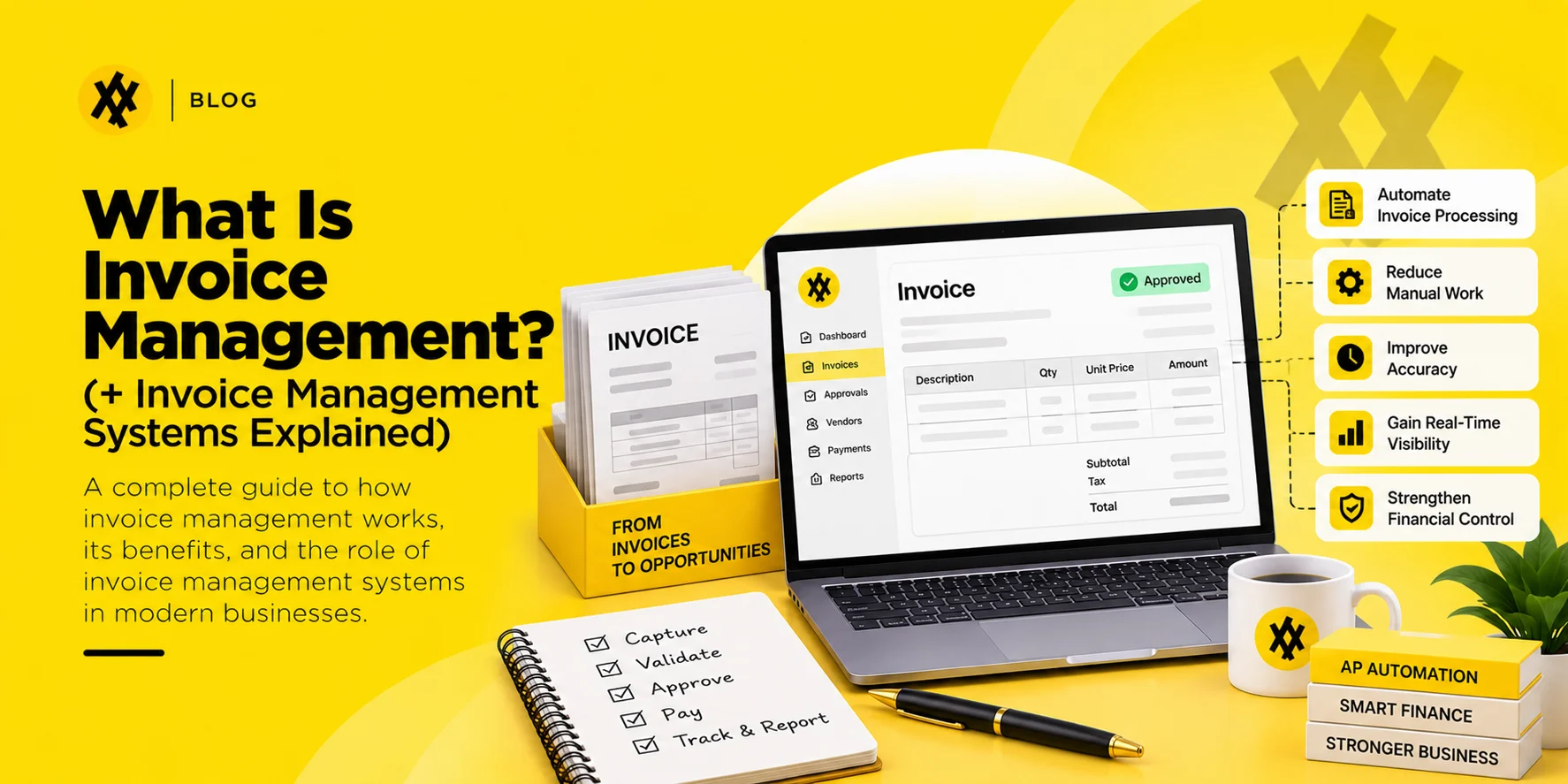
Quick answer: Invoice management is the process of receiving, validating, approving, paying, and archiving supplier invoices so that every payment is backed by proof of what was ordered and what was delivered. An invoice management system is the software that runs that process: capturing invoice data, matching it to purchase orders and receipts, routing approvals, and posting the result to accounting. Invoice management sits inside accounts payable; it covers the invoice itself, not the wider supplier relationship or the payment rails.
Ask a finance team where invoices go and the honest answer is usually “a few places.” A shared inbox. A folder on someone’s desktop. A stack on a desk that used to be in the mailroom. Each route works well enough on its own, which is why nobody fixes it until the auditor asks for the approval history on a payment made fourteen months ago and it takes three days to reconstruct.
Invoice management is the discipline of having one route. This guide covers what the process involves, the difference between an invoice management system and a full AP automation platform, the controls that matter, and how to tell whether your current setup is genuinely working or just not failing loudly yet.
What invoice management covers
The scope runs from the moment an invoice arrives to the moment it can be produced for an auditor years later. Six activities sit inside that span:
- Receipt and capture: invoices arrive by email, portal, EDI, or post and become structured data.
- Validation: checking the invoice against the purchase order, the goods receipt, contracted rates, and tax requirements.
- Exception handling: resolving mismatches in quantity, price, or missing documentation.
- Approval: routing to whoever has authority for that spend, with a recorded decision.
- Payment scheduling: releasing on agreed terms, capturing any early-payment discount.
- Archiving: retaining the invoice and its approval trail for the required period.
Notice that only one of those six is payment. Most of the effort, and nearly all of the risk, sits in validation, exceptions, and approval.
Invoice management vs. accounts payable vs. AP automation
These get used interchangeably and they are not the same scope.
| Term | What it covers | What it excludes |
| Invoice management | Receiving, validating, approving, and archiving supplier invoices | Payment execution, supplier onboarding, procurement |
| Accounts payable | The full liability function: invoices, payments, supplier balances, accruals, reconciliation | Purchasing and sourcing decisions |
| AP automation | Software covering supplier onboarding, invoice processing, approval, payment, and reconciliation | Sourcing, contracting, category strategy |
An invoice management system is a component. AP automation is the platform that contains it. Vendors blur the line constantly, so when you evaluate, ask specifically whether payment execution and supplier onboarding are included or sold separately. The wider function is mapped in the definitive guide to accounts payable automation.
The invoice management process, step by step
Step 1: Capture
Invoices arrive in whatever format the supplier prefers. A capture layer converts them into structured data: supplier, invoice number, date, PO reference, line items, tax, total.
Two things separate adequate capture from good capture. First, line-level extraction rather than header totals only, because header matching cannot detect a substituted item on a twelve-line invoice. Second, a duplicate check that compares supplier, amount, date, and reference together rather than requiring an exact match on invoice number. Duplicates usually arrive with a slightly different reference, which is exactly why they slip through.
Step 2: Validation and matching
The invoice is compared against what was ordered and what arrived.
Two-way matching compares the invoice against the purchase order. Three-way matching adds the goods receipt. The receipt is the document that catches the case where a supplier bills for ten units and shipped seven, which no amount of PO comparison will find. Which policy fits which spend type is covered in 2-way vs. 3-way matching, and the mechanics in what is 3-way matching. Three-way matching works best when POs and receipts are created in the same procurement platform that receives the invoice, so nothing is keyed twice.
Tolerances belong here too. A $0.40 rounding difference on a $9,000 invoice should not require a human decision. Set tolerance bands by value and category, review them annually, and log every auto-cleared variance so the exception rate stays visible.
Step 3: Exception handling
Everything that failed validation lands here: quantity mismatches, price differences, missing receipts, and invoices with no purchase order at all.
The non-PO case deserves separate treatment because it behaves differently. There is nothing to match against, so the controls have to be coding accuracy and approval authority instead. Services, legal fees, utilities, and subscriptions dominate this category. If non-PO invoices are more than a third of your volume, the fix is upstream: get more spend onto purchase orders, not a better exception queue. The distinction is unpacked in PO invoice vs. non-PO invoice.
Step 4: Approval
Route on value and category, with a named delegate for every approver. The recorded decision matters as much as the decision itself: who approved, when, and against what version of the invoice.
Approval is where cycle time is usually lost, and where early-payment discounts quietly expire. An invoice approved on day 28 of a 2/10 net 30 term has already cost you the discount, regardless of when the payment runs.
Step 5: Payment and posting
Finance releases payment on terms, and the transaction posts to the general ledger against the correct cost center and account. Where the invoice management system ends and the payment platform begins varies by vendor.
Step 6: Archiving
The invoice, the matched documents, and the approval trail are retained together. US businesses are expected to keep the supporting documents behind their books, and the IRS recordkeeping guidance sets the baseline. State tax authorities and industry regulators frequently require longer. Archive to the longest applicable period, not the shortest.
What an invoice management system does
Software in this category typically provides:
- Multi-channel capture with line-level data extraction
- Automated two-way and three-way matching with configurable tolerances
- Duplicate and fraud detection across the full invoice history
- Approval routing by value, category, cost center, and entity
- Supplier self-service for invoice status queries
- A searchable archive with a complete audit trail
- Write-back to the ERP or accounting system
The last one carries more risk than it appears to. A connector that fails silently at night creates a reconciliation problem discovered at month-end. Ask any vendor what happens when a write-back fails, who is notified, and whether the retry is automatic. It is also worth checking how cost scales with approvers; Zapro pricing includes unlimited users on every plan, starting at $699 per month.
Zapro AI runs invoice management as part of a connected AP automation layer, sharing one record with requisitions and purchase orders. The practical effect is that a matching exception traces back to the approval that caused it, rather than requiring someone to search two systems and an inbox. Supporting detail sits in automated invoice processing and the invoice tracking guide.
Controls that matter more than features
Four controls do most of the protective work. Software makes them easier to enforce; it does not create them.
Segregation of duties. The person who approves an invoice should not be the person who can add or edit the supplier’s bank details. Combining those two permissions is the single most exploited weakness in payment fraud, and it is a configuration choice, not a software limitation.
Supplier bank detail change verification. Any change to payment details should trigger out-of-band verification against a previously known contact. Email confirmation is not verification, because a compromised mailbox will confirm anything. The FBI’s guidance on business email compromise describes the pattern that this control exists to stop.
Approval thresholds that reflect current scale. Thresholds set three years ago are routing trivial invoices to executives while genuinely large commitments clear at a level nobody reviews carefully.
A defined, published exception path. Everyone should know what happens to a mismatched invoice, who owns it, and how long it can sit before it escalates. Undefined exception ownership is why invoices age.
For US public companies, these controls sit inside internal control over financial reporting, and management’s assessment obligations under the SEC’s rules apply directly to them.
Metrics that tell you whether it is working
| Metric | Why it matters | Reasonable direction |
| First-time match rate | The clearest measure of upstream data quality | Rising |
| Exception rate by cause | Tells you what to fix, not just that something is broken | Falling, with causes shifting to one-off issues |
| Invoice cycle time (receipt to approval) | Determines whether discounts are reachable | Falling |
| Duplicate payment rate | Direct cash leakage | At or near zero |
| Percentage of invoices with a PO | Predicts nearly all downstream manual effort | Rising |
| Cost per invoice | The efficiency number the CFO will ask for | Falling |
Track exception rate by cause, not as a single number. An eight percent exception rate driven by one supplier’s invoice format is a different problem from eight percent spread across two hundred suppliers, and the fixes have nothing in common. A procurement software demo is a practical way to see how a system reports exceptions by cause before you commit to it.
Signs your current process needs replacing
- Anyone in finance maintains a personal spreadsheet to track invoice status.
- Supplier calls asking “when am I getting paid?” reach the AP team rather than a portal.
- Month-end close is delayed by invoices that arrived on time but were not approved.
- You have paid the same invoice twice in the last two years.
- Producing the approval history for one payment takes longer than an hour.
- Early payment discounts are available and consistently missed.
Two or more of these together is usually enough to justify the business case without any further analysis.
Frequently asked questions
What is invoice management?
The process of receiving, validating, approving, paying, and archiving supplier invoices so every payment is backed by proof of what was ordered and delivered.
What is an invoice management system?
Software that runs that process: capturing invoice data from multiple channels, matching it against purchase orders and receipts, routing approvals, posting to the accounting system, and retaining an audit trail.
What is the difference between invoice management and accounts payable?
Invoice management covers the invoice lifecycle. Accounts payable is the wider finance function, which also includes supplier balances, accruals, payment execution, and reconciliation.
Is an invoice management system the same as AP automation software?
No. Invoice management is one component of AP automation. Full AP automation platforms usually add supplier onboarding, payment execution, and reconciliation on top.
Do small businesses need invoice management software?
Below roughly a hundred invoices a month with a single approver, a disciplined manual process is usually adequate. The trigger for software is not volume alone. It is multiple approvers, multiple entities, or an audit requirement.
How does invoice management reduce fraud risk?
Through enforced segregation of duties, verification of supplier bank detail changes, duplicate detection across the full history, and an approval trail that cannot be edited after the fact. Manual processes can achieve the same controls but rarely enforce them consistently.
What is the difference between two-way and three-way matching?
Two-way compares the invoice to the purchase order. Three-way adds the goods receipt, which confirms that what is being billed actually arrived.
Don’t miss our weekly updates
We’ll email you 1-3 times per week—and never share your information.
About the Author

Md. Kafil


About the Reviewer

Zapro is dedicated to helping businesses of all sizes make informed decisions. We adhere to strict editorial guidelines to ensure that our content meets and maintains our high standards.
Our editorial standards help keep every article accurate, useful, and trustworthy.